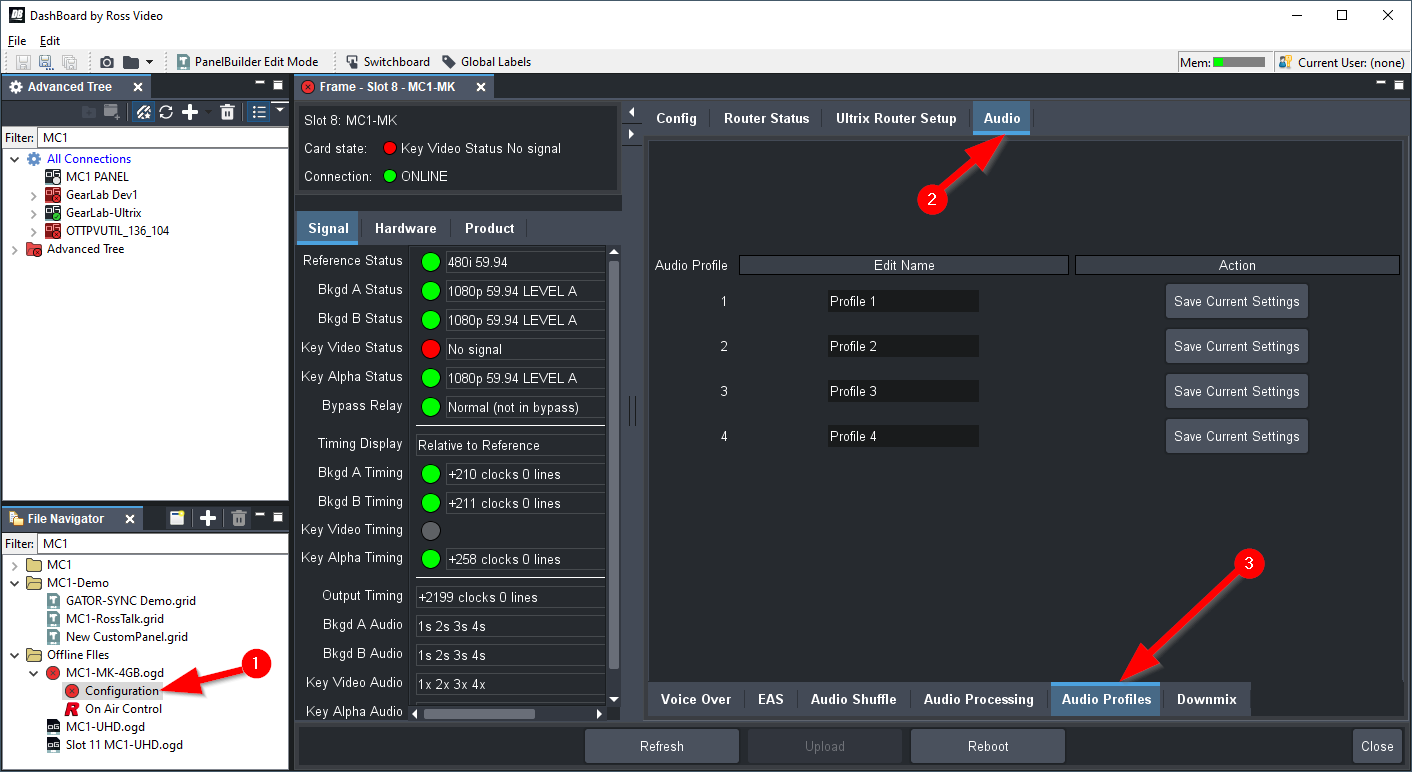
Audio Presets are configured in the Configuration menu. Select the "Configuration" node in the DashBoard Tree under the MC1-MK card. Then select Audio from the top tabs. Here you can name and capture the audio preset settings (including shuffle, downmix and gain). It will capture the settings currently setup on the selected Preset Bus crosspoint.
Recall is performed in the On-Air control, from either the Audio Processing or Audio Shuffle tab, you can load the desired preset. This will recall it to the selected preset crosspoint. You then need to TAKE the background to air to have it take effect.
Cheers,
Alun
------------------------------
Alun Fryer
Manager, Marketing and Solutions, Infrastructure
Ross Video
------------------------------