Hi Milos,
Thanks for much for the tip! Yes, "Remote Controller" mode was checked.
I was able to use Teamviewer to change that setting, reload the database I needed and after a reboot, the sub nodes are all back!
------------------------------
Conrad Slater
Slater Sound and Video Engineering
------------------------------
Original Message:
Sent: 08-16-2021 11:23
From: Milos Ciric
Subject: Ultix sub nodes not showing up on tree view
Hi Conrad,
I would start with checking the "Remote controller" mode, which (unless you have a separate controller) should be un-checked. Please go to Ultrix-->System Status --> Database and be sure that "Remote Controller Mode" is not Checked.
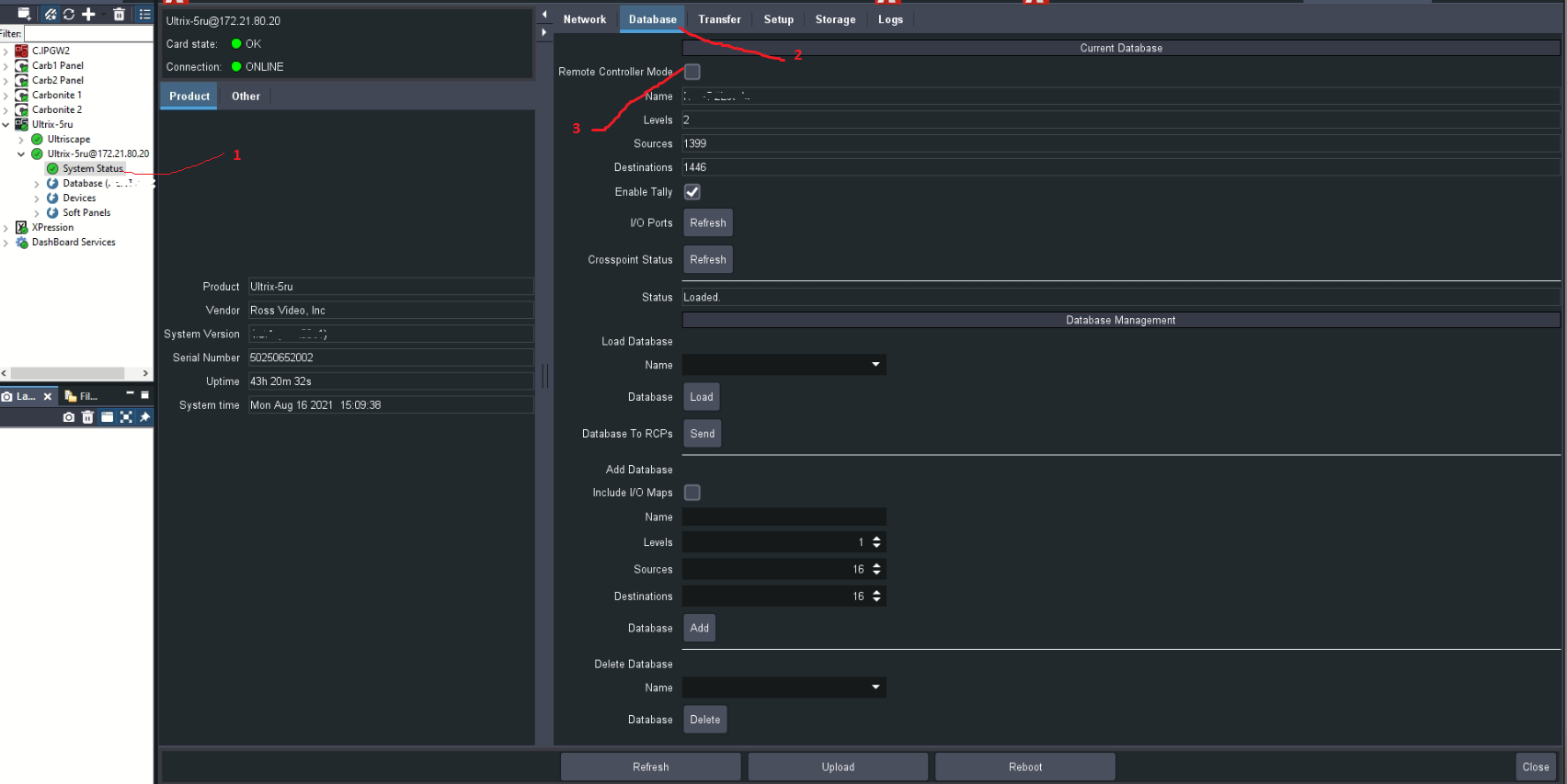 I hope that this would solve your problem. If not, you may share your screenshots and we will investigate further.
Regards,
Milos
------------------------------
Milos Ciric
Ross Video
Original Message:
Sent: 08-16-2021 11:01
From: Conrad Slater
Subject: Ultix sub nodes not showing up on tree view
I went to a facility to update their router. I dont know what they did but none of the sub nodes for config, destinations, sources etc appear on the tree view. I tried reloading both Dashboard and updating router to most recent firmware but it still does not show.
Any suggestions?
------------------------------
Conrad Slater
Slater Sound and Video Engineering
------------------------------