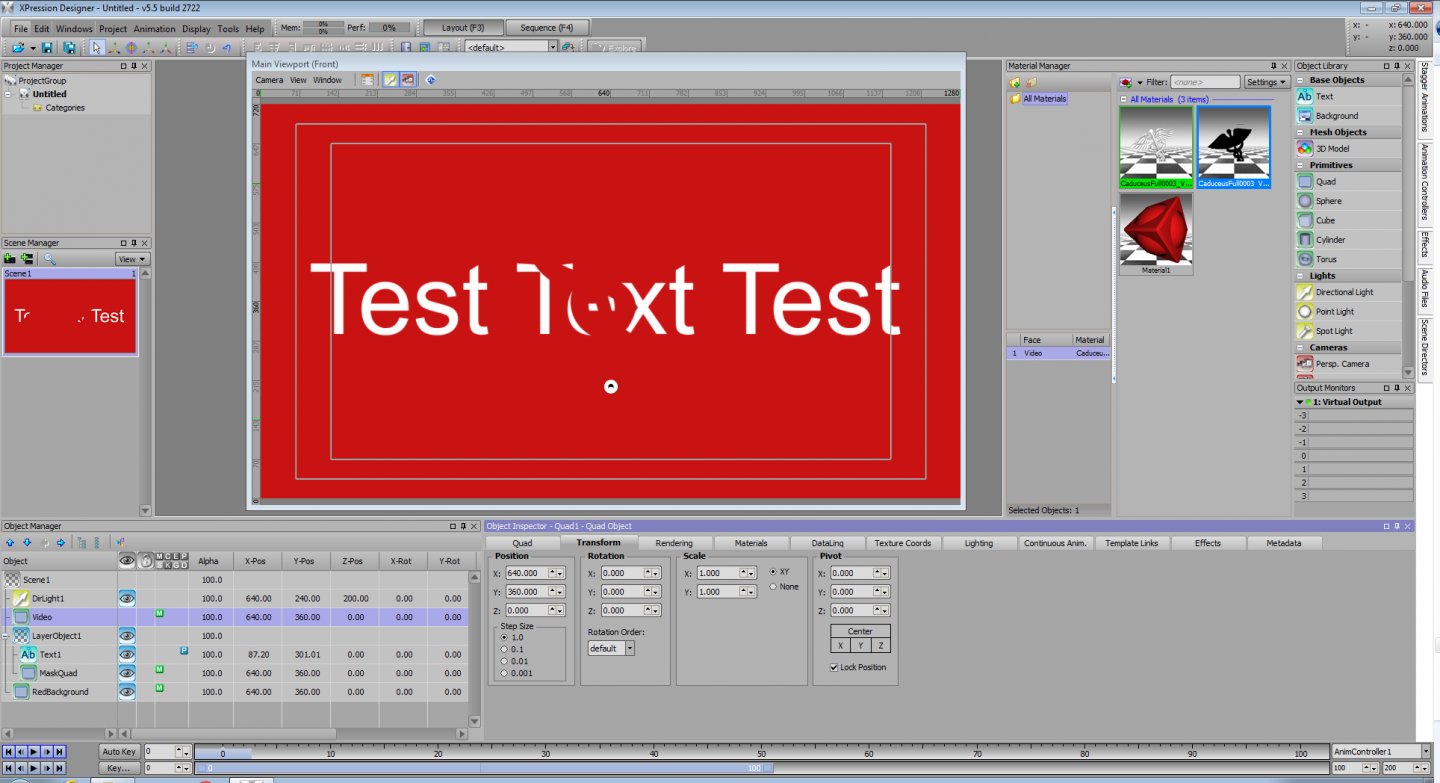
If the video shape needs to make a transition, start with a new scene. In the Material Manager, right click, select new, then mask, then video and find your video in the open dialog. Edit the mask material, set the run mode to loop and auto-start to experiment. Add a quad to your scene, apply the mask material to it. Add a layer object to your scene. Add a text object to your scene. Move the mask quad and the text into the layer object. Put the text above the mask quad and output your scene. If your video is made as a transition, this should reveal or obscure your text...depending upon which way the video is made. If your video isn't made as transition, you could rebuild the video in AfterEffects as a transition, or you could make your own still mask in Photoshop and then animate it in Xpression to match the movement of your video. Start out with a long rectangle with one end feathered. In the Material Manager, right click, select new, then mask, then image and find your rectangle in the open dialog. Apply this mask material to the mask quad in your scene and move the quad back and forth on the x-axis. you should see it reveal or obscure your text. Then animate its movement to match the movement of your video shape.
#XPression