Graphics

 View Only
  • 1.  Diminishing texture quality when scaling

    Posted 02-04-2016 19:24

    I want to create a self-scaling lower third. In stead of using a boring plain color I decided to put on a bitmap texture. When the lower third becomes shorter, the texture quality becomes very blurry. What is wrong?

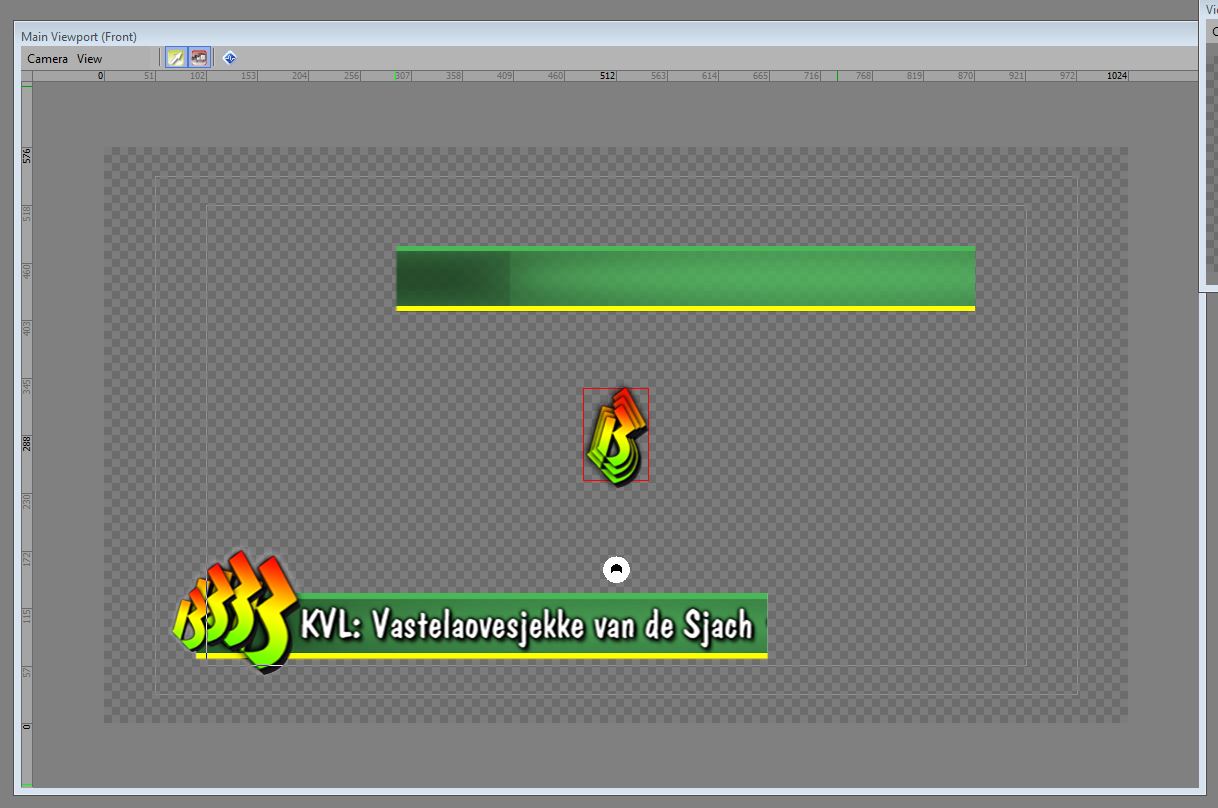
    Furthermore, the lower third needed an empty patch to the left of the text. This would mess up the auto scaling by text. So I chopped the lower third into two pieces. The right half scales with the text by parenting. The left part does nothing. Problem: the chopped image is 100% perfect and seamless in photoshop but XPression messes up the luminance of both images and now they don't seem to fit: the left part is dark and the right part is bright.


  • 2.  RE: Diminishing texture quality when scaling

    Posted 02-04-2016 20:43
    You can try to adjust the mipmapping and the minification filter settings on the texture material to adjust the quality when scaling the image.
    #XPression


  • 3.  RE: Diminishing texture quality when scaling

    Posted 02-05-2016 18:28
    I've been tinkering with that but I do not understand the parameters. No effect.
    #XPression


  • 4.  RE: Diminishing texture quality when scaling

    Posted 02-05-2016 18:31
    Can you send a link to your scene; I might be able to look at it for you.
    #XPression


  • 5.  RE: Diminishing texture quality when scaling

    Posted 03-09-2016 17:23
    Forget about it. XPression just can't copy external graphics 1:1. There is always some kind of interpretation. And scaling imported graphics just doesn't work. So I'll work around and simplify things.
    #XPression


  • 6.  RE: Diminishing texture quality when scaling

    Posted 10-24-2016 16:38
    NOTE: Try to avoid scaling at all time. Use objects dimensions in stead. This preserves texture quality much better. Especially with lower thirds this is much better as it preserves aspect ratio of shapes too.
    #XPression