Datalinq: Excel Source Stopped Working After Windows Update
[h=1]Cause of Issue:[/h]
Microsoft released updates to MS office and access jet driver early October that may cause issues with Datalinq excel sources.
[h=1]Issue Symptoms:[/h]
- After doing a Windows Update, excel data sources no longer work.
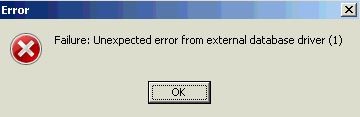
- Testing connect results in a "Failure: Unexpected error from external database driver (1)"�
[h=1]Issue Fix:[/h] [LIST=1]
***32 bit must be installed, XPression cannot use the 64 bit version***
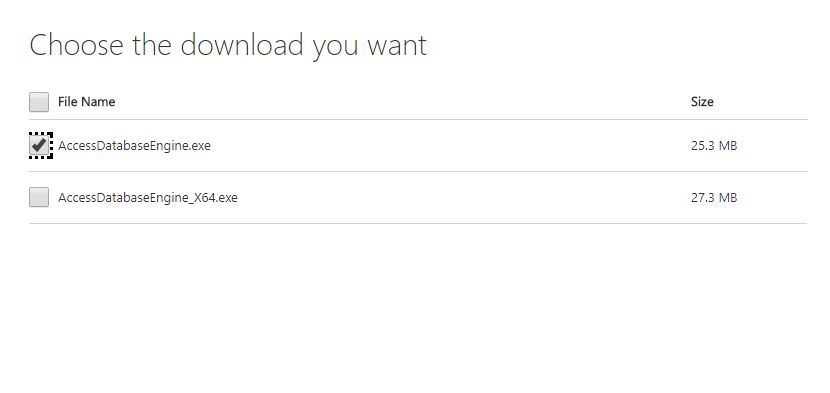
2.Once downloaded configure the data source and change the connection string values to and save
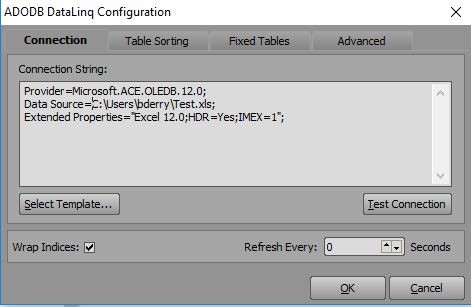
Provider=Microsoft.ACE.OLEDB.12.0;
Data Source=C:\Users\bderry\Test.xls;
Extended Properties="Excel 12.0;HDR=Yes;IMEX=1";
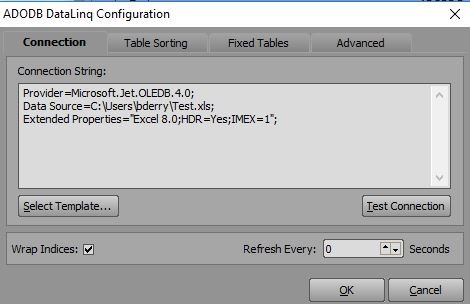
Picture for reference:
Old Source:
New Source: