Hey John,
I'm not sure if this will work, but when you look in the material and select the Video shader, there's a tab called "Audio".
In that tab you can select to set the Channel Mapping of the video.
If you click on it, a popup will be shown and by default the audio will be sent to channel 1 and 2. I can imagine that if you uncheck these channels, that your audio will be muted during playout.
I haven't checked this since I don't have a way here to check embedded audio but it just might work?
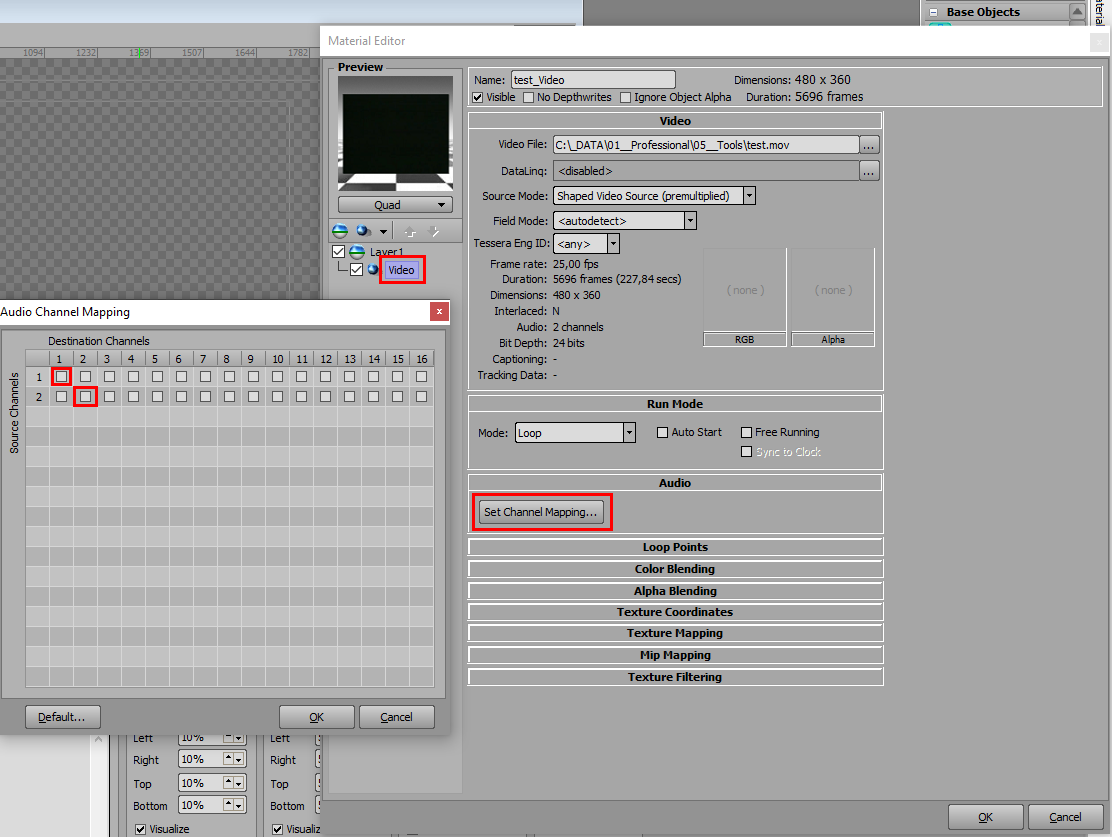
And since you are using the same material all the time, even when you select another videoclip, the audio should stay muted I think.
By the way the above screenshot was taken on version 6.7, but I assume it will be the same for version 6.5.
#XPression