Graphics

 View Only
  • 1.  Full Screen line spacing visual logic

    Posted 09-10-2019 17:36

    So I have an additional question for this Visual Logic.  What I would now like to do is add another condition.  Is it possible to maintain even spacing between rows even if one or more of the bullet points have 2 or 3 lines of text?

    I had an earlier post about using 1 full screen template for various numbers of text lines (2-6).  Willie was a big help with the visual logic to make this possible
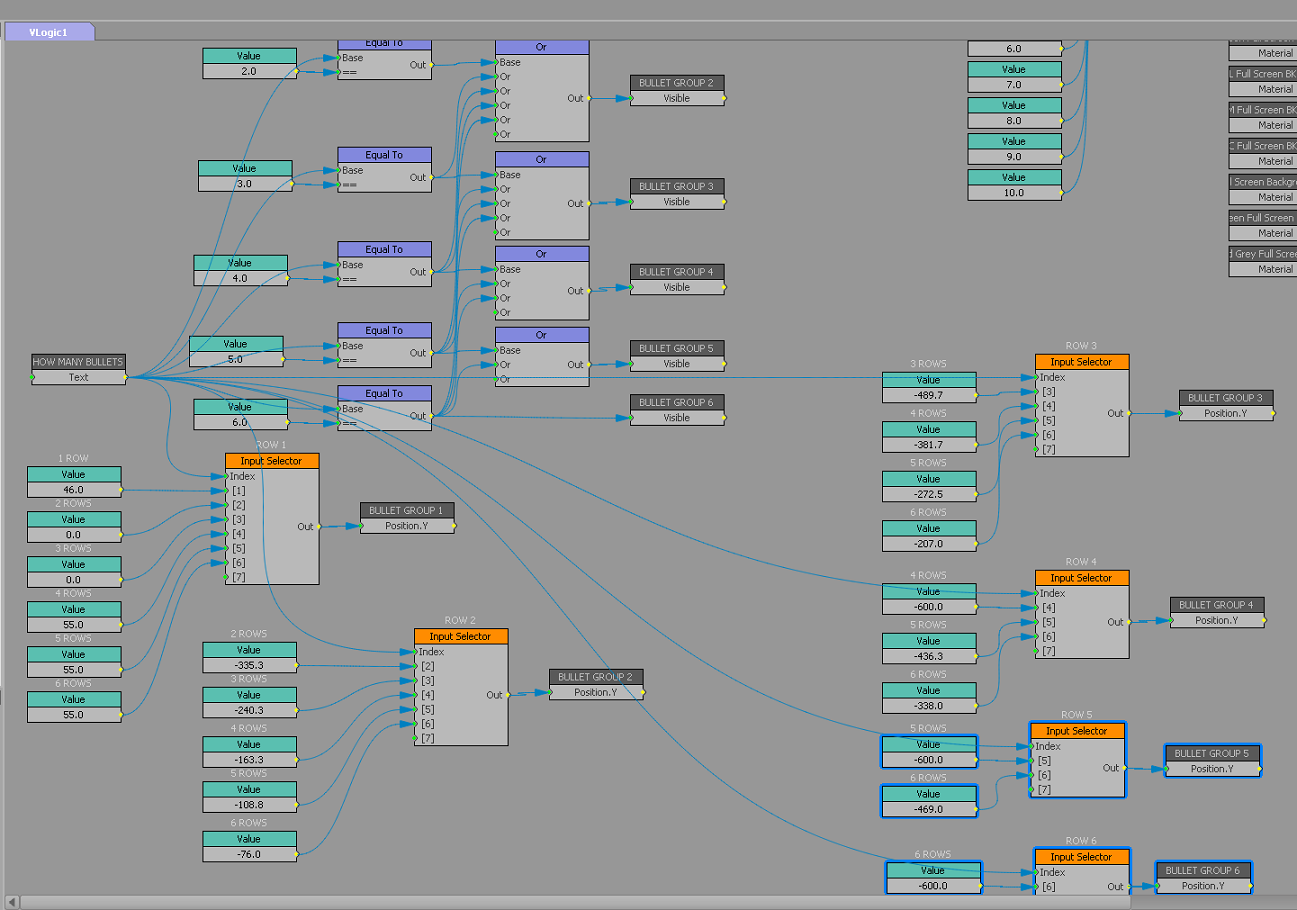
    Now I want to take this a step further and enable the text lines to adjust on the Y axis according to the height of the lines while at the same time filling out the body as it is set up with this visual logic example.
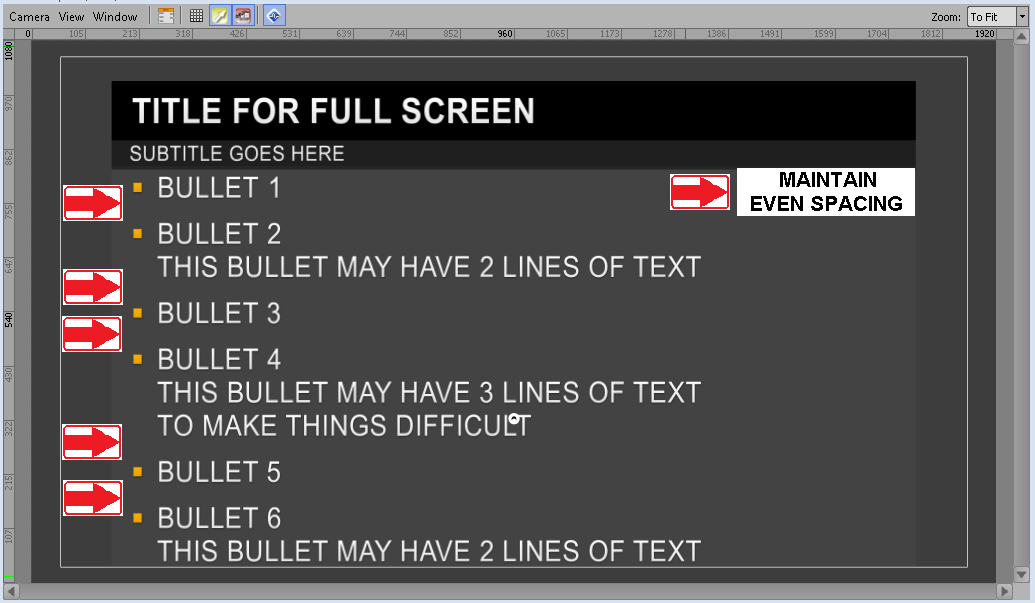
    My questions are:

    1)  Is this possible at all?

    2)  Is this possible through visual logic or would the answer be through script?

    I posted this question on my previous post but wasn't sure it just got buried at the end of my original question.  Any help would be greatly appreciated.


  • 2.  RE: Full Screen line spacing visual logic

    Posted 09-10-2019 20:13

    Hello Mark,

    maybe this kind of Visual Logic can help :

    each bullet group position depends on the previous position group and text height so it dynamically adjust.

    you can extend this to your 6 groups.

    "extra space" is hard coded in this example, but you can make it depends on how many bullet you have

    regards,

    Antoine.


    #XPression


  • 3.  RE: Full Screen line spacing visual logic

    Posted 09-12-2019 13:08

    Antoine -

    I mixed your visual logic with some of Willie's to get what I think is the best possible way to apply this to my full screens.  The logic for the visibility remains the same:


    And the logic for the spacing is now:


    I added a text field (made it invisible) called "Spread."  This will enable the producers or operators to enter a number to manage the amount of spacing between each line.  Thank you for your help!


    #XPression