Hey Mike!
I actually don't remember the project I uploaded so instead I made a new one; let me know if this helps at all.
You will be able to see the example global methods I added in the global methods window

the below is the two methods I added;
ShowMessage is a sub (Sub Procedure) which just pops up a plain windows message box to the user and
UpdateText is a function that returns a string
sub ShowMessage(inMessage As string)
Windows.Forms.MessageBox.Show(inMessage)
end sub
function UpdateText() as string
return "THIS IS MY TEXT"
end function
The project itself has two scenes
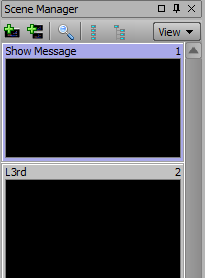
the Show Message scene utilizes the ShowMessage Sub
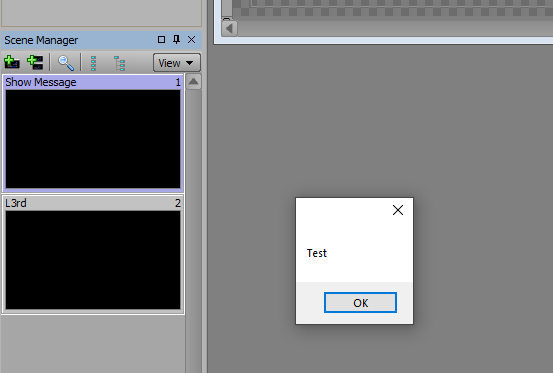
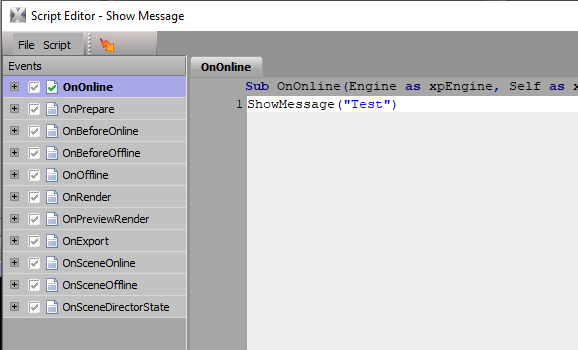 which when taken only shows the message box
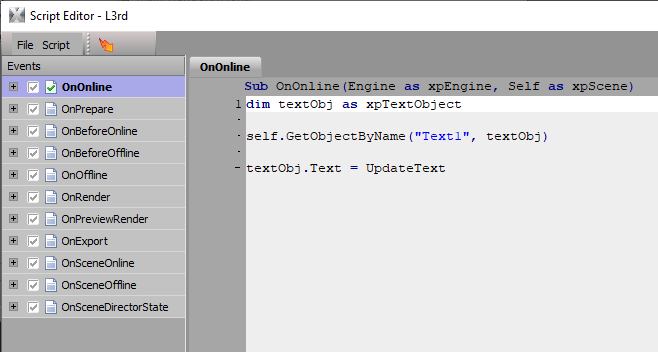
The L3rd scene utilizes the UpdateText function to change a text objects text when the scene comes online
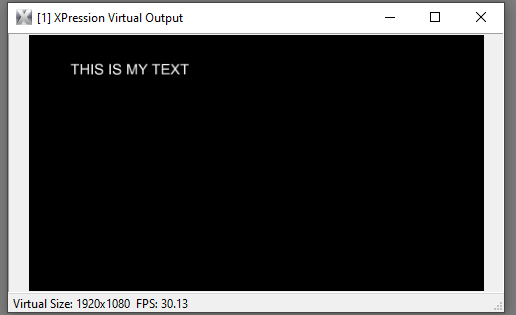
Let me know if you have any questions!
------------------------------
Brandon Derry
Ross Video
------------------------------
Original Message:
Sent: 09-07-2021 13:10
From: Mike DeMarco
Subject: Custom functions in script?
Completely agree!
@Brandon (hopefully that's the right Brandon, there's a long list and they no differentiating information!), any chance we can get those projects re-linked? Definitely interested in the resource.
------------------------------
Mike DeMarco
Video Production Engineer
RCN
Las Vegas United States
------------------------------
Original Message:
Sent: 06-16-2021 10:13
From: Sefa Aydemir
Subject: Custom functions in script?
I do strongly support Bens suggestion! That is an apporach that I often thought would be very useful.
Good point Ben.
BTW: I want push once more that it is very annoying that example files don't exist anymore when they are to old obviously. Is there still hope that this would change in the future? No offends, but it is ridiculous that a solution is no longer available, when you just find it too late. Frustrating.
Regards
Sefa
------------------------------
Sefa Aydemir
On Air Visuals / Switchers and Live Graphics Specialist
MMC Studios Cologne
Cologne Germany
Original Message:
Sent: 10-23-2019 18:20
From: Ben Stahl
Subject: Custom functions in script?
I would suggest as a future feature an additional level of scripting that is "more global": available to ALL projects on that machine. Maybe Application Global Scripts or some such. This would be very useful for building up libraries of common functions you will re-use for many projects. Right now you can copy-paste global scripts from one project to another, but that becomes a real maintenance problem because now when you need a change/fix to a library script, you have to remember to change it in every project that uses it.
This could be take even a step farther, with cloud storage of scripts that could be available across multiple machines (many setups will have a Designer machine and one or more Studio production machines). Even if the cloud link isn't live at all times, an option to manually upload/download your scripts to a central location would be a big time-saver.
Another useful tier would be a script section that is global to a single scene, because you often end up duplicating code between OnOnline and OnPreviewRender, for example.
Here's an initial stab at a scripting hierarchy I'd like to see (top level to bottom level):
- Global scripts - available to any device in a group (like a company or department), could be simply a list of local text files to simplify implementation, so it could just be global to a single device, or it could be multiple devices by placing those files on Dropbox, Google Drive, etc. to sync
- Project scripts - available to any scene in a single project
- Scene scripts - available to any script in a scene (OnOnline, etc.)
- Individual scripts (OnOnline, etc.)
Global and Project scripts would also ideally have multiple containers (or files), for organization purposes, so for example you could separate libraries for file system operations, material/texture manipulation. etc. When packaging a project, bundle all linked scripts with it, however when deploying, have an option to re-link to the same script files if they exist on the deployment machine, or if not, create new Project-level scripts with them.
#XPression