Graphics

 View Only
  • 1.  Bottom Text Centered to Top Text(s)

    Posted 05-29-2019 01:07

    Hi Everyone,

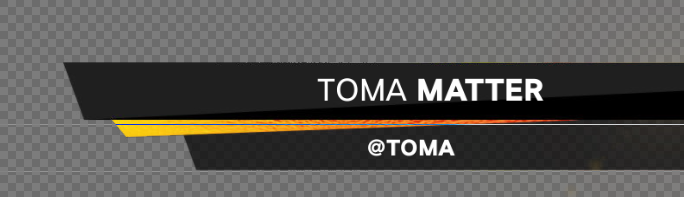
    How do you centre text underneath a group of texts above? (One text Aligned Left and one Right - and the one underneath)

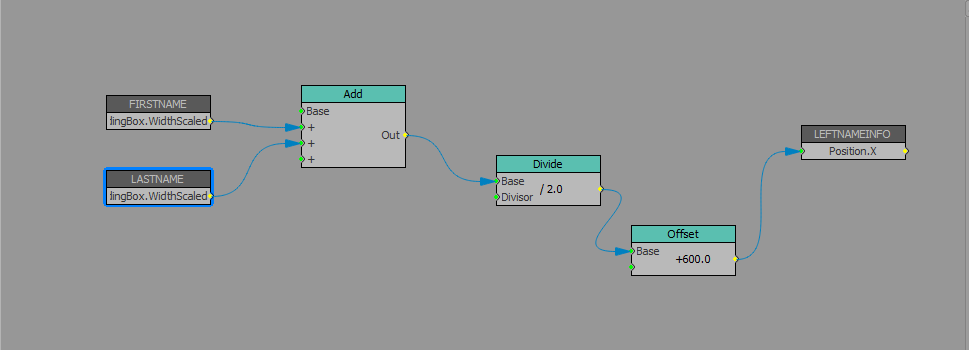
    I've tried to connect through dividing the width of the above text(s) and offsetting - but it does not remain centre.

    Thanks again for your help! I hope this is my last question for a while.

    Thanks

    Paul


  • 2.  RE: Bottom Text Centered to Top Text(s)

    Posted 05-29-2019 12:14

    Ok, so I had to give this one a go.
    As usual, I went after this through Visual Logic only, and I'm by no means the answer to it... But, I got it working.

    1. Set Y-position of "MATTER" based on "TOMA", that way they will allways be in-line.

    2. Set the X-position of "MATTER" based on "TOMA"'s X-value + a small offset.
      Now you got the two first texts in the right place.

    3. Take the X-position of "TOMA", and since it's right aligned, subtract the WidthScaled of TOMA, so that we're working with its left side as a "zero-point".

    4. Now take the "TOMA" widthScaled, and add together with the offset from earlier, and the "MATTER" widthScaled.
      Divide the result of this by 2.

    5. Take the result of step 3 (our zero-point), and add the result of step 4, and set the X-value of "@TOMA" and if you've set the alignment of "@TOMA" to center, you should get the desired result!


    #XPression


  • 3.  RE: Bottom Text Centered to Top Text(s)

    Posted 05-30-2019 01:14

    Thanks Aleksander!

    Works perfectly! I only added an offset to get it in place


    Thank you


    #XPression