Graphics

 View Only
  • 1.  Centering group horizontally

    Posted 07-20-2020 21:16

    Hello all,


    I have a group that contains the following

    logo - day name - month name - day number

    The date info is automatically updated using a clock.

    How do I center the group based on the length of character the date has for example

    Monday, July 20

    is shorter than

    Wednesday, September 30

    I need the centering to happen automatically with the change of the dates.


    Thanks 


  • 2.  RE: Centering group horizontally

    Posted 07-20-2020 23:01

    Juan,

    Have you used Visual Logic? Are you familiar with that feature of XPression?


    Shane


    #XPression


  • 3.  RE: Centering group horizontally

    Posted 07-20-2020 23:33

    I have tried using Visual Logic and can not get it to center once the text(Date) changes everything moves all over the place. for now, I have left it left-aligned but I would like it to be center automatically everyday


    #XPression


  • 4.  RE: Centering group horizontally

    Posted 07-20-2020 23:42

    The logo is on a quad, Monday the common the month and the day number are all separate elements I am using Visual Logic to have the comma month and day number follow the day name, what I thought was to put it all in a group then find the middle of the group and set the position based on that number but if I change the day name to Wednesday, for example, all the elements move but not aligned nor centered 


    #XPression


  • 5.  RE: Centering group horizontally

    Posted 07-20-2020 23:45

    I will try to make an example in VL and post it here.

    But, thinking out loud:  Put your text object as a child of the blue bar. Make that text center-justified. In VL, get the width of the text bounding box, then divide by two to get half the width of the text box. Set the X Pos of the text box to be that half-point number, and then offset that number in X by half of the width of your logo box.

    Sorry if this is obvious and what you have tried. I'm not in XPression now, but will give it a try soon.


    Shane


    #XPression


  • 6.  RE: Centering group horizontally

    Posted 07-21-2020 01:54

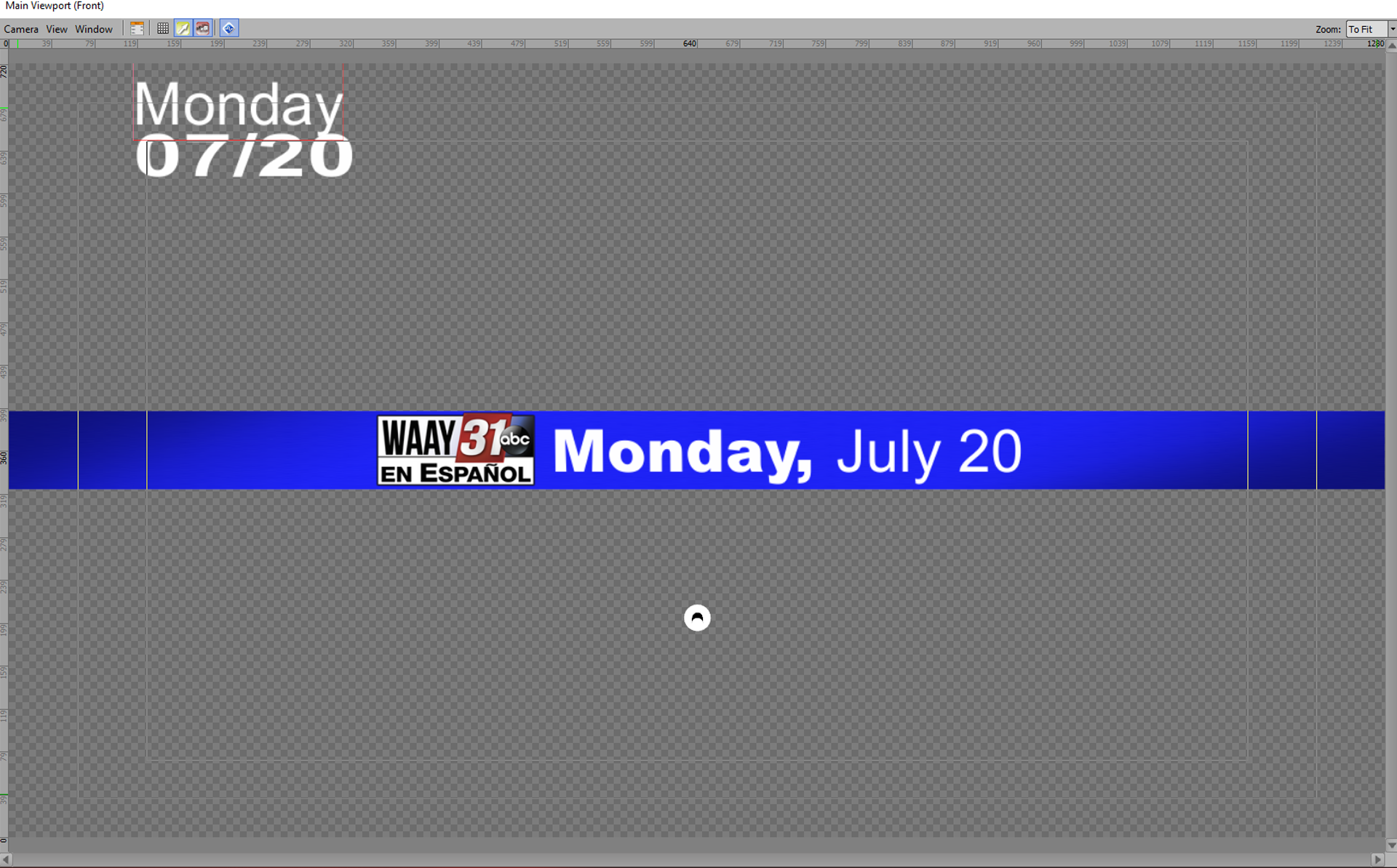
    Quad objects:

    Logo

    Bar

    Text objects:

    Day: manually entered

    Date: Clock Timer widget format MM/DD

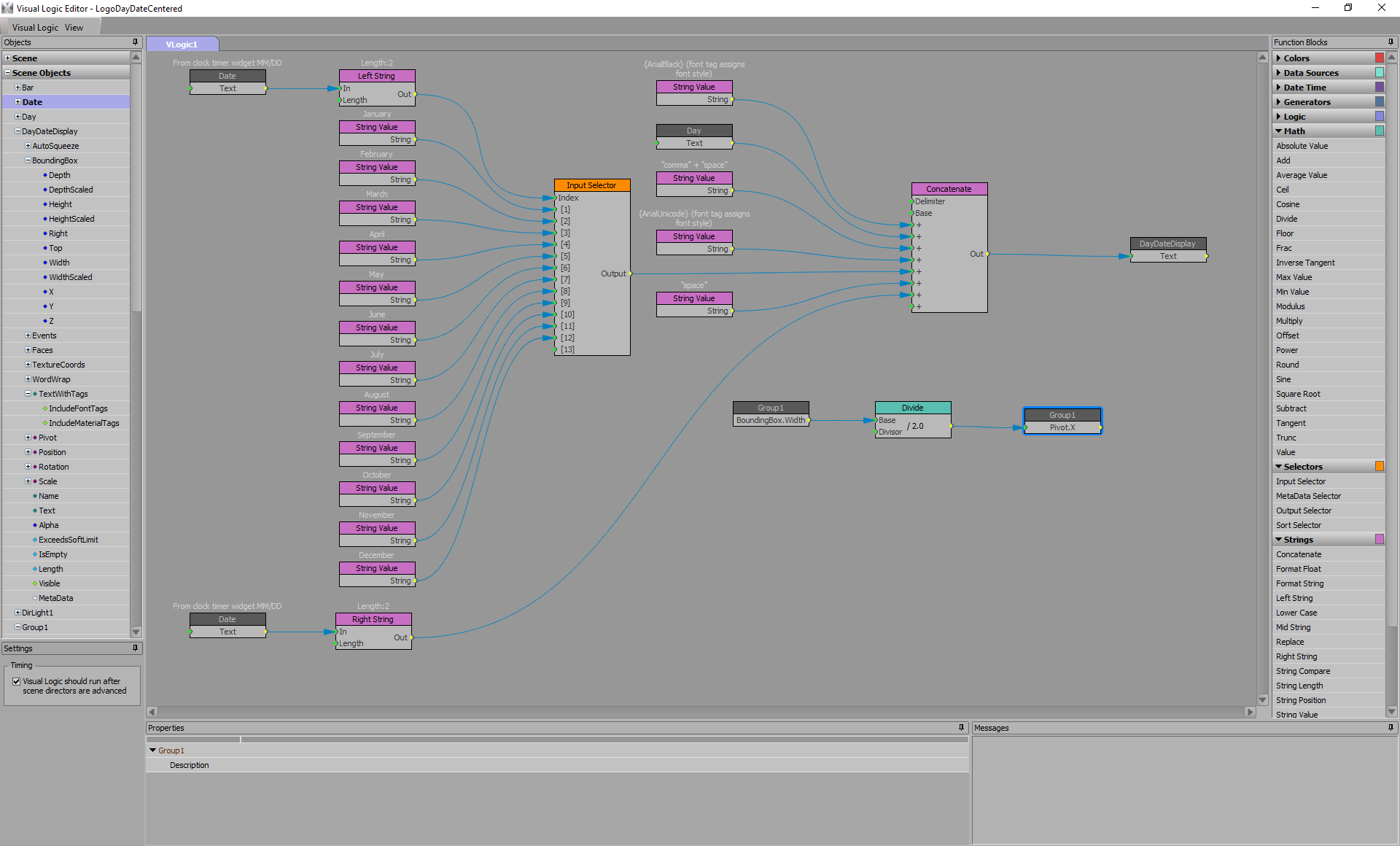
    DayDateDisplay: fed in Visual Logic

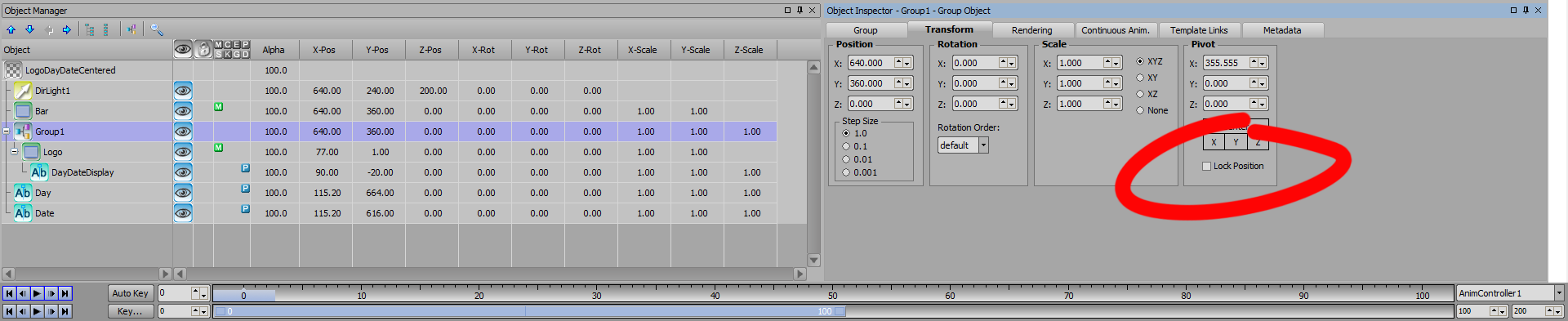
    Make Logo child of Group1

    Make DayDateDisplay child of Logo

    Unlock position of Group1 in Pivot (red circle)

    I manually set position of logo to center composite after building visual logic.

    Note: If you could find a clock timer format that would give you the name of the day as well, use Left String to trim off Month/Date


    #XPression


  • 7.  RE: Centering group horizontally

    Posted 07-21-2020 02:14

    You need to use your project's font names (or ID numbers) as the font tags in {braces}


    #XPression


  • 8.  RE: Centering group horizontally

    Posted 07-21-2020 04:51

    Thank you so very much for your help.

    I will try and implement your version as it seems to be so much simpler than mine.

    After several hours this is my solution to the issue I was having for centering everything and have everything with the exception of the logo to populate automatically.


    Again thank you for your help.


    #XPression


  • 9.  RE: Centering group horizontally

    Posted 07-21-2020 05:02

    You're welcome! You were way ahead of me on the Visual Logic blocks for Clock & Format Date Time! Haven't worked with them before. Plug those into the Concatenate and you'll be done.


    #XPression