I have this graphic that has a replaceable image (a sports team logo) that will eventually come from Streamline. All those images contain three meta tags, 1 is the team location (city), 2 is the team name (mascot) and 3 is the league or conference.
I tried at first to approach it from Visual Logic but that became too cumbersome (too many league/conference logos), so I dived into scripting.
I'm still a rookie at this, but I got it to work manually:
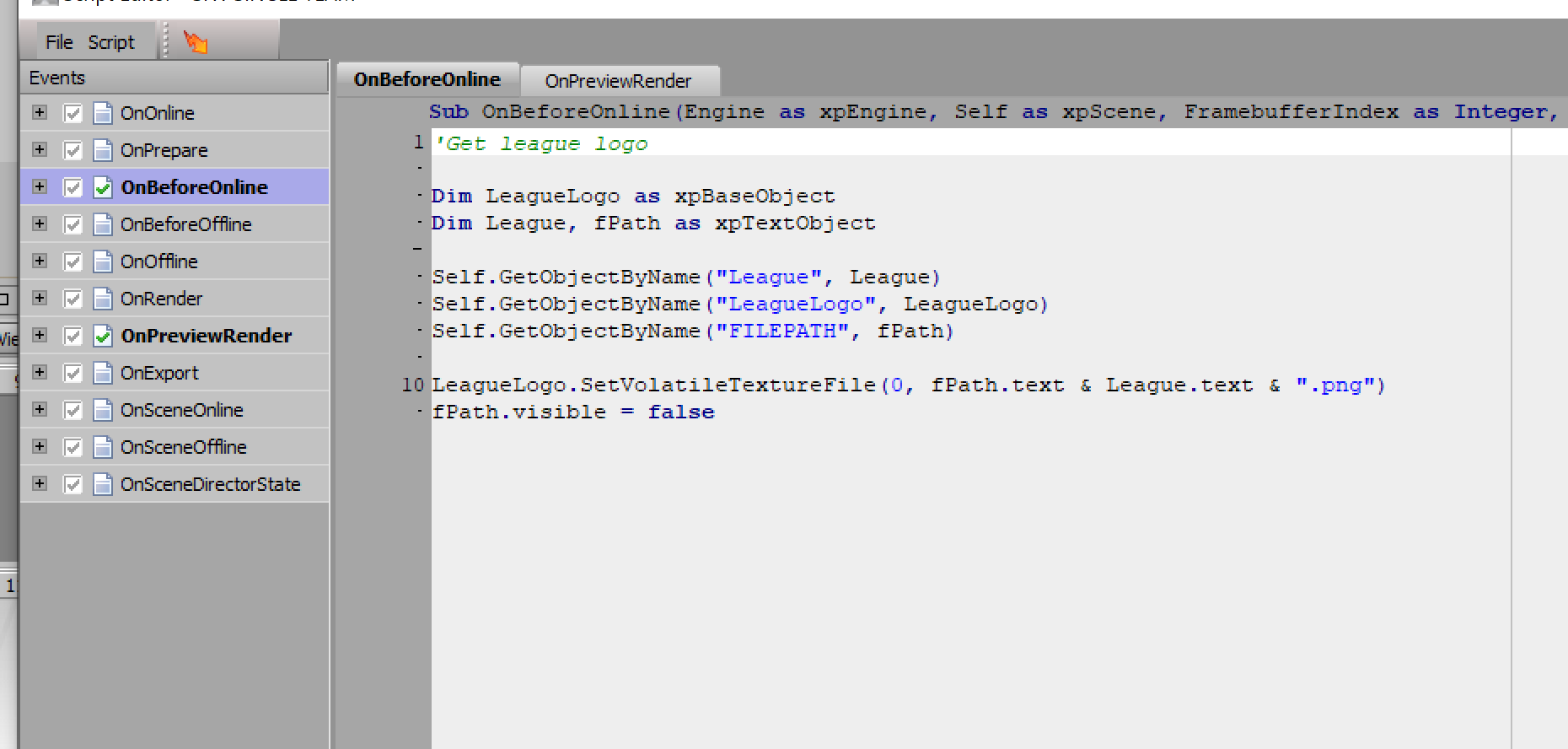
So, if I publish the text selector (League variable in the above) and manually enter a name, this script works.
However, I would LIKE to get the contents for that League variable from the third meta tag of the main team image.
I thought it would work to just pull it and place it in Visual Logic, but I'm guessing this script runs BEFORE Visual Logic does its thing.
I suppose I'm asking, how do I call that meta data in my script?