Hi Ryan,
Trying to center a text using Visual Logic can be quite tedious, I know.
As you have said in your question, the 0-position on the Y-axis of the textobject is on the baseline of the first line of the text which is making it difficult to handle.
Luckily the BoundingBox-properties offer you a property called BoundingBox.Top. This tells you how much the distance there is between the default 0-point of the object and the top of the boundingbox.
In the case of a text-object, it will tell you the distance between the baseline of the text and the top of the BoundingBox.
So now that you know the height of the BoundingBox, you just need to divide that in two to get the center of the BoundingBox. However, since there's an offset of the baseline, you just need to subtract half of the BoundingBox.Height from the BoundingBox.Top and you get the center point of the textobject.
Then you only need to fix the Y-Position of the textobject to the position where you need it.
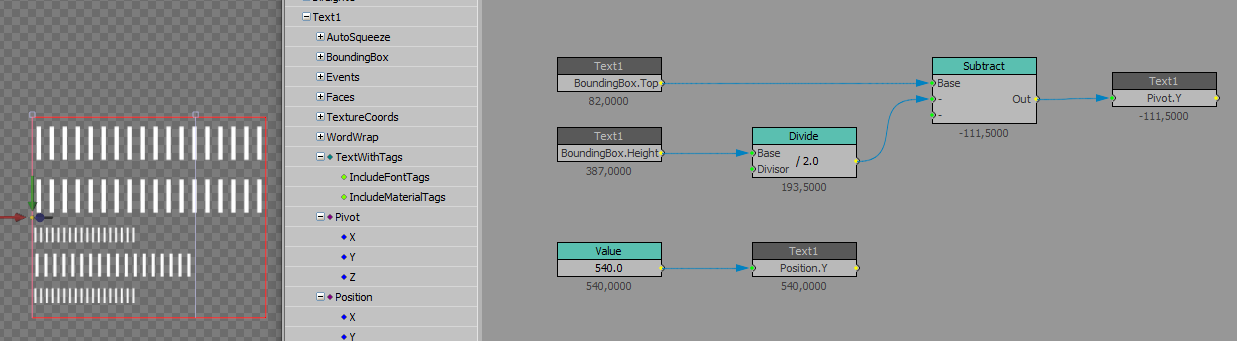
Hope it helps!
Best regards,
Ken
#XPression