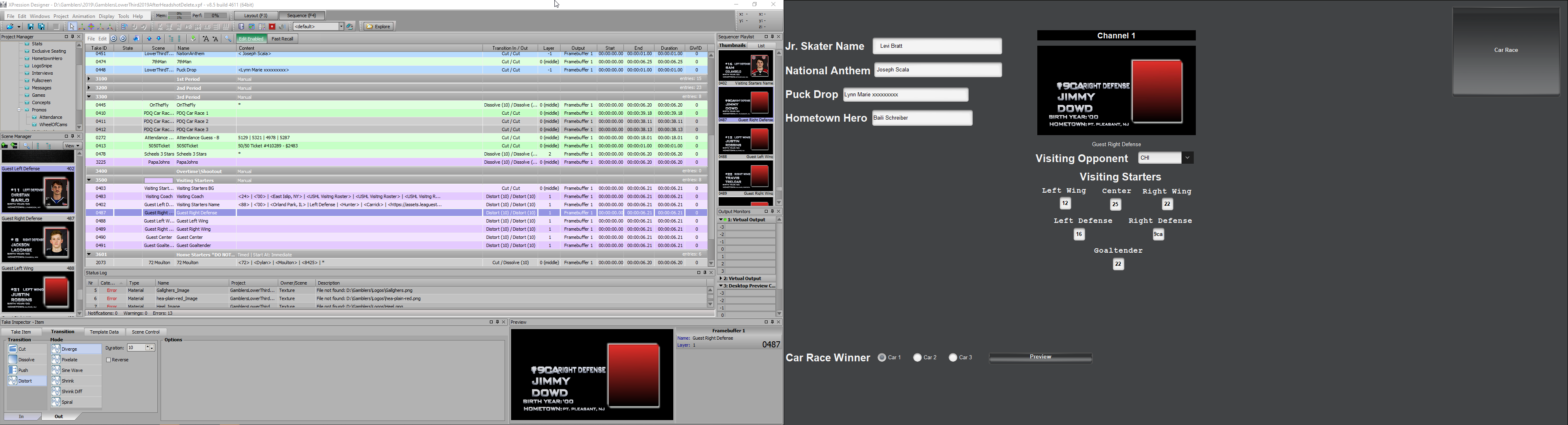
I am working on an interface for my operators. One thing I would like to do is in Dashboard have a preview when filling in the data. This works great until I get to scenes that populate with some scripting. Is there a place I should put these scripts that I have not tried yet? Here is the script that I am using. I have done this in OnOnline, OnPrepare, OnBeforeOnline, OnRender, OnPreviewRender and OnScreenOffline.
dim UniNumber as xpTextObject
dim keys as xpDatalinqKeys
dim key as xpDatalinqKey
'find the text object by name that the key value will come from
self.getObjectByName("UniNumber", UniNumber)
'find the keys in the scene and find the specific datalinq key by name
self.GetDatalinqKeys(keys)
keys.GetKeyByName("Jersey", key)
'copy the content of the source text field to the datalinq key
key.AsString = UniNumber.text
'refresh datalinqs in the scene
Self.RefreshDatalinqs()
The script works when in Xpression Sequencer and when it goes to air. I simply just want the preview in Dashboard to verify the information is correct without actually putting the graphic to air.