Original Message:
Sent: 06-02-2025 09:37
From: Jeff Mayer
Subject: Format XPression Timer (Minutes, Seconds)
Alejandro,
From your original post, your Visual Logic should have worked as long as your Clock text object (the one linked to the widget) was visible in the viewport.
If you're not getting any value out of the input selector, which could be why your Text1 or Text2 number disappeared, it's likely that the incoming Index value didn't match any of the input values. You mentioned changing the Index Offset Value to 1. The Equal To function block will return either a 0 or 1, so if there isn't an input at value 0, and the Equal To block is returning false, you won't get a value out of the Input Selector.
One thing that could help to troubleshoot is going to View->Show Block Values. That selection, along with turning on Active Rendering in the viewport (blue diamond icon or F12) should allow you to see the values of each of your Visual Logic blocks as they change, not just the numbers you put in the description.
------------------------------
Jeff Mayer
Ross Video
Original Message:
Sent: 05-31-2025 02:25
From: Alejandro Galvan
Subject: Format XPression Timer (Minutes, Seconds)
Hi there, Jeff. Sorry, it's been a while. I finally got access to Xpression Designer and can test scenes much quicker.
That being said, I tried your suggestion, but it didn't work for me. Could you please share a screenshot of your Visual Logic? I feel like I'm missing a step or might have things backward. However, I swapped TEXT1 and TEXT2 in VL to see if that did anything, but had no luck.
My original timer is set for 11 minutes, and it counts down. For some reason, when I connect my "Output" from the Input Selector to "TEXT1 or 2", the numbers disappear. If I change my Index Offset to 1 from the Input Selector properties, the text returns, but does not hide the ZERO.
I am attaching some screenshots of what I have right now.
Thank you.
------------------------------
Alejandro Galvan
LA36 LOS ANGELES TV ACCESS
Original Message:
Sent: 04-22-2025 17:02
From: Jeff Mayer
Subject: Format XPression Timer (Minutes, Seconds)
Alejandro,
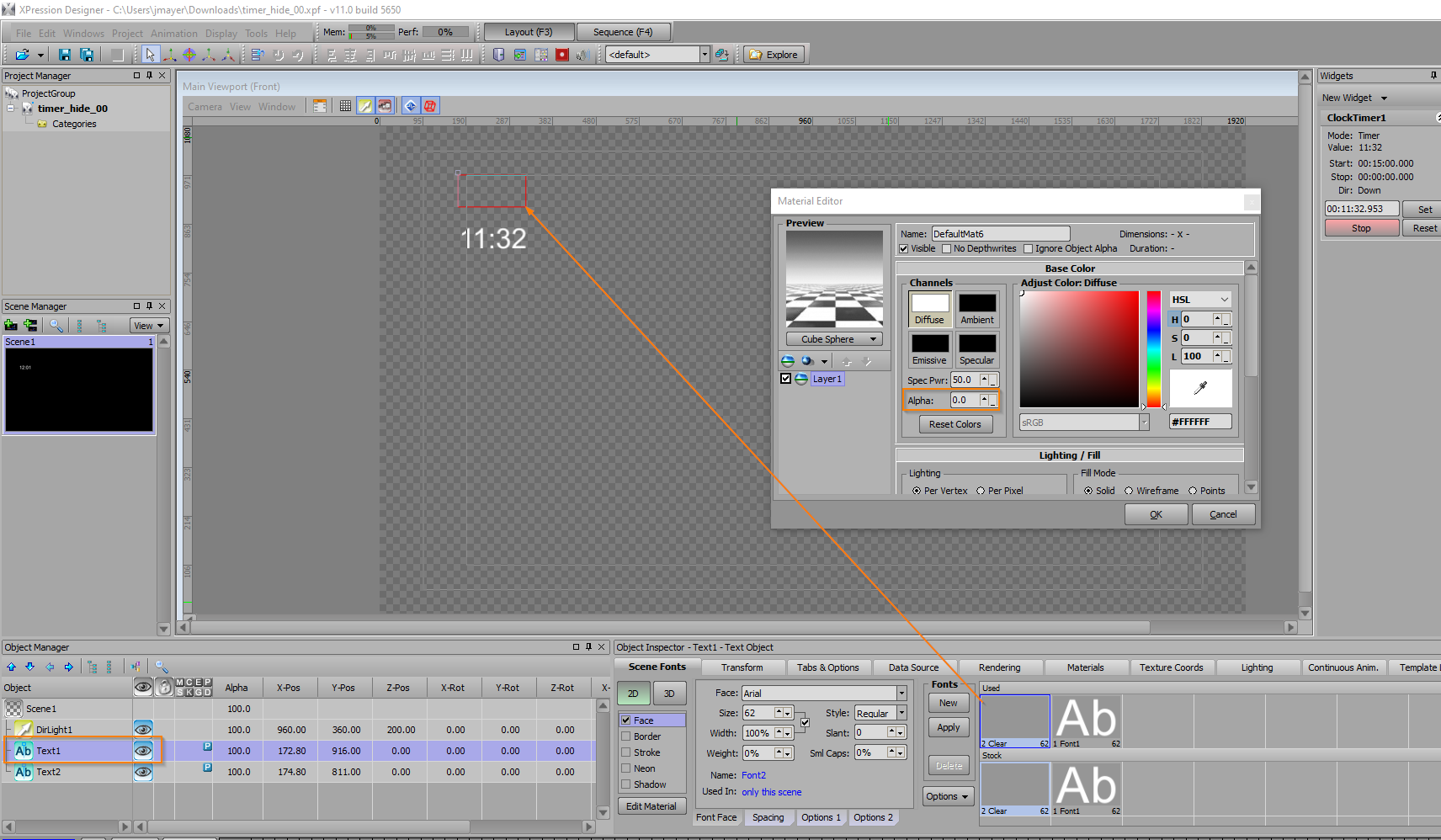
From your screenshots, it looks like you're in Version 11.0 build 5650. I tested this scene out and found the same behavior. Looks like the Widget isn't updating the original text object (Text1) when it's hidden. Turning on the visibility of the text object makes the widget time work again.
Only way I found to make this work is to keep Text1 visible, but assign it a font with a 0% alpha face. XPression will still render the text, so the widget countdown will apply to the object, but it won't be visible in your scene.
Just make sure to keep the text object inside the viewport, otherwise, the widget will stop counting again.
Tested in 12.0 and found the same behavior.
------------------------------
Jeff Mayer
Ross Video
Original Message:
Sent: 04-22-2025 09:42
From: Garner Millward
Subject: Format XPression Timer (Minutes, Seconds)
What is your exact XPression version and build number?
Ex. 11.5 build 5814
Original Message:
Sent: 04-21-2025 14:13
From: Alejandro Galvan
Subject: Format XPression Timer (Minutes, Seconds)
Thank you for the reply, but I have tried it with having the Continuous Animation on and off and it doesn't work in the editor nor on program. I had seen (maybe on another post) another user tried the same steps and it wasn't working for that operator neither. I feel that something change in Xpression.
------------------------------
Alejandro Galvan
LA36 LOS ANGELES TV ACCESS
Original Message:
Sent: 04-20-2025 18:04
From: Zachary Fradette
Subject: Format XPression Timer (Minutes, Seconds)
Hey Alejandro!
In the bottom screen in your image, you can see that the "Continuous Animation & Other Effects diamond" (blue diamond that's 4 items to the right of the visual logic icon on the designer viewport) isn't selected, meaning that Visual Logic isn't running on your designer scene. (It will still run when being output). Try turning that on to see if there's any difference, and if it's not already on, in your Visual Logic editor, go to View and turn on show block values or something to that effect.
------------------------------
Zachary Fradette
United States
Original Message:
Sent: 04-19-2025 04:03
From: Alejandro Galvan
Subject: Format XPression Timer (Minutes, Seconds)
This no longer works in version 11. I tried doing exactly how the sample is shown n n nope. I also downloaded your project and that's no bueno neither. Please help. Need to hide the 0 when it drops after a minute mark.
------------------------------
Alejandro Galvan
LA36 LOS ANGELES TV ACCESS
Original Message:
Sent: 05-04-2021 19:03
From: Simon Redmile
Subject: Format XPression Timer (Minutes, Seconds)
Type the format in the widge as N:SS
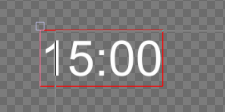
This will solve your first 0 as it will format like this.
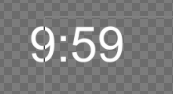
You'll still have the leading "0" like this though
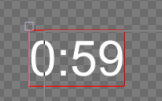
To remove the other "0" takes a little more work but can be solved with visual logic.
You can use 2 text blocks like so
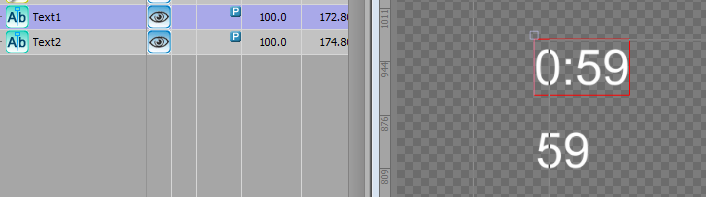
Then use visual logic to connect it up like so.
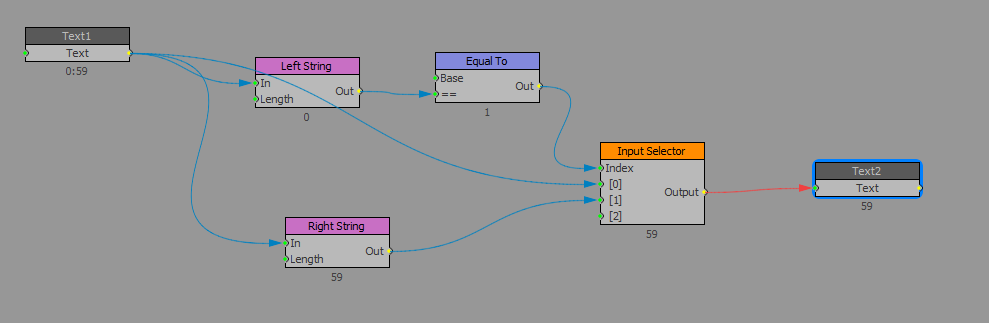
Then hide the text box that is linked to the widget and you will only see the correct timer.
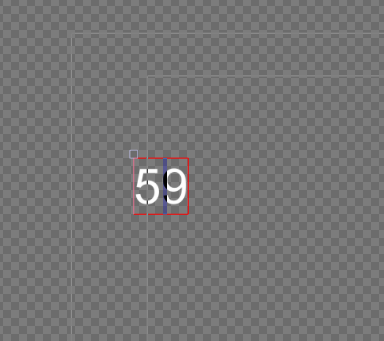
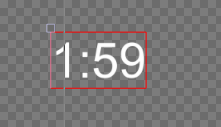
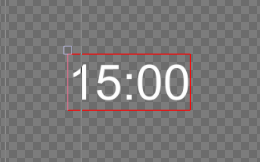
I have attached a project with the template in.
------------------------------
Simon Redmile
Ross Video
Original Message:
Sent: 05-04-2021 17:24
From: Jake Zink
Subject: Format XPression Timer (Minutes, Seconds)
------------------------------
Jake Zink
------------------------------