Graphics

 View Only
  • 1.  Opacity animation

    Posted 05-07-2019 16:42

    Hello 👋
    Is there any way to manually apply fade in animations/transitions to text and quads from the layout?
    I normally use the transition propertie located inside de Sequence, but I want to do it from layout instead.


  • 2.  RE: Opacity animation

    Posted 05-07-2019 19:04

    You can use keyframes to do this in layout. Select the layer you want to keyframe, click the Key button bottom left of Layout mode, select parameters to keyframe and set them. In the Keyframe editor, (Ctrl-Shift-K) you can reposition keyframes in time and change values to accomplish what you need.


    #XPression


  • 3.  RE: Opacity animation

    Posted 05-07-2019 19:51


  • 4.  RE: Opacity animation

    Posted 05-09-2019 22:23

    Thank you for your answers guys, I already watched the video, but I have the same trouble. Do I need to work on alphas? Can somebody help me doing a screenshot on the process to reveal a text by opacity?


    #XPression


  • 5.  RE: Opacity animation

    Posted 05-10-2019 01:42

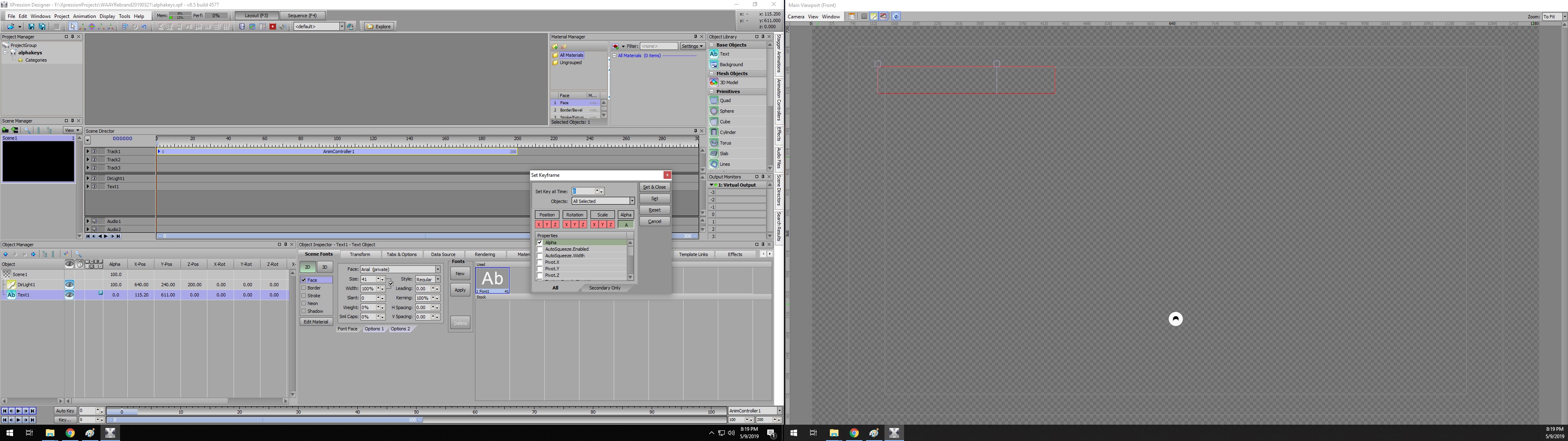
    Set your text alpha to zero. Click Key. Select alpha only (green). Click Set & Close.
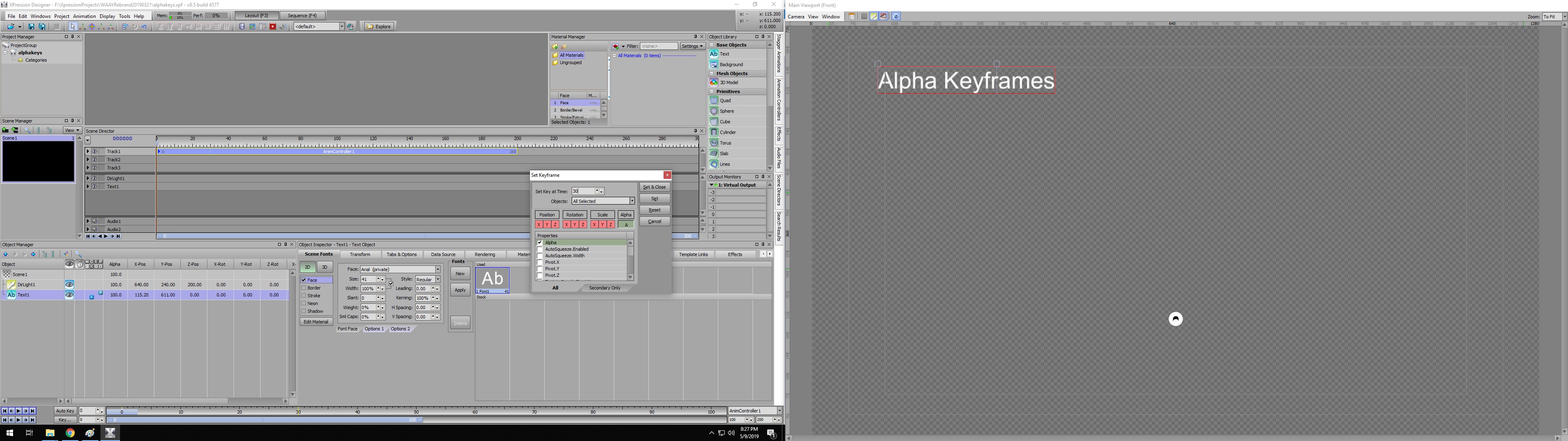
    Set your text alpha to 100. Click Key. Type 30 in Set Key at Time. Click Set & Close.
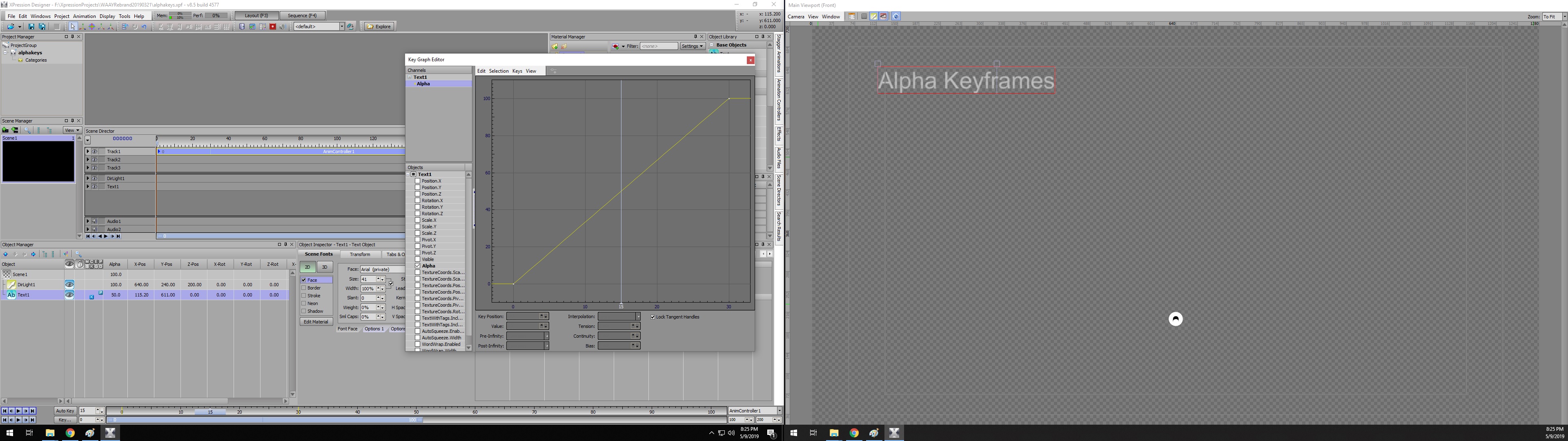
    Type Ctrl-Shift-K. Open plus sign on Text1. Check Alpha. Click on Alpha in Channels. Scrub from 0 to 30 to see the fade up from zero alpha. To edit a keyframe, select it in the graph and change the Key Position or Value.


    #XPression