Hello,
You can either script it. The number 540 is a variable number. Change this to change the location on the screen.
Dim text as xpTextObject
dim height as integer
Self.GetObjectByName("Text1", text)
height = text.boundingbox.height
text.posY = height / 2 + 540
Or use visual logic to reposition the text. Again the number 540 will change depending where you want to position it on the screen.
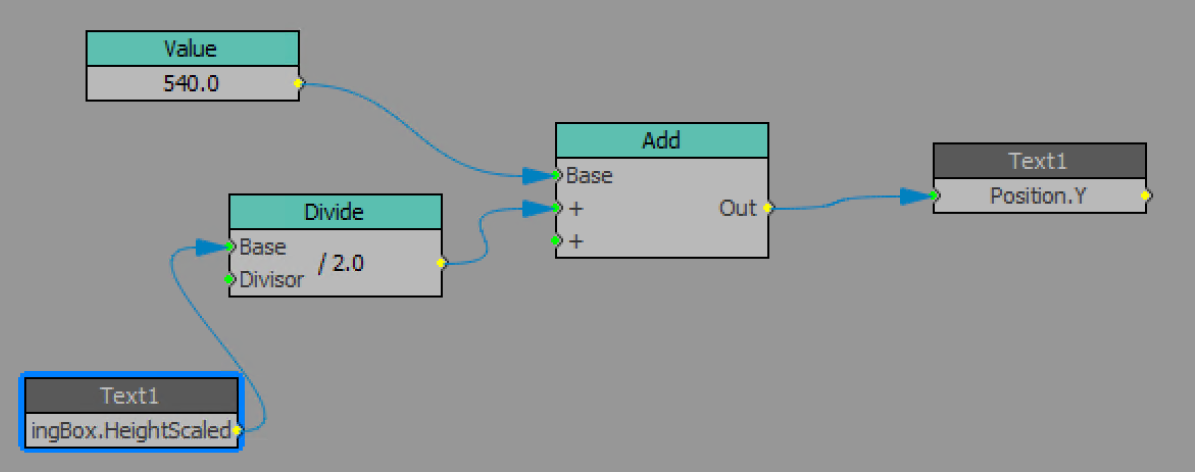
Make sense?
------------------------------
Lesley Mitchell
Special Projects
Bell Media
Toronto, ON Canada
------------------------------
Original Message:
Sent: 05-02-2021 02:32
From: Bibek Shrestha
Subject: How To Text alignment Horizontally Center when typed?
------------------------------
Bibek Shrestha
Designer
------------------------------