Hi James.
I assume you mean latency in the commands going out to the devices and not latency in the Custom Panel user interface.
The issue you're experiencing is likely due to all of the TCP messages being sent to through the same thread and only one connection is allowed to be open at a time. It works like this:
- Send Message adds a new message to the queue and notifies the messaging thread
- If a connection is already open to the requested IP/Port, write the message
- Otherwise, close any open connection and create a new connection to the requested IP/Port
- Write the message
If any of your servers is slow to accept the connection, you'll have a delay before the next message goes out.
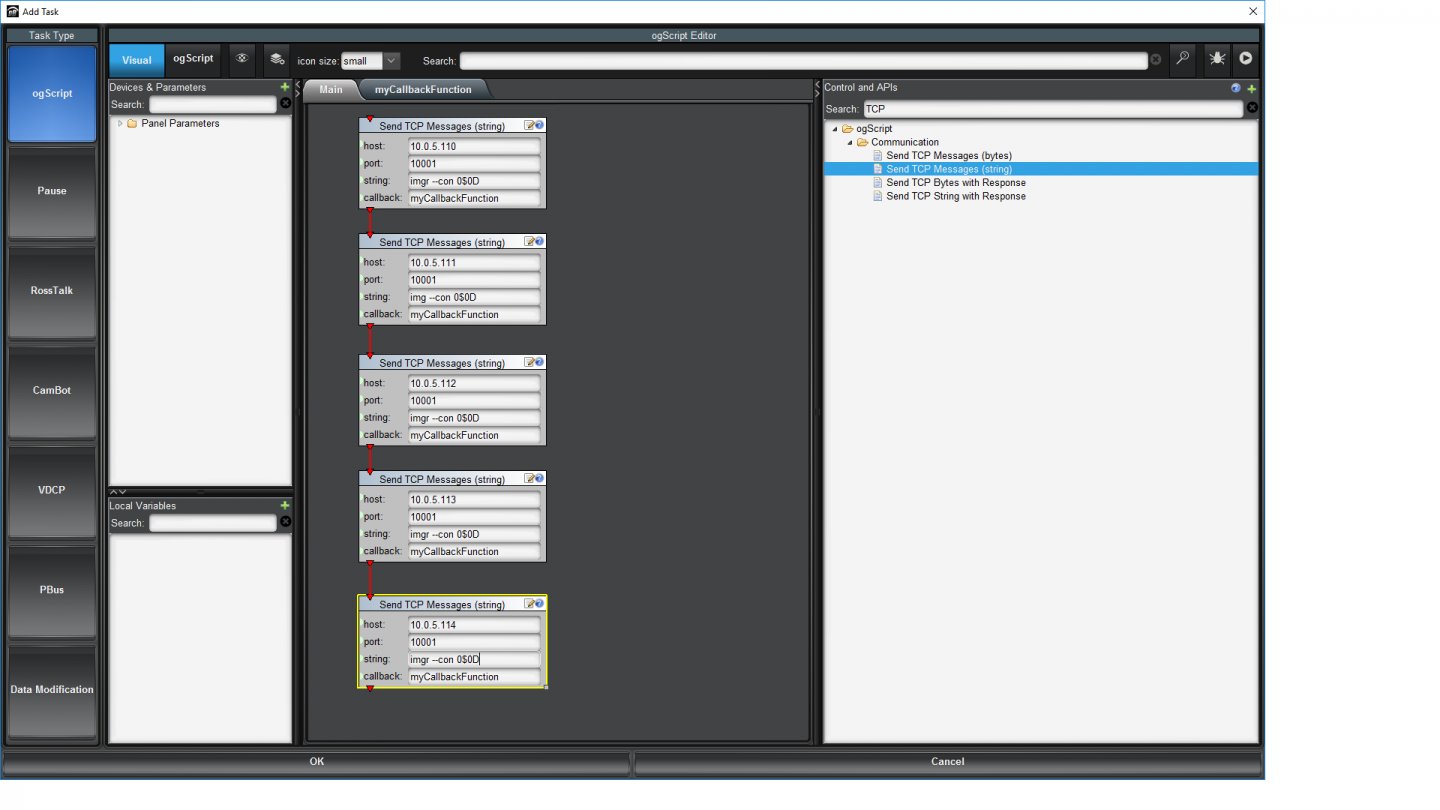
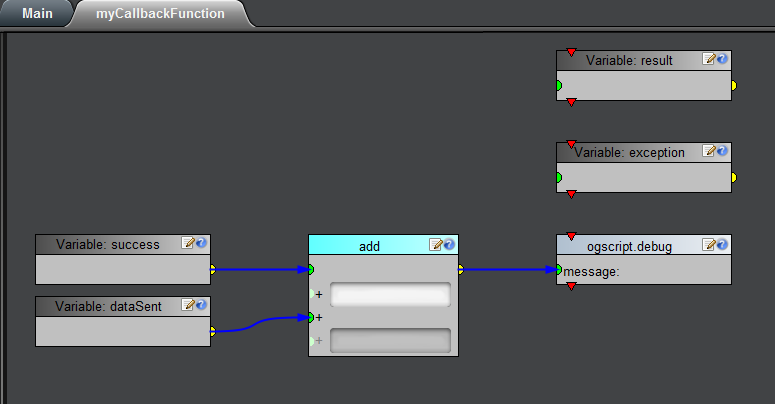
If you want to find out which one might be slowing you down, I would recommend adding a callback function that writes to the debug console after each message goes out.
#DashBoard