Hi Dennis.
There are a few ways to do this... The most correct way depends on exactly what you're trying to do with the data. If you have 2 operator stations/panels trying to work off of the same data, then your best bet is to have one DashBoard/panel be the data provider and the other DashBoard/panel be the data consumer.
You can share all of the parameters in a Custom Panel as a virtual device, add this virtual device to the other DashBoard instance, create a second Custom Panel, and point the second panel to the virtual device as its data source.
Data Provider:
<abs contexttype="opengear" jsonport="5555">
   <meta>
      <params>
         <param access="1" maxlength="0" name="Parameter One" oid="Parameter_One" type="STRING" value="First Value" widget="text"/>
         <param access="1" maxlength="0" name="Parameter Two" oid="Parameter_Two" type="STRING" value="Second Value" widget="text"/>
         <param access="1" maxlength="0" name="Device Name" oid="0x105" type="STRING" value="My Data Source" widget="default"/>
      </params>
   </meta>
   <param expand="true" height="60" left="20" oid="Parameter_One" top="20" width="360"/>
   <param expand="true" height="60" left="20" oid="Parameter_Two" top="100" width="360"/>
</abs>
Data Consumer (assuming I have selected port 5555 for the virual device and have it on "localhost"):
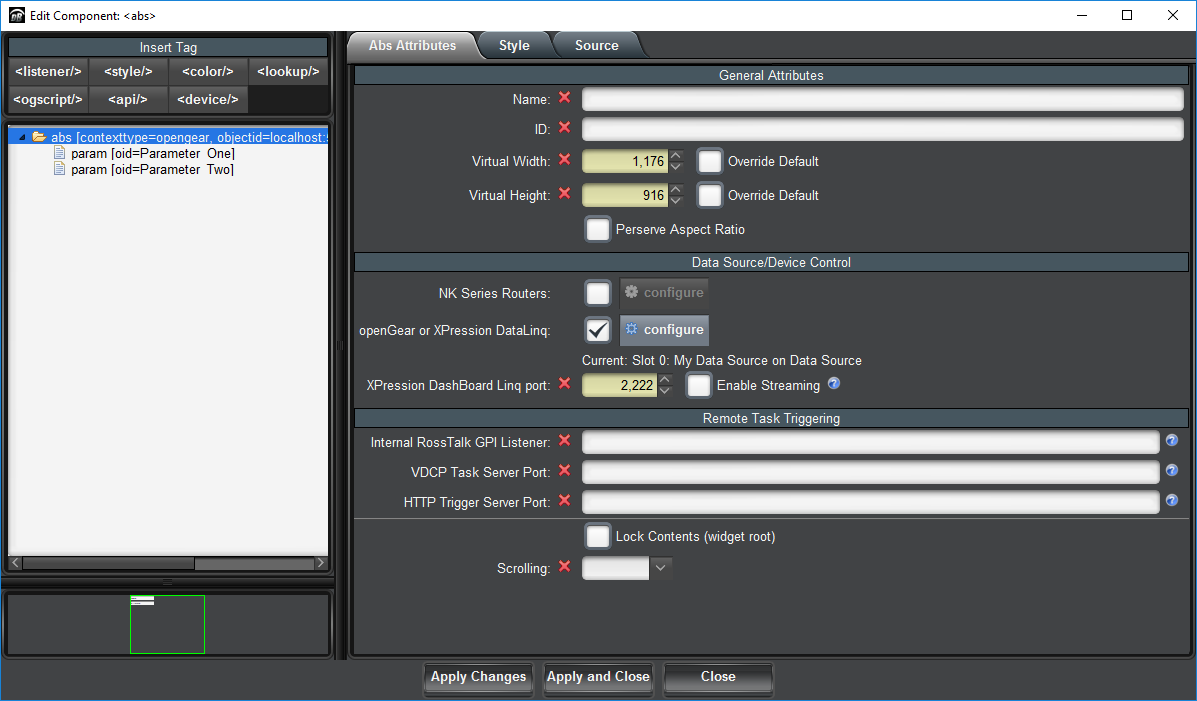
<abs contexttype="opengear" objectid="localhost:5555<br>Slot 0<br>My Data Source" objecttype="My Data Source">
<param expand="true" height="60" left="20" oid="Parameter_One" top="20" width="360"/>
<param expand="true" height="60" left="20" oid="Parameter_Two" top="100" width="360"/>
</abs>
The virtual device is created by editing the source and supplying the "jsonport" attribute (set to 5555 in my example)
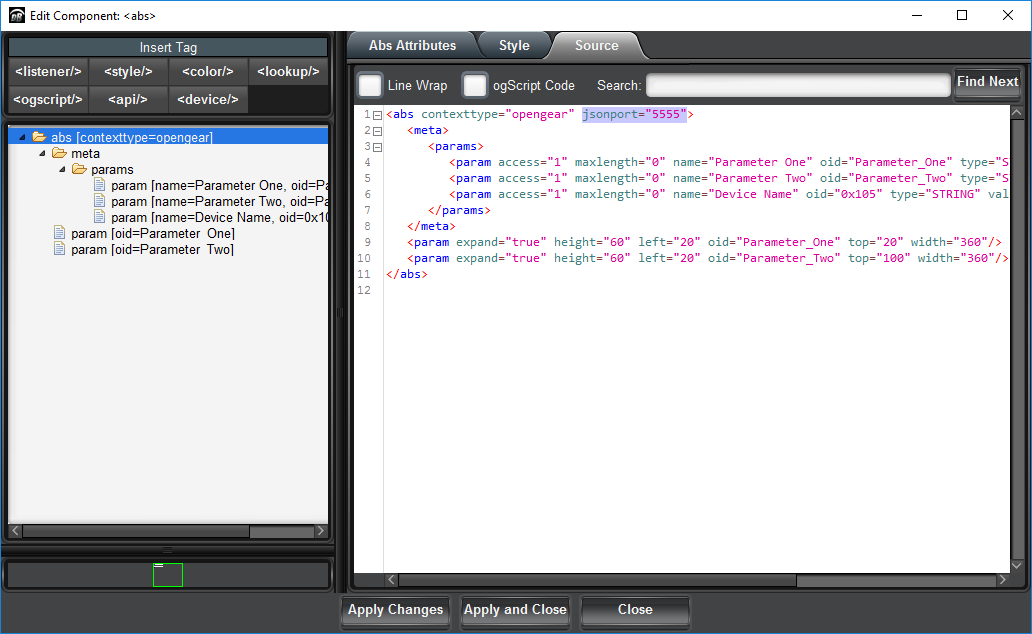
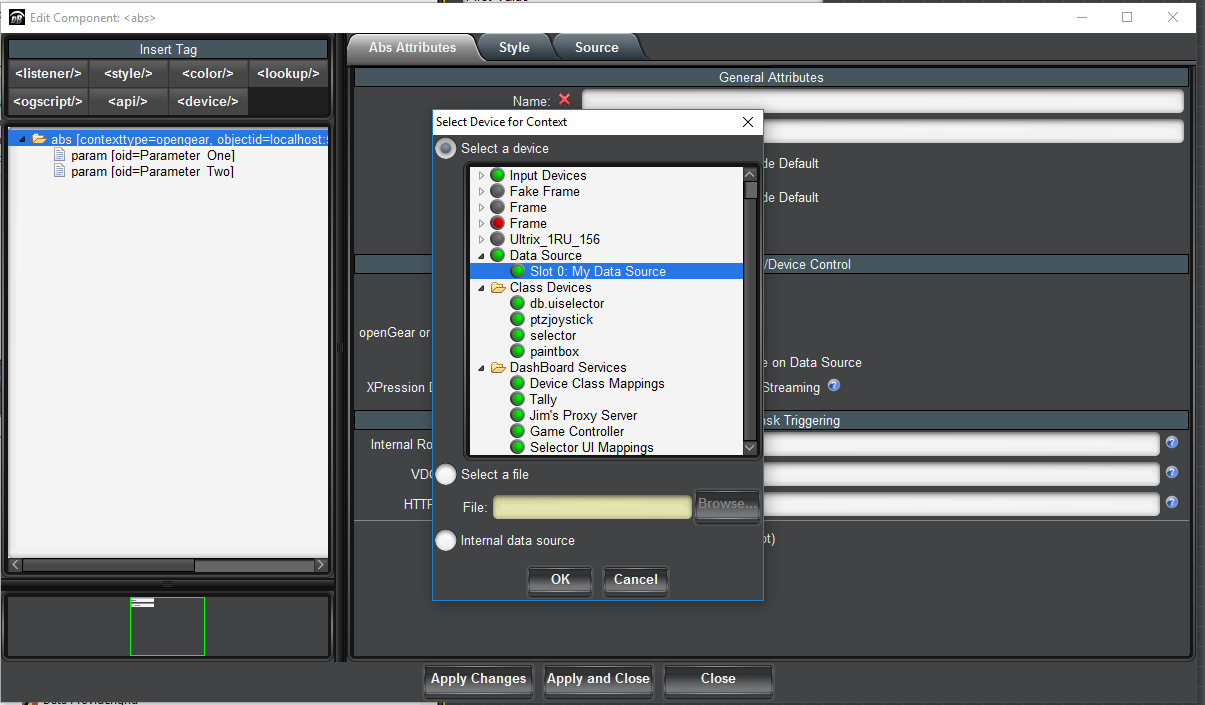
These are the steps for adding the virtual device to the consumer DashBoard:
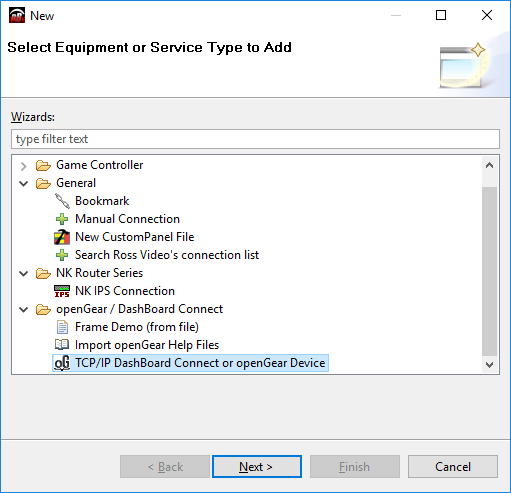
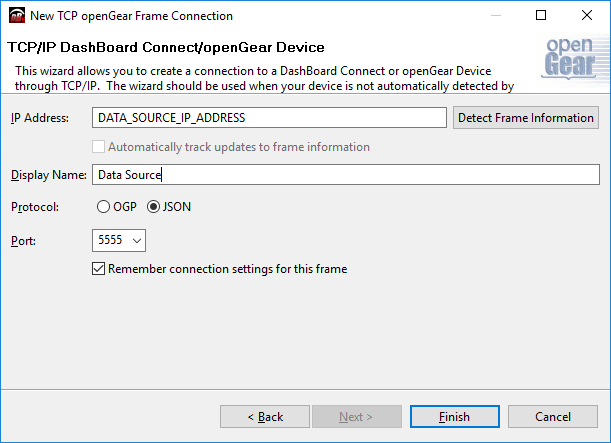
Create/open the consumer custom panel
#DashBoard