We are thrilled to announce that DashBoard 8.6 has released and is available to download for free at https://www.rossvideo.com/support/software-downloads/dashboard/
This release of DashBoard contains numerous bug fixes and improvements and replaces DashBoard 8.5.1 as our recommended software version.
Key features:
Ultritouch Delete feature
Ultritouch now provides a Delete feature that allows you to delete folders and CustomPanels from
the Ultritouch User Interface. You can delete folders or CustomPanels from the Ultritouch device in
DashBoard, or from the Ultritouch device interface.
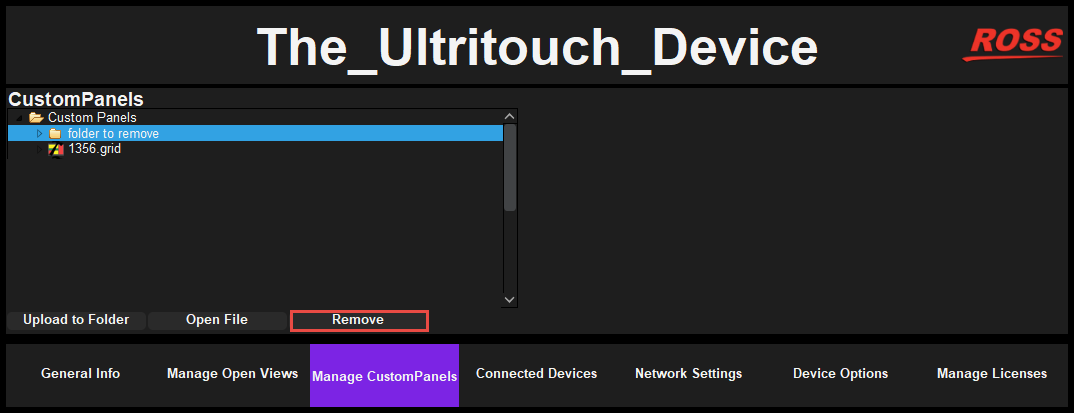
In DashBoard open the Ultritouch device, and navigate to Manage CustomPanels. Then select the
folder or file you would like to delete, and click Remove, as shown below.
You can also delete CustomPanels in Ultritouch from the device interface using the same method,
as shown below.

Other Enhancements
-
The option to set the visibility of components in the UI is now available for all component tags. The Visible checkbox, as shown below, is found by double-clicking a CustomPanel
component in component in Edit Component > Position/Stretch Attributes tab.
- Visual Logic blocks now available for new Carbonite RossTalk Commands.
- The exit tag, <exit/>, now allows you to open a new tab when closing the current tab.
- Drawers now have improved attribute functionality, which includes the following fields:
name, ID, width, height.
- Global labels with a *.lbl extension can now be loaded using File > Open.
- Additional connection options were added to Ultritouch for IPS types, such as NK-NET, and
RCP.
- Visual Logic blocks now available for new Carbonite RossTalk Commands.
Bug Fixes
The following bugs have been fixed in 8.6:
-
Ultrix sometimes disconnects and returns with “Max connections exceeded” message.
-
Ultrix triggers reload of information in DashBoard in certain network environments.
-
When a drawer is set to Enabled, it doesn't hide or show the Drawer tab.
-
DashBoard may run out of memory when loading very large firmware files.
-
Unable to send firmware to NK-series products.
-
For the XPression Plugin, you cannot see the Pattern Generator in DashBoard unless DashBoard is local to XPression.
-
For the XPression Plugin, adding a device in config makes the XP widget not show the take items for all the XP devices.
Wizard Feature
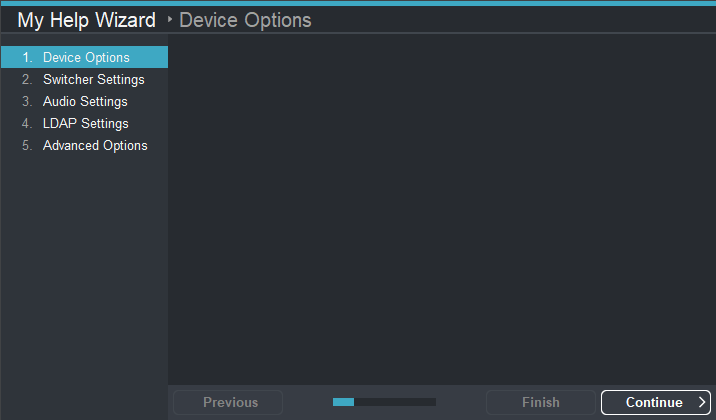
You can create wizards that contain a title, a page navigation pane, and a progress bar. The wizard
allows you to automate complex tasks and break them into a series of steps that walk users through
the process from start to finish. You can see an example wizard below:
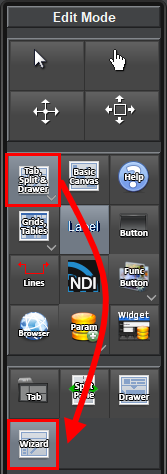
You can choose which features you would like to be visible, and how many pages appear in the
wizard. Feature options include the tabs, progress bar, and dialog width and height. The wizard is
now available in the PanelBuilder Edit Mode toolbar.
Help Control
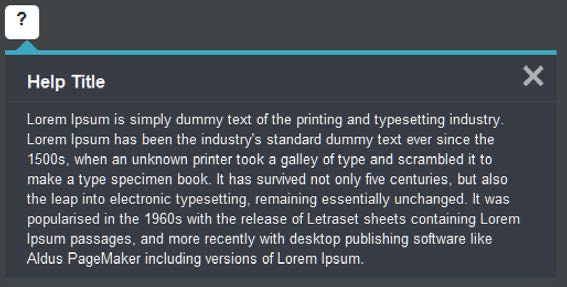
You can create a Help Control popup to display a custom title and help message using the Help tag,
as shown in the example below.
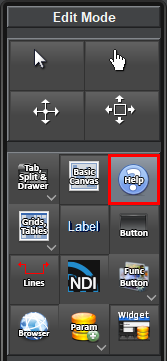
The Help Control pop-up is now available in Panelbuilder’s Edit Mode menu.
For more information on this release, please see our Release Notes