You can write the name of a function in the callback field of visual logic blocks.
That function could be defined in an API block, like this:
function myCallback(resultStr)
{
ogscript.debug("resultStr: " + resultStr);
}
Then in your HTTP block, you can do the following:
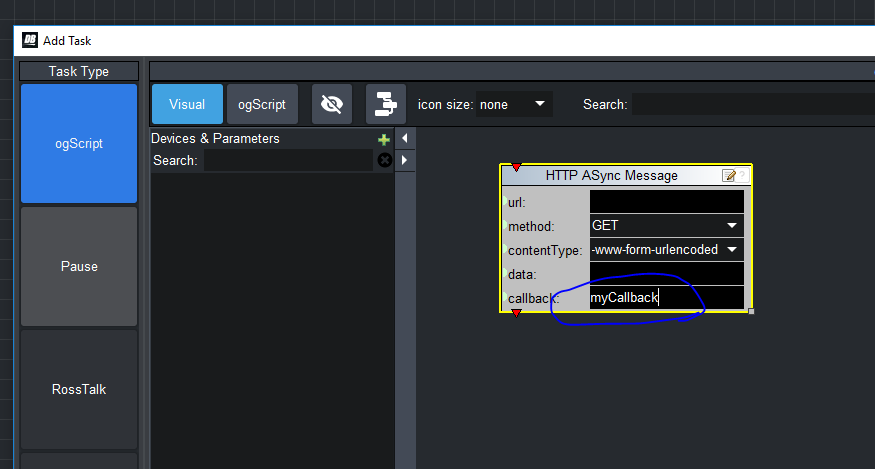
It's easier to define functions in ogScript than Visual Logic, but you can still do it in Visual Logic.
If you add an API block in the Edit Component window (double click anywhere in Panel Builder mode to get there). You can then use the "Green Plus" in the Control and APIs of Visual Logic to add functions:
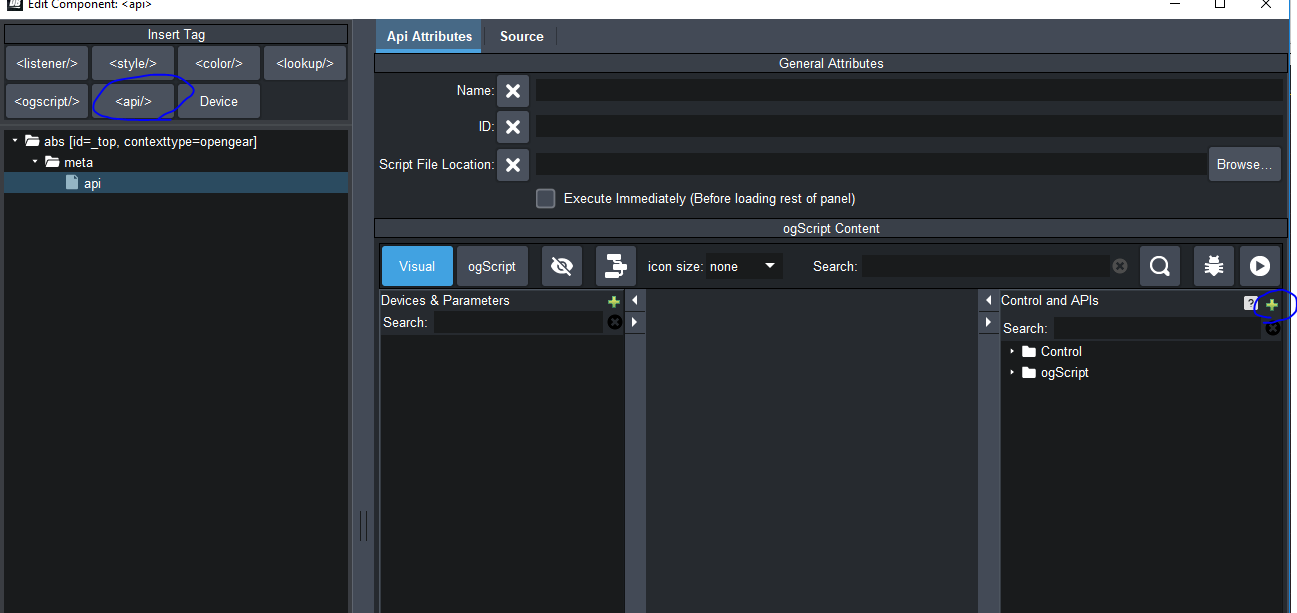
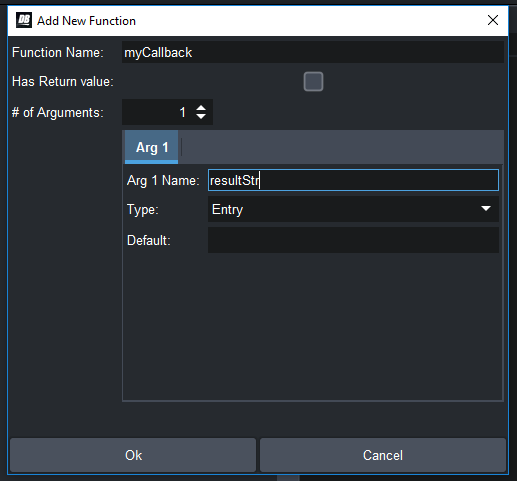
In the popup, it will ask you the name of the function and how many arguments your function has. If it's a callback like the above one, then you could put 1 argument, and give it an appropriate names:
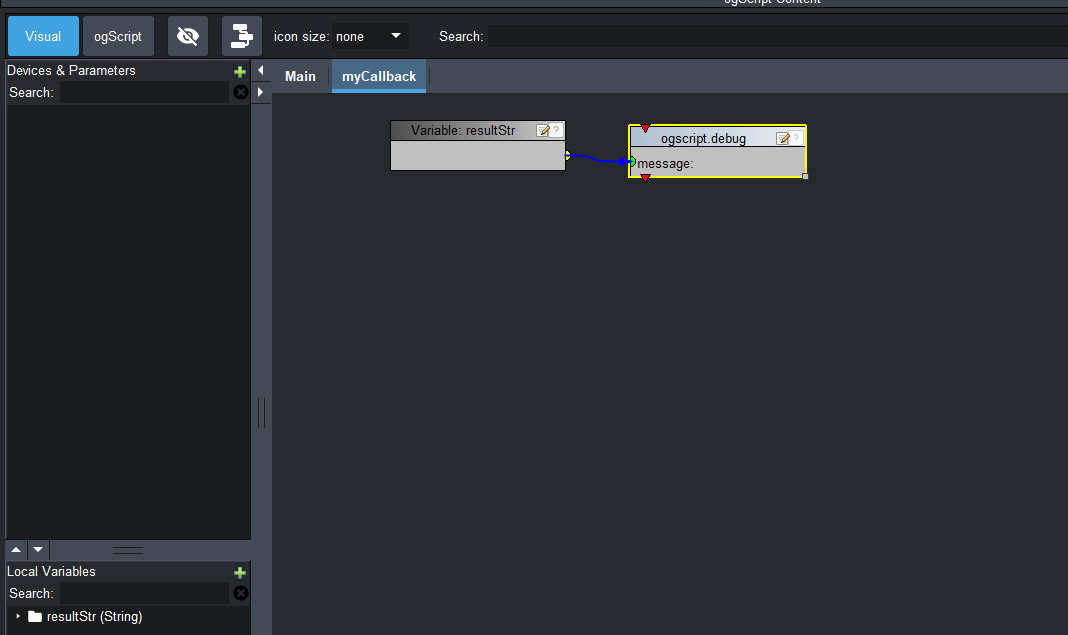
It will automatically create a block for the argument, that you can use in your Visual Logic script.
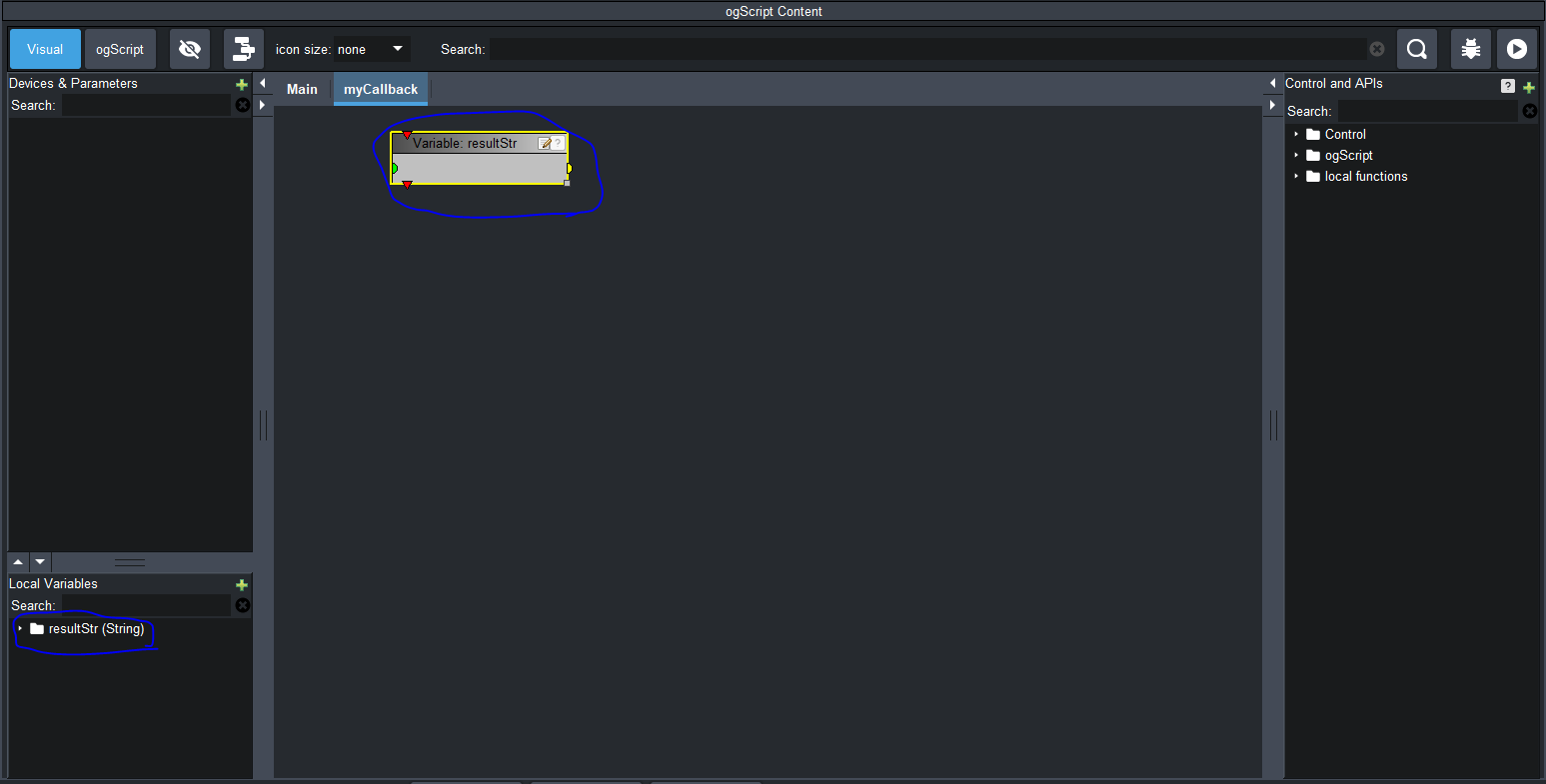
For example if all you want to do is output the result to the debug console, you could make the following function:
#DashBoard