Hi Jeremy.
The MC-1 UI is designed largely around a <table/> tag with different fill properties set for the components. It is heavily-optimized for the normal-sized screen. If you wish to use it for Ultritouch, you will probably get better results by dragging smaller blocks (or individual parameters) into your new UI. So, instead of dragging the entire Program/Preset/Transition area, drag the program buttons followed by the preset buttons and then the transitions - this will remove them from the table and give you a little more freedom.
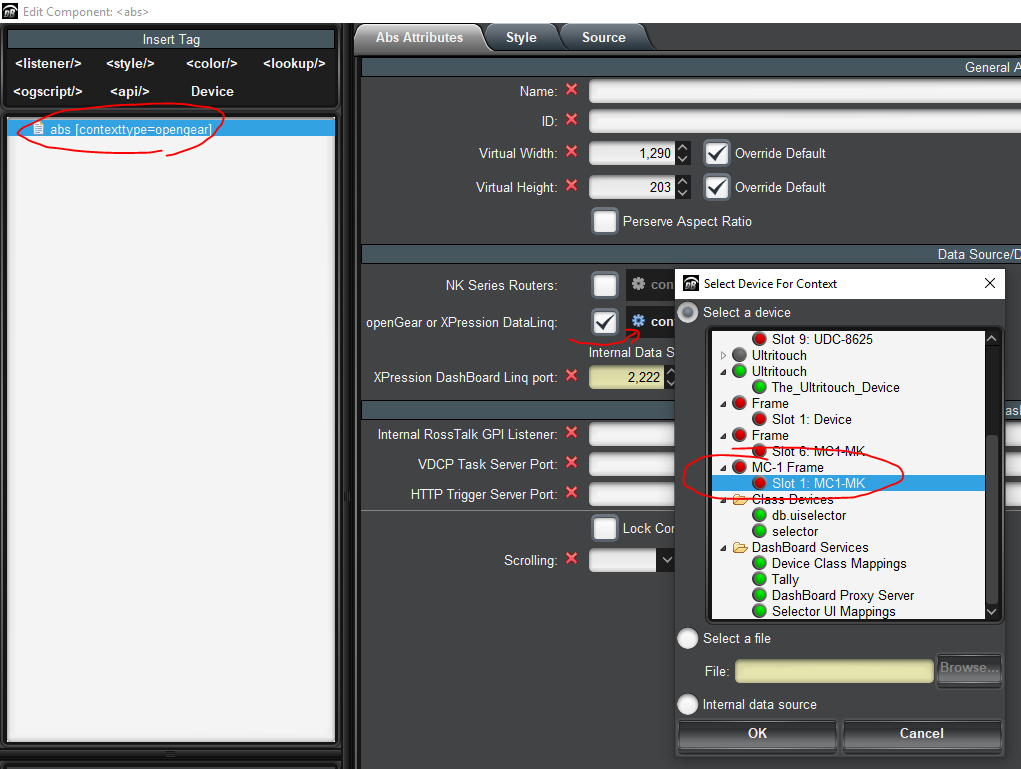
The other thing I would strongly-recommend is to point your entire custom panel at the MC-1 before you start moving parameters into it - this will let you easily add many parameters from the same device to your panel and won't put containers around each one (giving you maximum flexibility on where they are placed and how they are sized):
For example, this is a fairly basic MC-1 Panel:
<abs baseurl="http://IP_OF_MC_1/cgi-bin/oglml" contexttype="opengear" gridaspect="false" gridheight="203" gridwidth="1304" objectid="MC-1_ID" touch="true" virtualheight="203" virtualwidth="1304">
<simplegrid bottom="2" cols="5" hspace="2" left="2" style="bg#dark;bdr:etched;" top="2" vspace="2" width="490">
<param expand="true" oid="0x7100" showlabel="false" style="size:Small;t:bg#DF0000;f:bg#dark;" widget="radio-toggle"/>
<param expand="true" oid="0x7101" showlabel="false" style="size:Smaller;t:bg#CD0000;f:bg#dark;" widget="radio-toggle"/>
</simplegrid>
<simplegrid bottom="2" cols="5" hspace="2" left="494" style="bg#dark;bdr:etched;" top="2" vspace="2" width="490">
<param expand="true" oid="0x7200" showlabel="false" style="size:Small;t:bg#selectbg;f:bg#dark;" widget="radio-toggle"/>
<param expand="true" oid="0x7201" showlabel="false" style="size:Smaller;t:bg#selectbg;f:bg#dark;" widget="radio-toggle"/>
</simplegrid>
<simplegrid cols="2" height="193" hspace="2" right="183" style="bdr:etched;bg#dark;" top="2" vspace="2" width="135">
<param element="0" expand="true" mid="516" oid="0x7008" style="m:0,0,0,0;f:bg#control;f:fg#foreground;t:bg#0066FF;t:fg#FFFFFF;" widget="22" width="85"/>
</simplegrid>
<param expand="true" height="181" left="1134" oid="0x700A" showlabel="false" style="style:actionButton;" top="10" widget="toggle" width="157"/>
</abs>

#DashBoard