Hi Cam,
Here are the steps you should take:
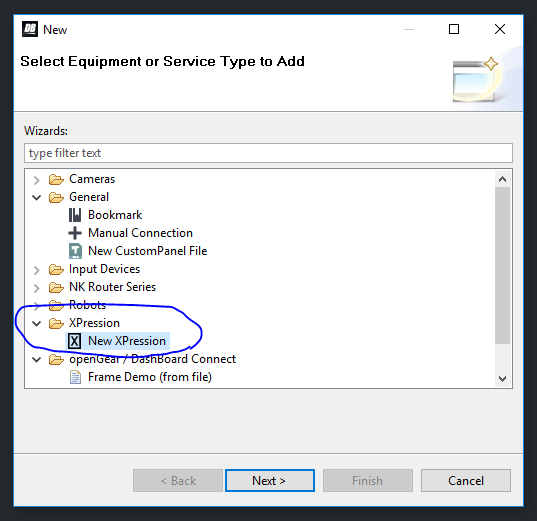
1. Add your XPression to the device tree with the plus in the Basic Tree View. Pick to add an XPression
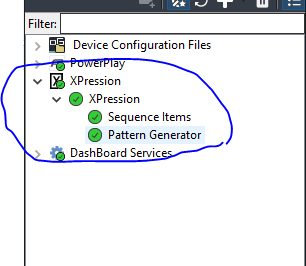
It should now show up in your tree, like this:
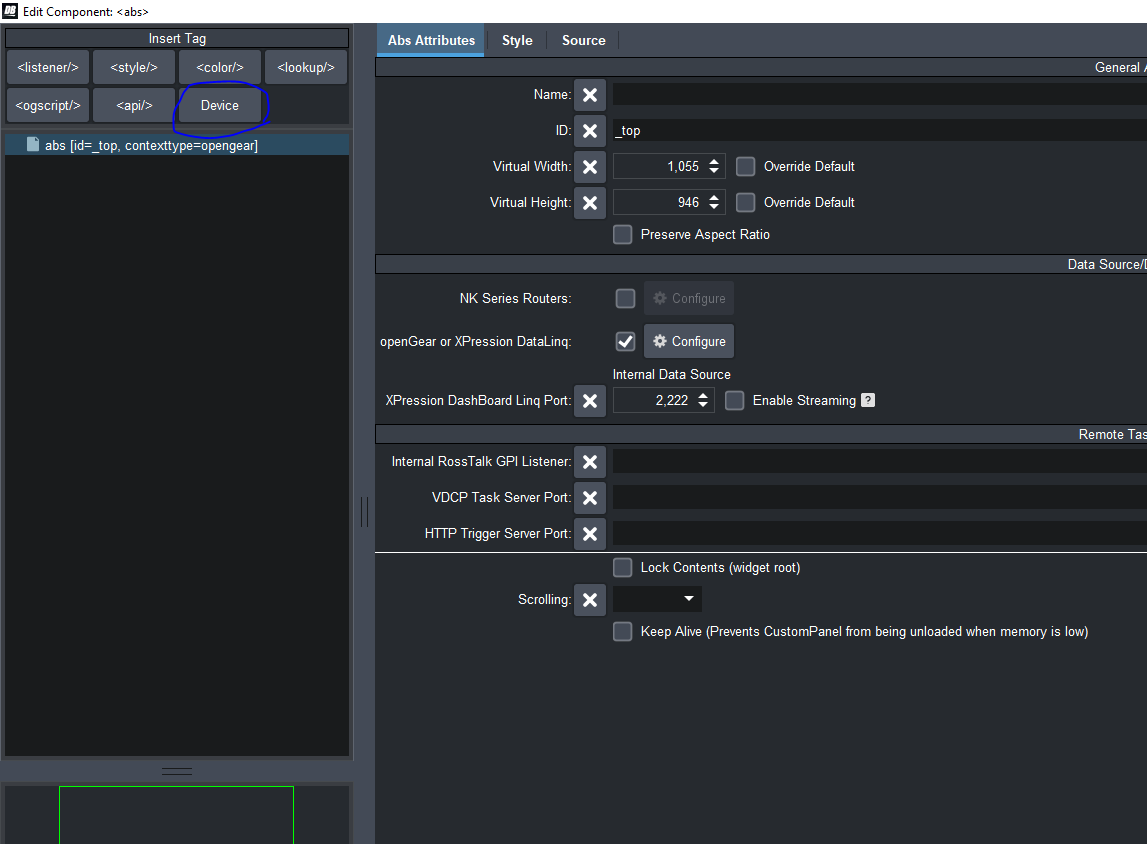
2. In your custom panel, go into PanelBuilderMode, Double Click anywhere to get into the "Edit Component" window and click on Device in the top left.
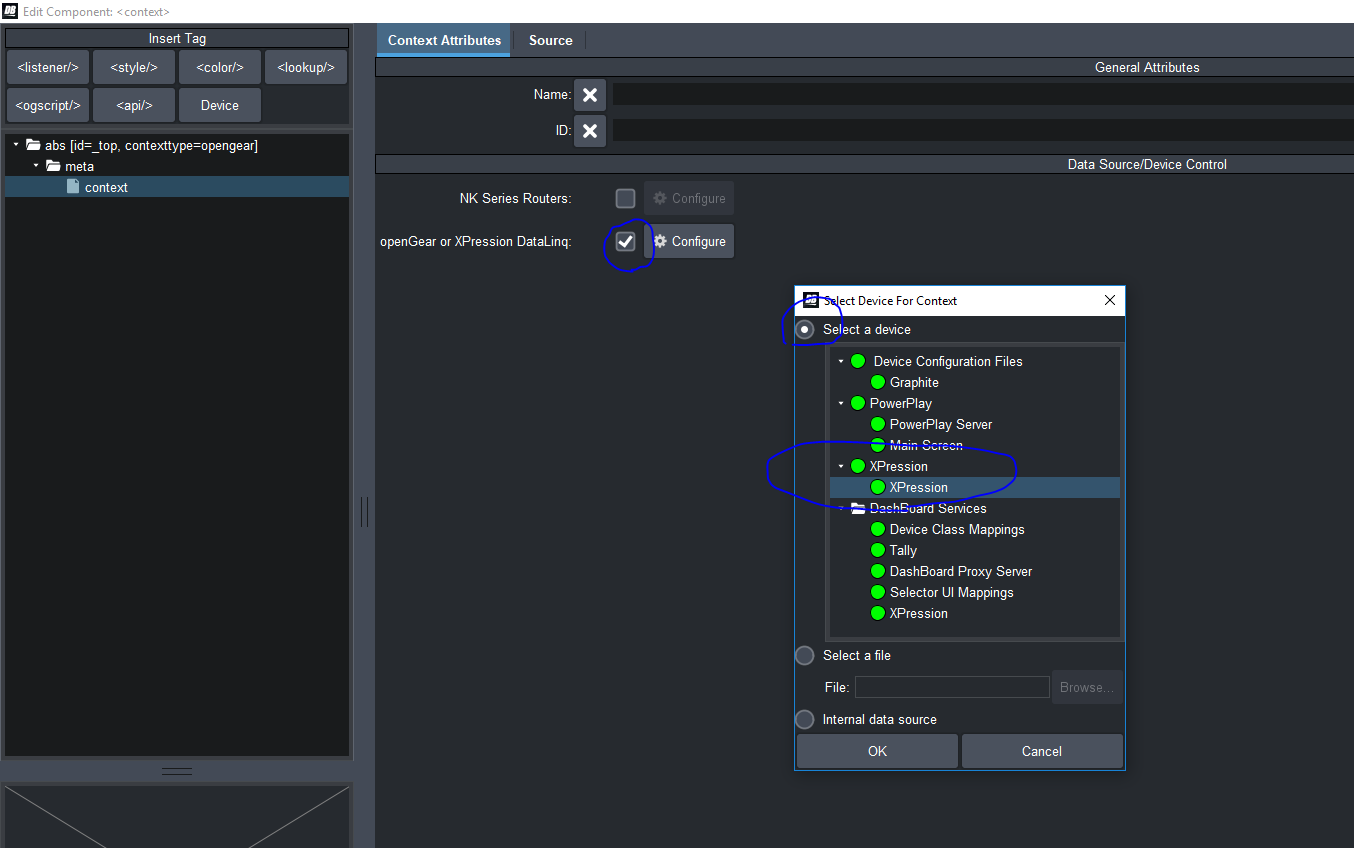
3. Check the "OpenGear or XPression Datalinq" button, in the popup, select the "Select a Device" radio button, and select your XPression:
4. Apply and Close
Your Panel now has access to all of XPression's parameters.
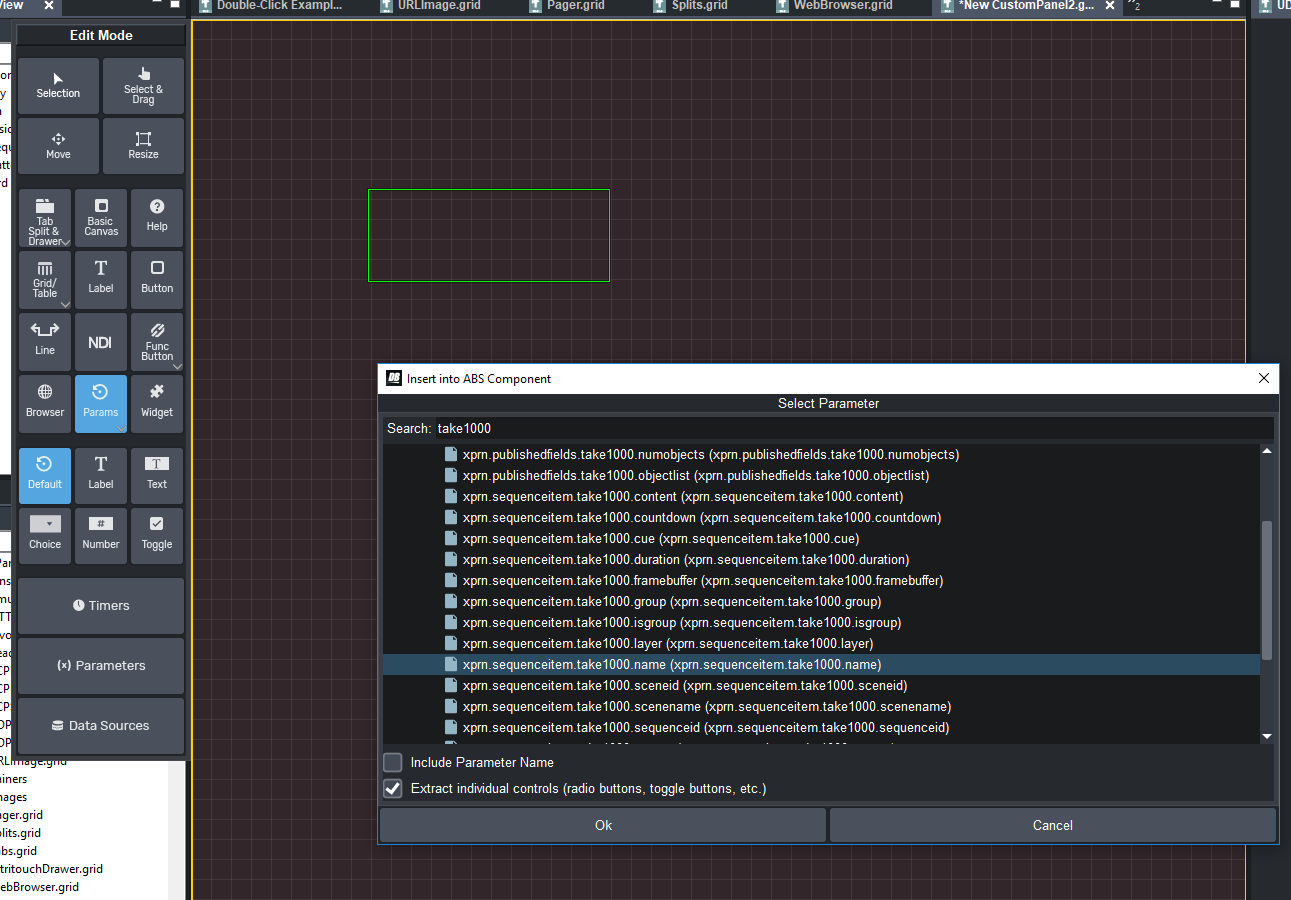
5. If you click on "Parameters", and drop a "Default" parameter, you will get a list of all the parameters that your panel knows about. Including all the XP ones. It's easiest to search by TakeID. If you want something about take 1000, type "take1000" in the search bar at the top. You will see all the parameters about take 1000. There are some about the published fields, and there is information about that take item.
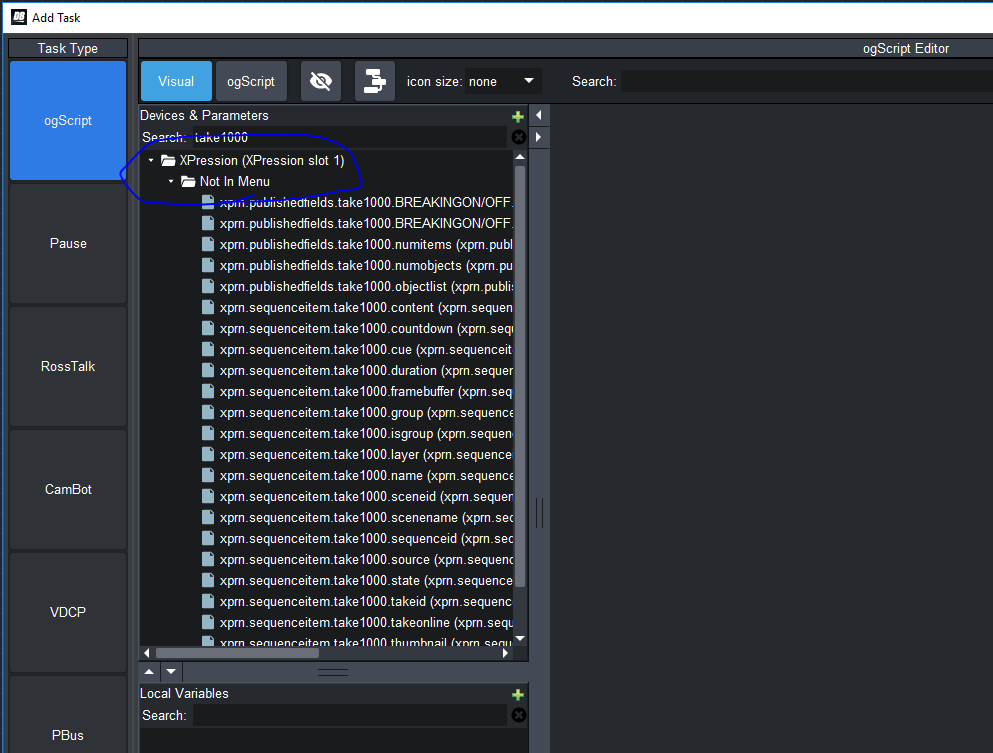
Those parameters are also accessible in the Visual Logic pane if you're creating a task, here:
If you want a button that has the same name as a takeid, you could write the following script Visual Logic script:
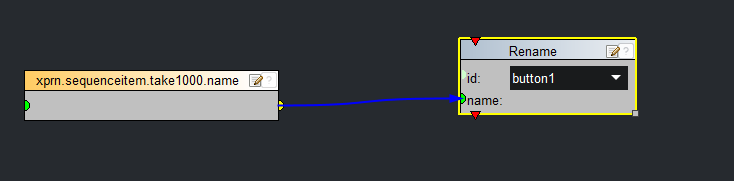
This is assuming you gave your Button the id "button1".
You can either put this in an API, or drop that take1000.name parameter on your panel and attach a task to it. The second way, when the name changes in XP, the button will automatically rename itself. You can also hide the parameter (if you give it a "visible=false" flag in the source.
Here is a quick sample panel that has a button that gets renamed based on take 1000's name:
<abs contexttype="opengear" id="_top" keepalive="false" style="">
<meta>
<context contexttype="opengear" objectid="localhost:8020:XPression"/>
</meta>
<button buttontype="push" height="68" id="button1" left="200" top="33" width="197"/>
<param contextid="localhost:8020:XPression" expand="true" height="40" left="275" oid="xprn.sequenceitem.take1000.name" runtasksonload="true" showlabel="false" top="213" visible="false" width="232">
<task tasktype="ogscript">
ogscript.rename("button1", params.getParam("localhost:8020:XPression", 'xprn.sequenceitem.take1000.name', 0).getValue());
</task>
</param>
</abs>
#DashBoard