Hi Tim.
The shortest answer is: no. The XML file used in multiple panels within the same DashBoard instance keeps everything up-to-date since DashBoard internally shares the XML-based device as a single object. When you are running in multiple instances of DashBoard (on the same or on different computers), both DashBoards will attempt to write to the file and the last one to do so wins - there is no attempt to re-sync the XML if it is changed by a different process.
The solution to this issue is the one that I have presented to you - you can turn as many XML files as you want into OGP-JSON servers where each XML file is owned by one DashBoard process and shared to the others as though it were an OGP device. The "owner" DashBoard will collect all changes made locally or remotely and show them in its CustomPanel and push the updates to all other CustomPanels - this should get you (fairly closely) back to the workflow you were describing. Its just that each XML is only owned/maintained by the server - you can edit parameter values on the remote DashBoards and see changes made but only the owner can add/remove parameters from the list. This is usually not a problem once a panel is created since parameters are rarely created at run-time.
The most recent example I sent was to show how you can have a combination of shared and local data resources - you can also turn multiple panels into their own servers to break-up your parameters and share them however you wish. It's possible that I have misread your requirements for this part and am happy to discuss further if you'd like.
Looking at your mock-up, if you'd like some parameters to be read/write and some to be read-only, I'd recommend doing this at the UI level where you can 'force read only' on any parameter's display or change-out the widget to something non-editable like a Label.
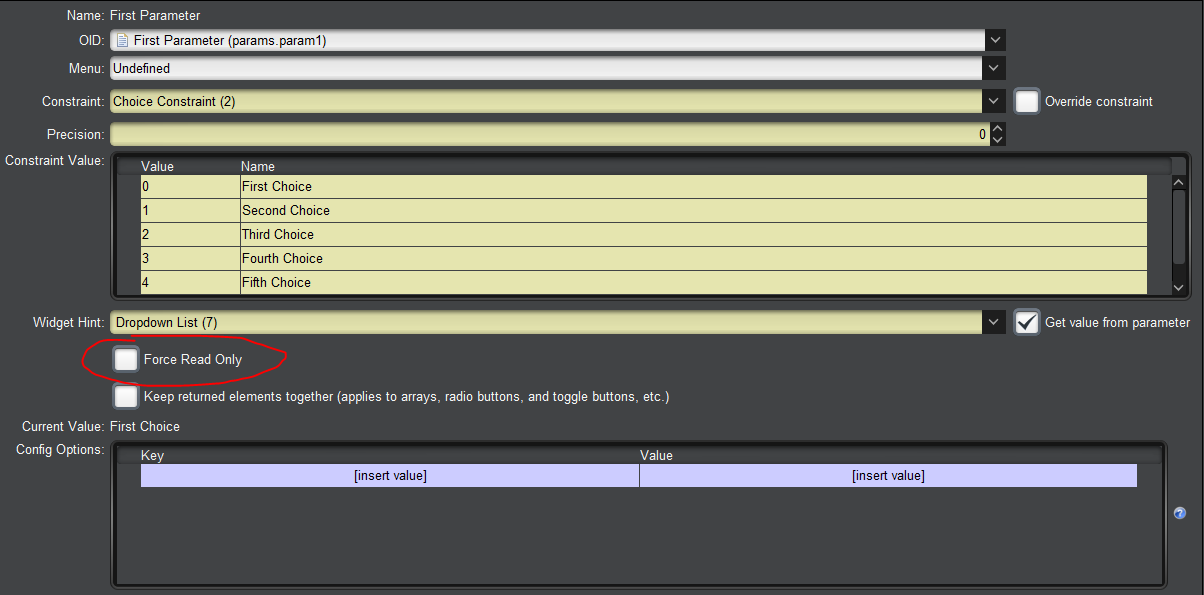
OR
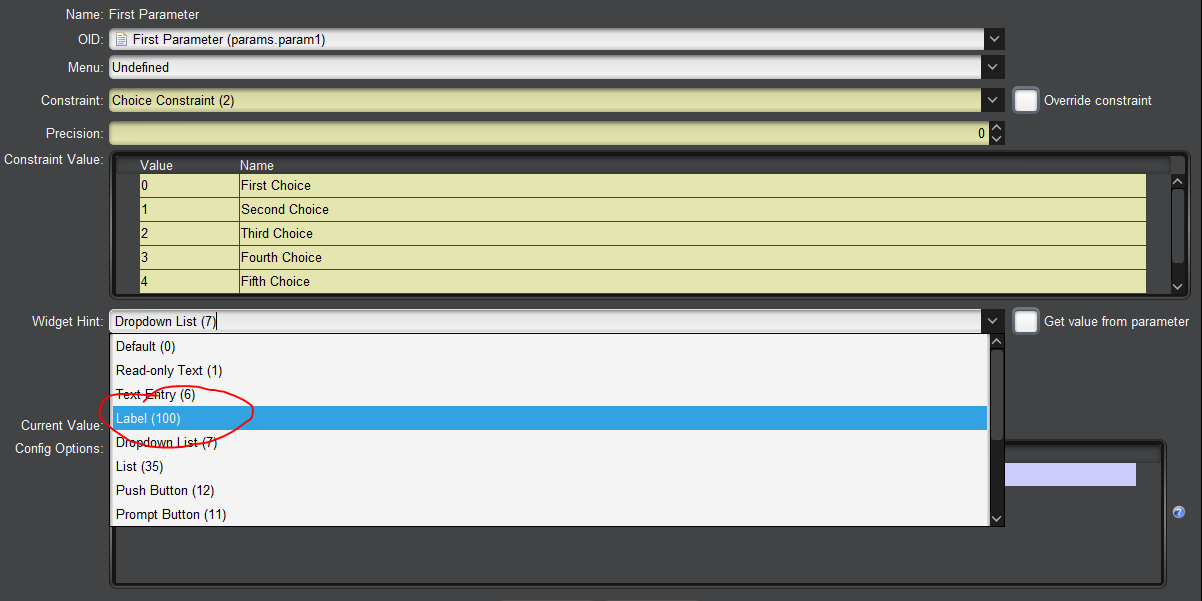
Cheers.
James
#DashBoard