Facility Control

 View Only
  • 1.  RossTalk to GPIO trigger Please HELP ASAP

    Posted 08-13-2020 14:27

    The left screen is the GPI card and the network information to communicate with the GPI card. The Right screen is my custom DashBoard panel.

    What I am trying to accomplish here is program the Trigger ON button to send a GPI Trigger 19 and then Trigger OFF button will be a GPI Trigger 20.

    I am not seeing any communication from the custom panel to the GPI card. I can connect directly to the GPI card and trigger manually there.

    I want to make the custom DashBoard accessible from anywhere in our building.

    In the right screen you can see I tried in the Edit Component: <button> screen I tried using the RossTalk command, the FuelGPIcard settings are the same as the RossTalk Server on the GPI card.


  • 2.  RE: RossTalk to GPIO trigger Please HELP ASAP

    Posted 08-13-2020 14:49

    I've done this in the past.    The way I did it was just to send rosstalk commands to the GPI card.   Here is one of my sample tasks:


    rosstalk.sendMessage(params.getValue("GPICard_IP",0), params.getValue("GPICard_Port",0), 'GPI 17:ON');

    I had parameters to hold my IP and Port, but you could just do:

    rosstalk.sendMessage("10.2.3.4", 7788, 'GPI 17:ON');


    It's been a while since I did this, and I no longer have the GPIO card, but it seems to me its IP address is listed in one of the tabs of the config tab.   


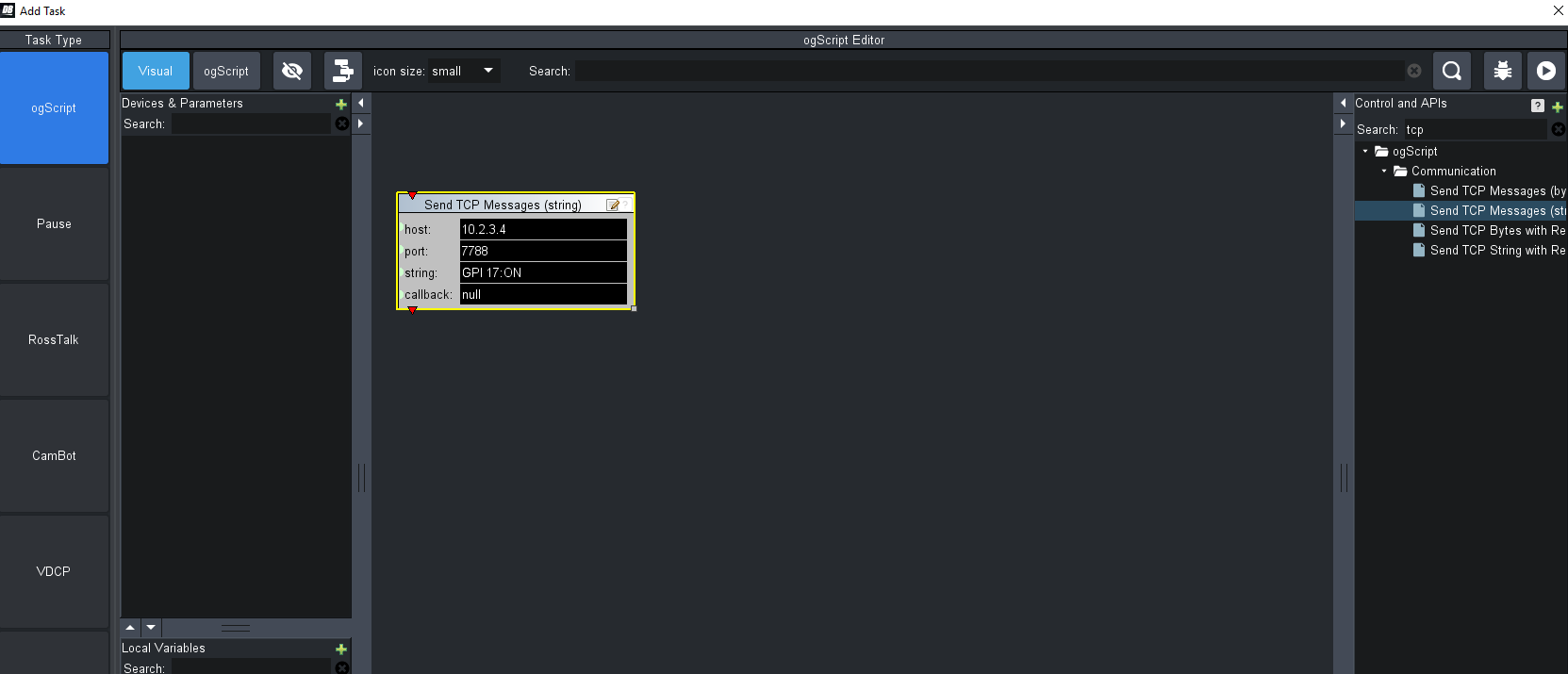
    You could also do it with a Visual Logic block (Send TCP Messages (String)), like this:

    #DashBoard


  • 3.  RE: RossTalk to GPIO trigger Please HELP ASAP

    Posted 08-13-2020 15:17

    Thank you! This worked great! 


    #DashBoard