Facility Control

 View Only
  • 1.  Dashboard "listening" to xpression data

    Posted 02-25-2021 15:31

    I've been searching the forums and can't quite find what I'm up against. We have an Xpression split between two control rooms. Both rooms control their respective channels via dashboards. Our development folks have built an interface that is basically run from a webpage that sends data to xpression so that incoming texts are displayed. But because each control room only has access to a dashboard, they can't see the body of the text messages. The data comes via a JSON datalinq using arrays to fulfill 5 different inputs per scene. If our operator was running with xpression they could easily preview the scenes before they put them on line. Basically I want text parameter in dashboard to duplicate that from each of the text fields in the scene on Xpression. I have a total of 10 dedicated scenes that accept data from the webpage we have designed. These scenes are working perfectly. Top keep a long story a little shorter, ask whatever I have left out. Thanks folks.


  • 2.  RE: Dashboard "listening" to xpression data

    Posted 02-26-2021 11:33

    I have not tested the Xpression/DashBoard plugin (so it MIGHT be possible with that), but from what I've gathered before, this isnt possible. At least not in an easy way, I think...

    At least I built another workaround for that by populating parameteres in DashBoard with the JSON source and then using DataLinq to populate the text fields in Xpression.


    #DashBoard


  • 3.  RE: Dashboard "listening" to xpression data

    Posted 02-26-2021 14:15

    With the XPression/DashBoard plugin, it's pretty easy (if I understood your request properly).

    I have an XPression Take item with a text field:
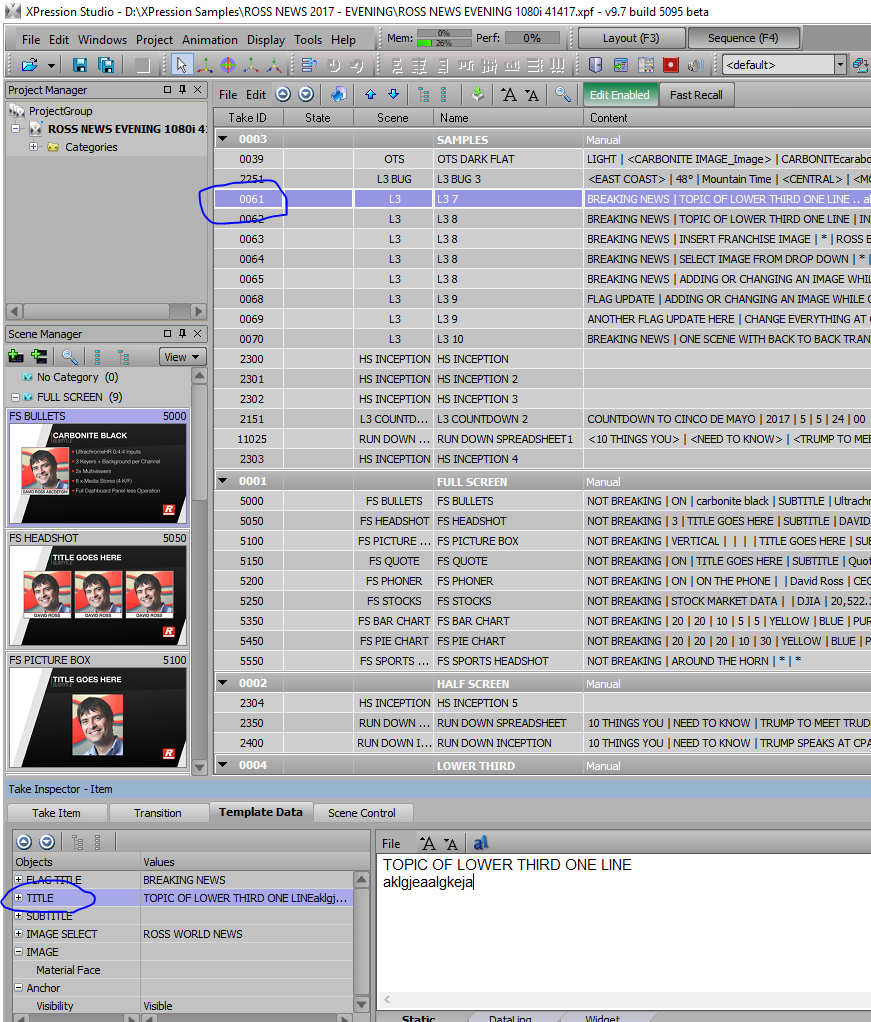
    It is TakeID 61, and the published field is called TITLE.

    In DB, I can add my XPression using the following button:
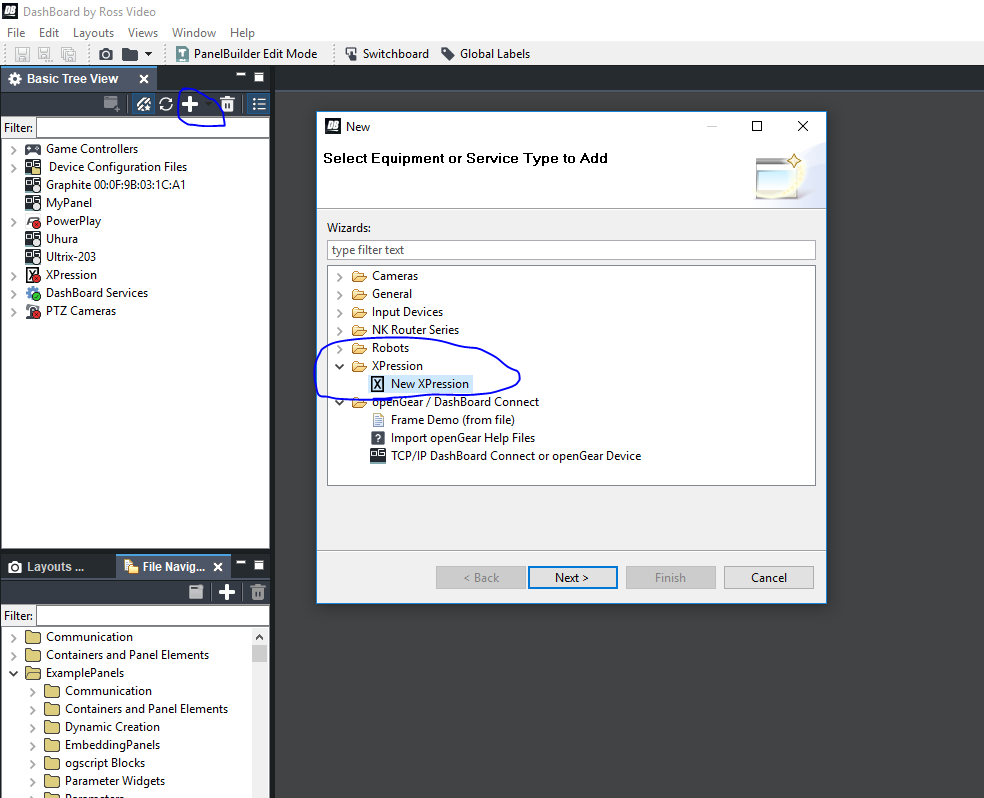
    Once you do that, it will appear in your Device Tree:
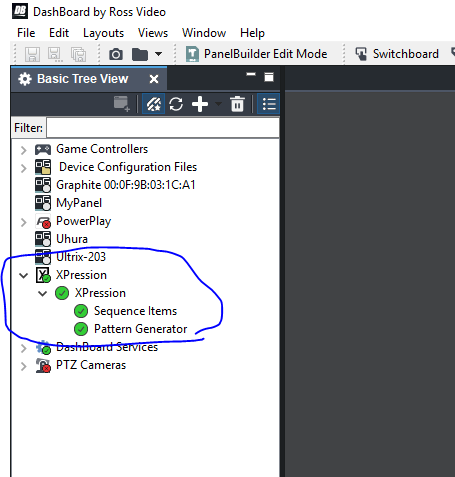
     

    If you double click on the Sequence Item panel, if you don't have the license for this feature, I think it will tell you so.

    Once you have the XP in your tree, in your Custom Panel, you can add it with this button (after you double click anywhere in PanelBuilder mode):
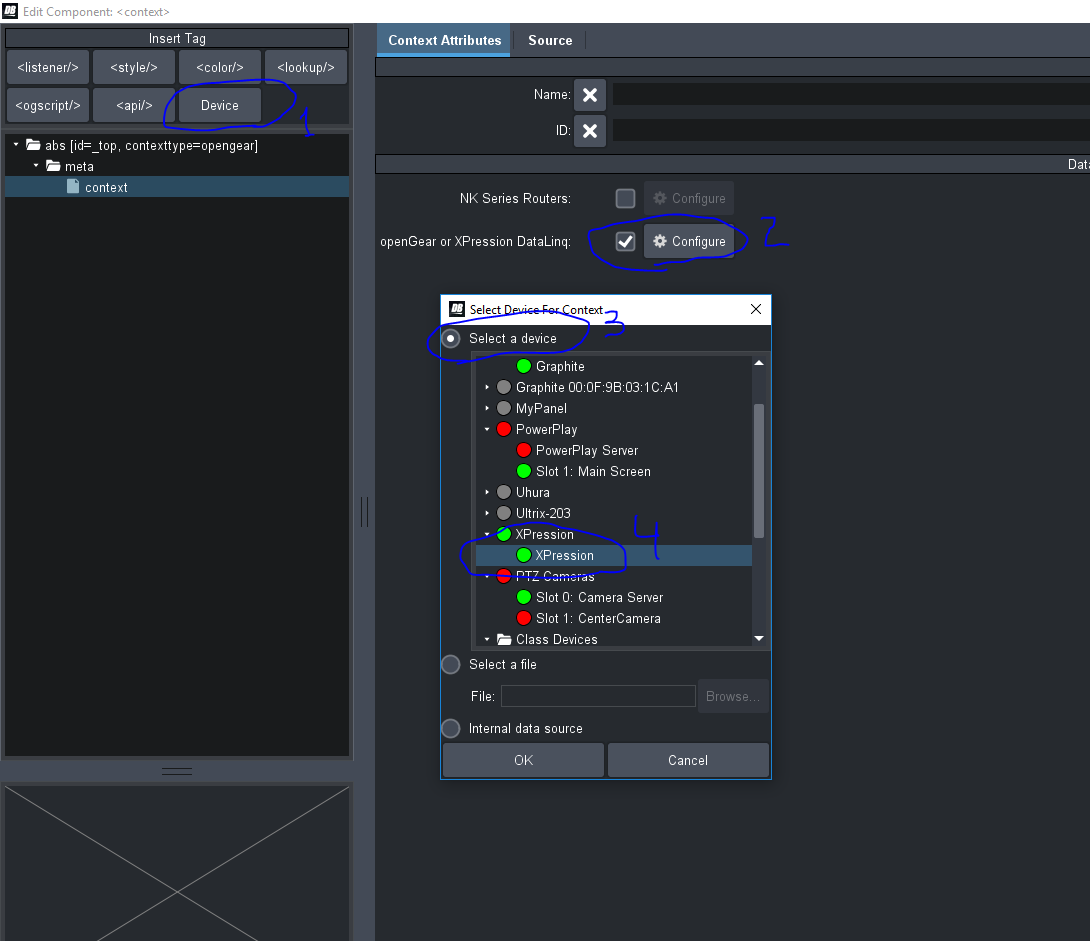
     

    So now, you have access to the XPression's parameters within your panel.

    If you use the Params button, and drag and drop a parameter, you will see XPression's parameters in the popup:
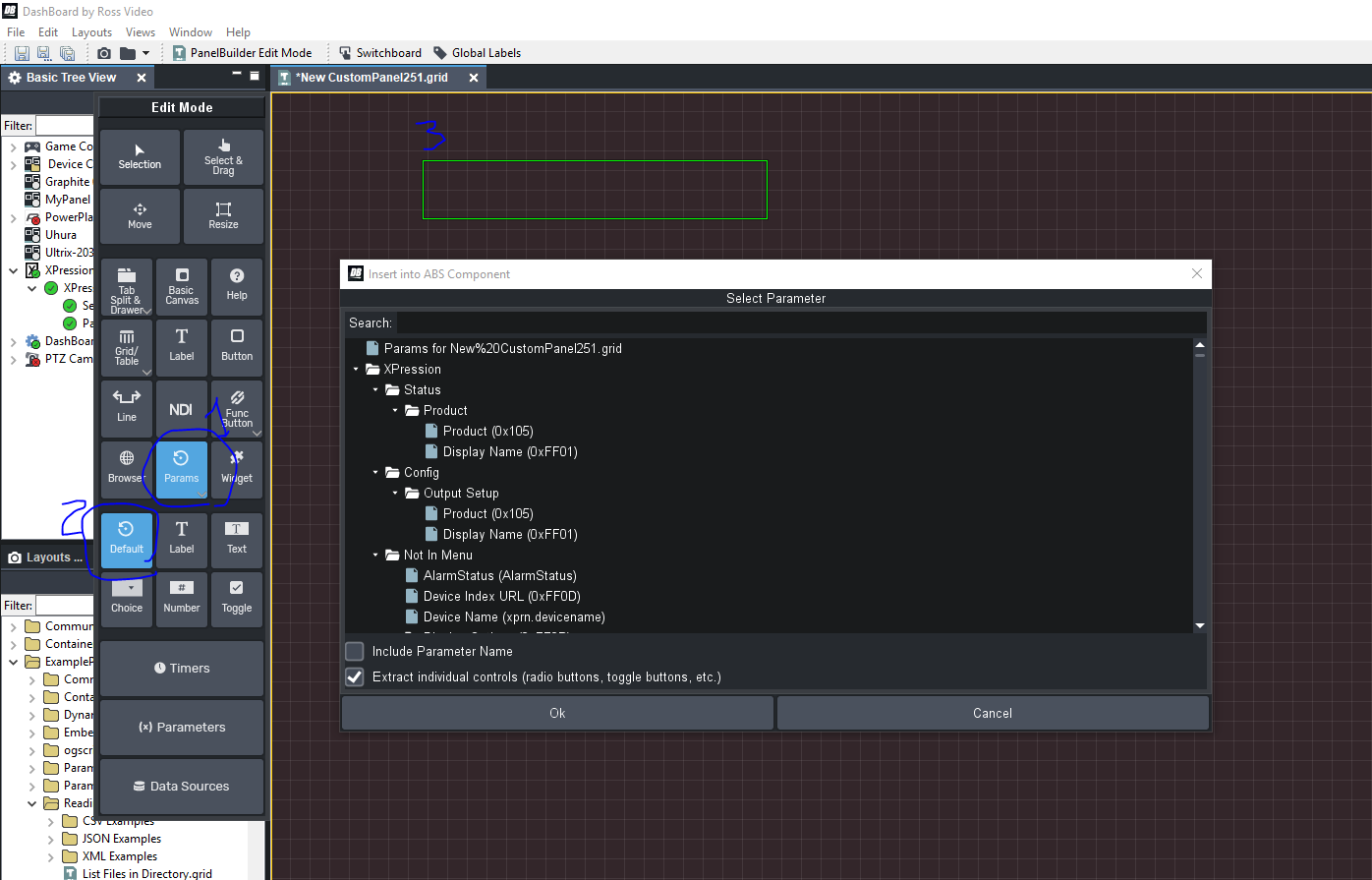
     

    If you search for "take61", you will see only the parameters that have to do with take item 61.    If you scroll down, you will see the text for the "title" published field.
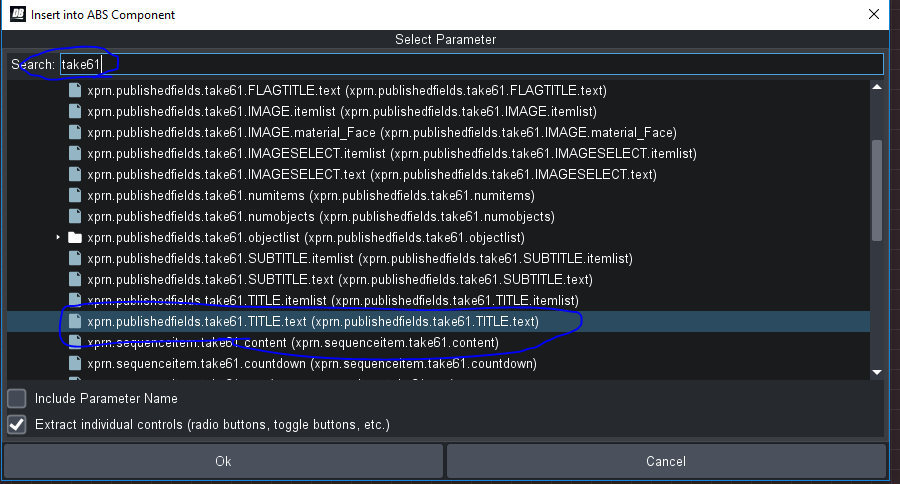
    If you select that, and click OK, it will put that parameter in your panel.
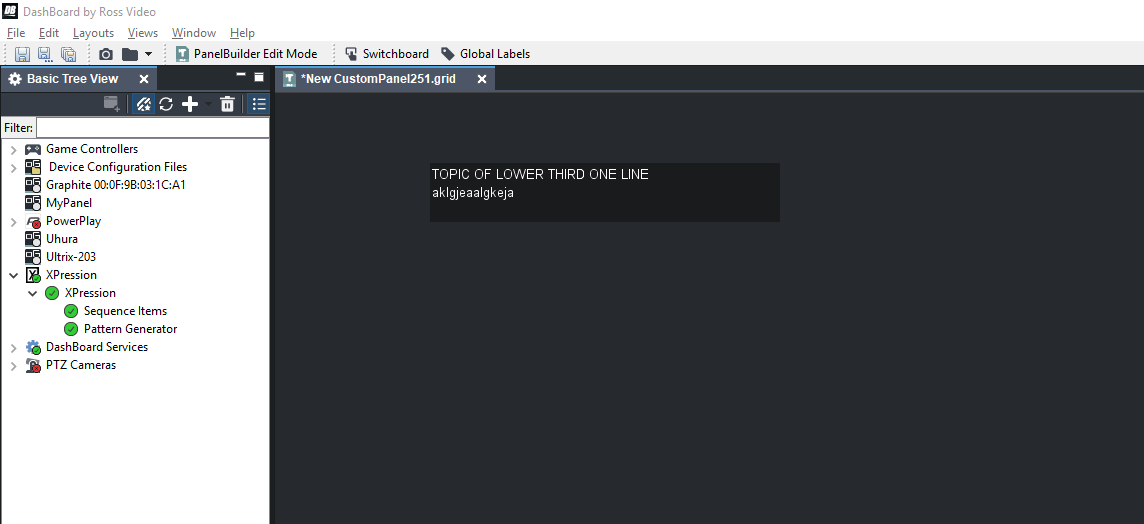
     

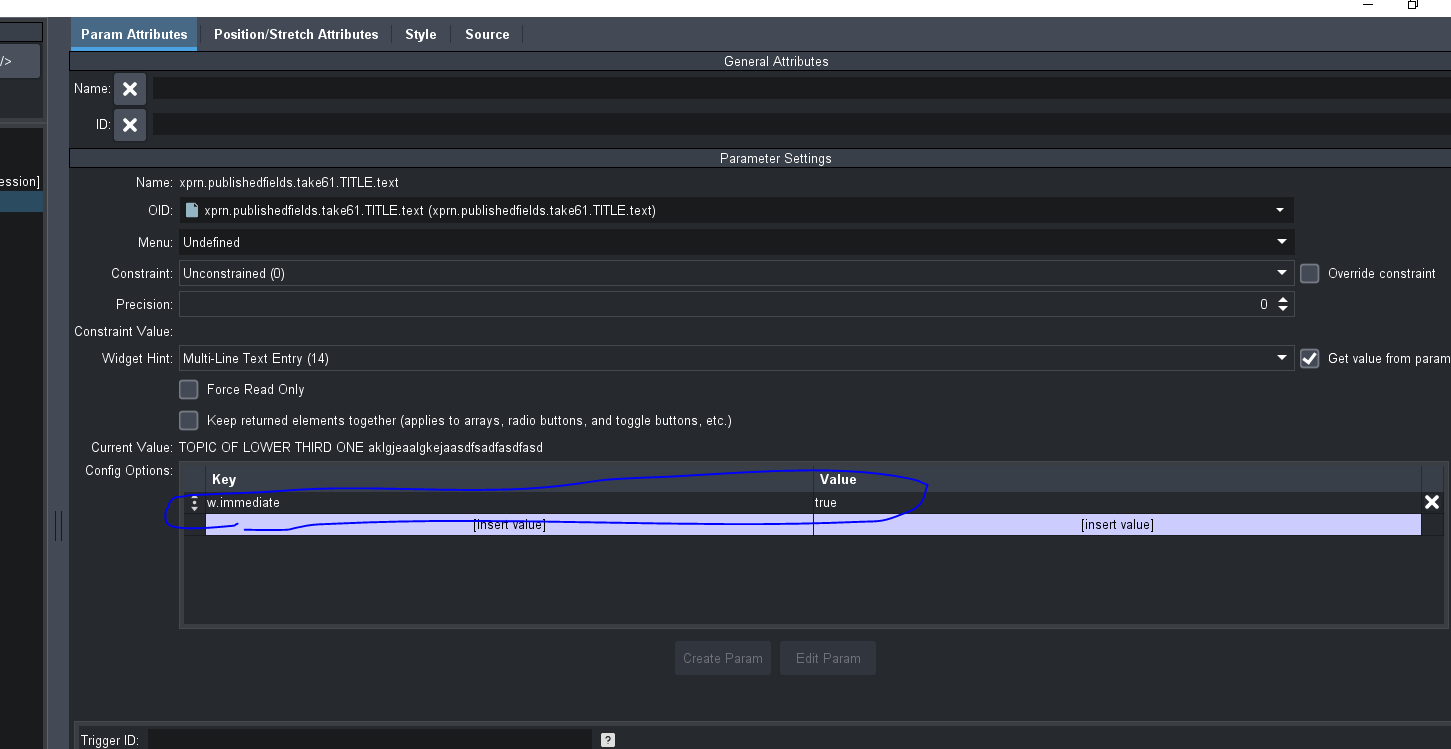
    Any change that is made to the text in XPression is immediately shown in the text field in DB.   Any change in DB is sent when the text box loses focus.    If you want the text box in DB to immediately send any text changes, you can add the "w.immediate" flag, set to true on the parameter view.  Just go into panel builder mode, double click on the text box, and add the following:

    #DashBoard


  • 4.  RE: Dashboard "listening" to xpression data

    Posted 04-21-2021 03:22
    Is it possible to use the plugin to pull in a datalinq field? Or is there a plan for that?

    ------------------------------
    Cameron Wedemeyer
    Australia
    ------------------------------


  • 5.  RE: Dashboard "listening" to xpression data

    Posted 04-22-2021 09:58
    Hello Cameron,
    DashBoard panels can currently serve as a source of DataLinq information but cannot ingest information from the DataLinq server itself. There are no releases or timelines available for if/when this will change but we are always looking for ways to improve our products and the ways they interact.
    Anita


    ------------------------------
    Anita McKee
    ------------------------------


  • 6.  RE: Dashboard "listening" to xpression data

    Posted 02-26-2021 23:40

    Ben, 

    This is exactly what I was hoping to do. My client will order the license and we can get on with the construction. Thank you very much. You explained it perfectly.


    #DashBoard