Hi Clay,
I'm assuming that you want to write a custom panel to do this. Is that correct?
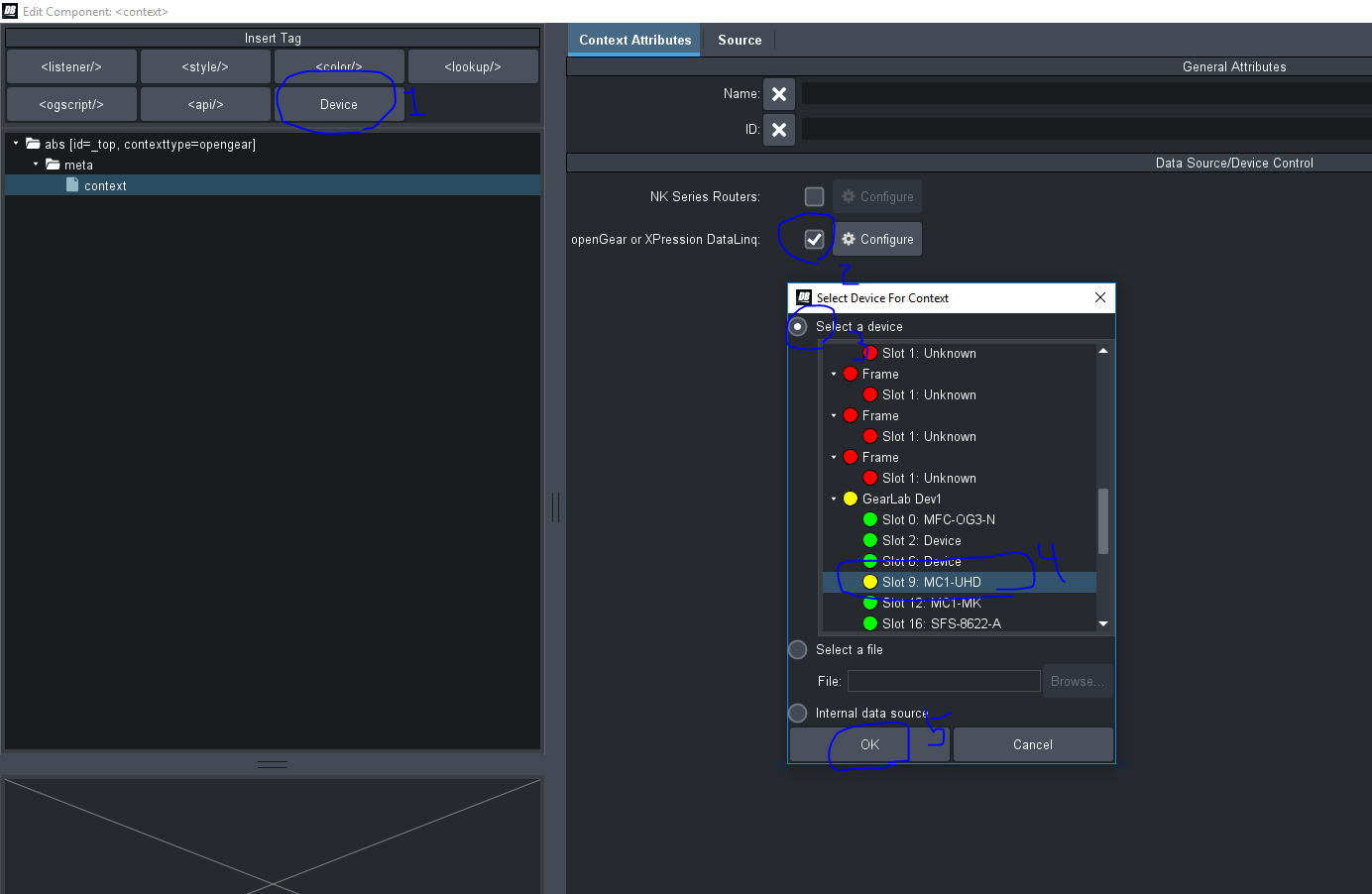
You can point your custom panel to the MC1, by adding a Device to your custom panel in Panel Builder Mode. Just double click anywhere empty, and you'll get into the "Edit Component" window. Then click on Device and point it to the MC1:
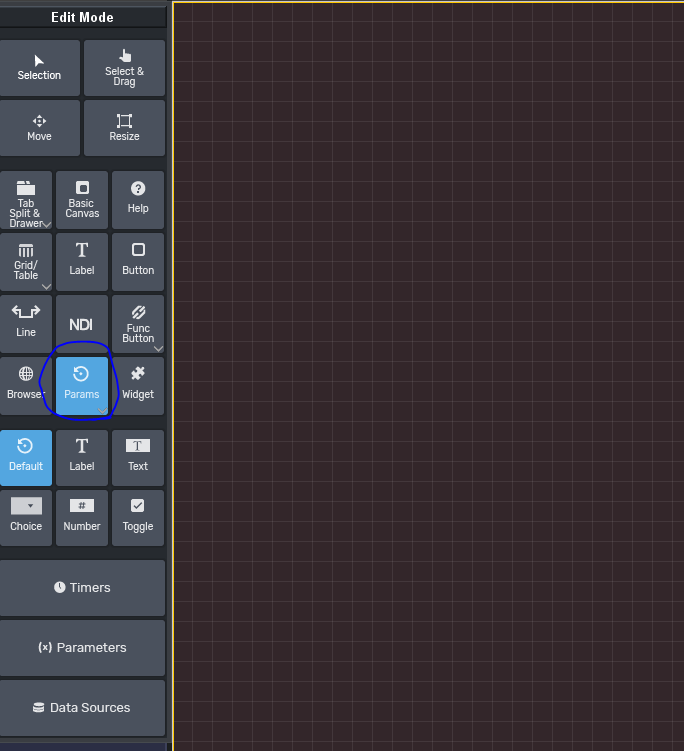
Once you do that, you can now use this button, to put down the MC1's parameters into your panel:
I think you want to drop the "Level" for GPIO 2 into your panel. To know which parameter that is, you can go to the MC1 panel, and do "Ctrl-I" (I for inspector). Then double click on the parameter you want to see.something like this:
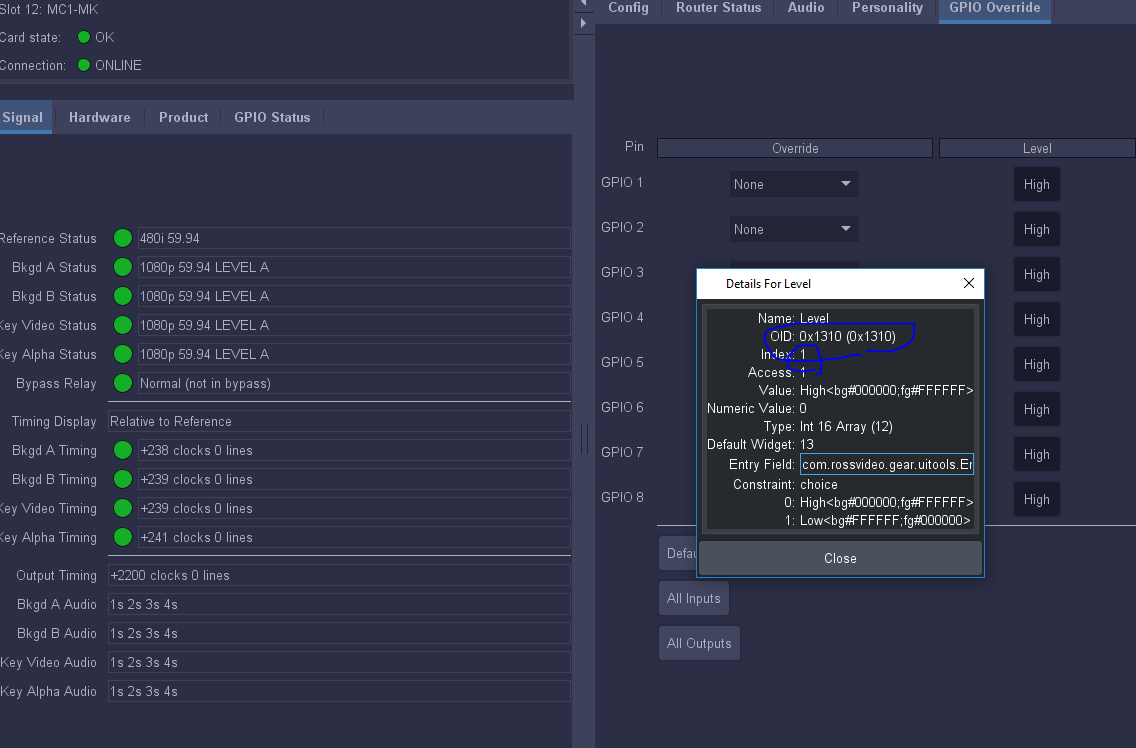 I circled the oid and the index.
Then you can put down that same parameter in your panel:
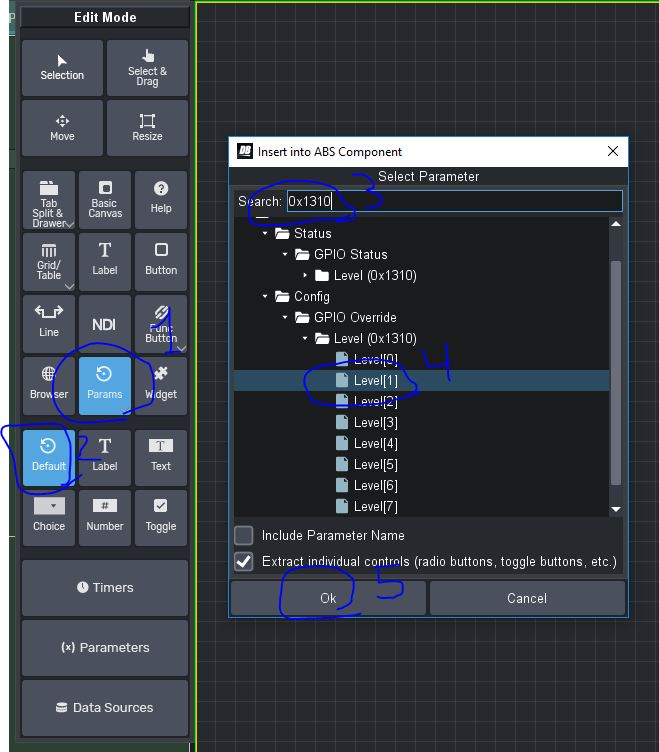
So you should see something like this:
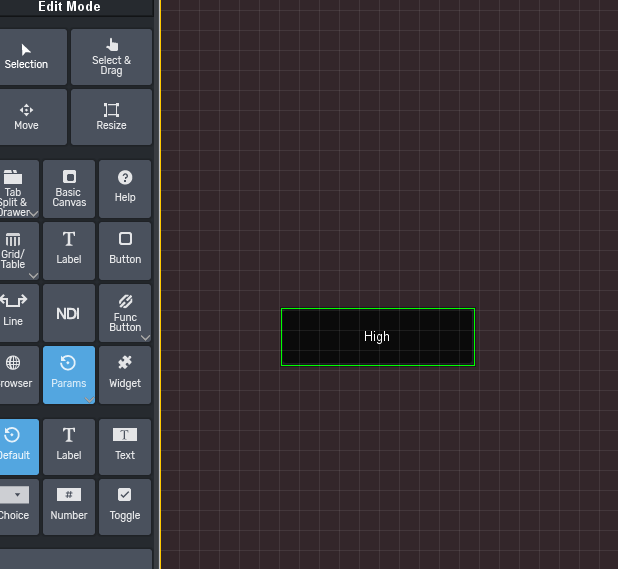
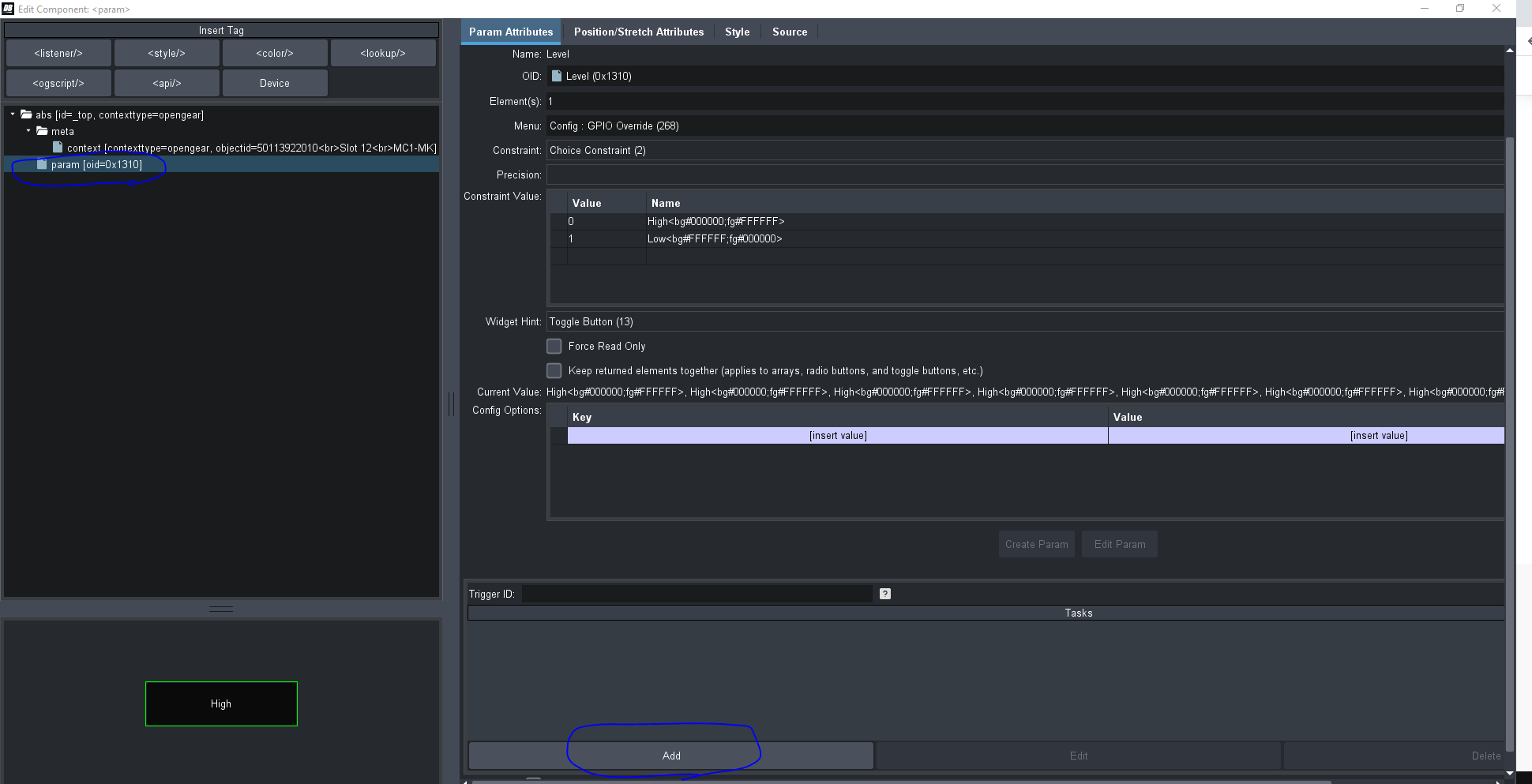
You can now see the parameter's value in your panel. If you want something to happen when that parameter changes, you can add a task to it. Double click on it, and at the bottom, you should be able to add a task.
I can keep showing you how to turn on/off keys. But I want to make sure I'm going in the direction you want. If it's not a custom panel that you want, but rather something built-in to the MC1, then I would have to investigate more the MC1. I'm not very familiar with it.
#DashBoard