Hi James and Laura,
Thanks for the tips. The classic theme will work for what I'm looking for.
I was wondering if it's possible to have a button in the Aura function have a highlight when tabbing over a button.
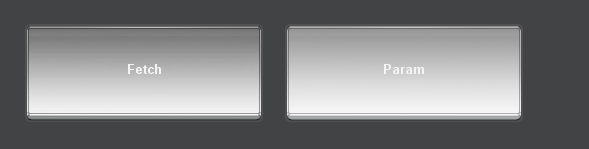
In the classic theme, when you press tab, the buttons would have a slight highlight over what is currently active to indicate you can press enter to active it.
------------------------------
Jerry Lu
------------------------------
Original Message:
Sent: 03-03-2022 13:30
From: Kayla Robinson
Subject: DashBoard Button Old Styles
Hi Jerry,
As you noticed, the older "Classic" Theme used gradient button styles, but the new "Aura" Theme features flat button styles, as shown:
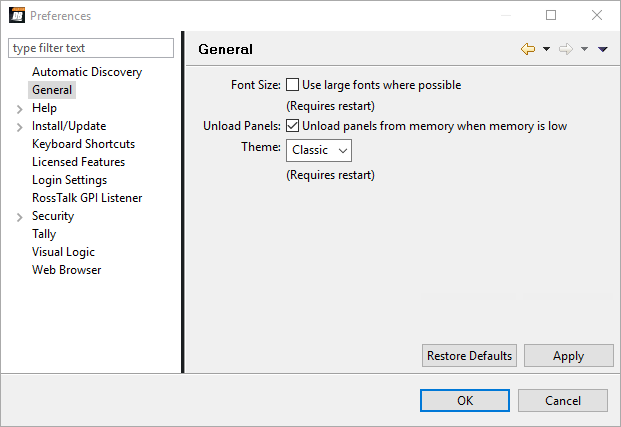
However, it is recommended that you use the Aura Theme for DashBoard 9.0 and later, because new DashBoard features and Ross products (like Ultrix and camera panels) only support the Aura theme. You should be able to see the Aura buttons lighten when you hover over them, and when you edit a button the Component Editor dialog will open.
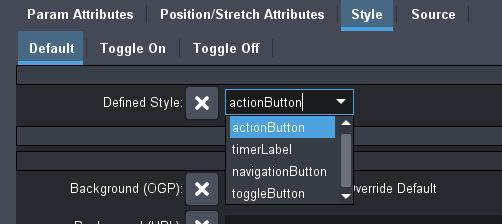
If you select the Style tab, you can choose a Defined Style for your button (or customize either the Toggle On/Off button state), as shown:
I've attached a video of various button states for the widget hint Toggle Buttons (for ease of display).
You can also check out more details in our DashBoard University videos:
You can also see more details about the Aura Theme in the DashBoard User Guide in DashBoard under Help > Help Content.
------------------------------
Kayla Robinson
Technical Writer
Ross Video
Original Message:
Sent: 03-02-2022 17:33
From: Jerry Lu
Subject: DashBoard Button Old Styles
Hello,
I noticed that with the new versions of DashBoard, the buttons all have this new flat style. I was wondering how to return to the old 3d style look, or at the very least a style that highlights the button when "Tabbing" over it. I tried all the style options and I can't really change the button except for it's color and border.
Any help is appreciated.
------------------------------
Jerry Lu
------------------------------