Hi Ben,
So after some conversation with
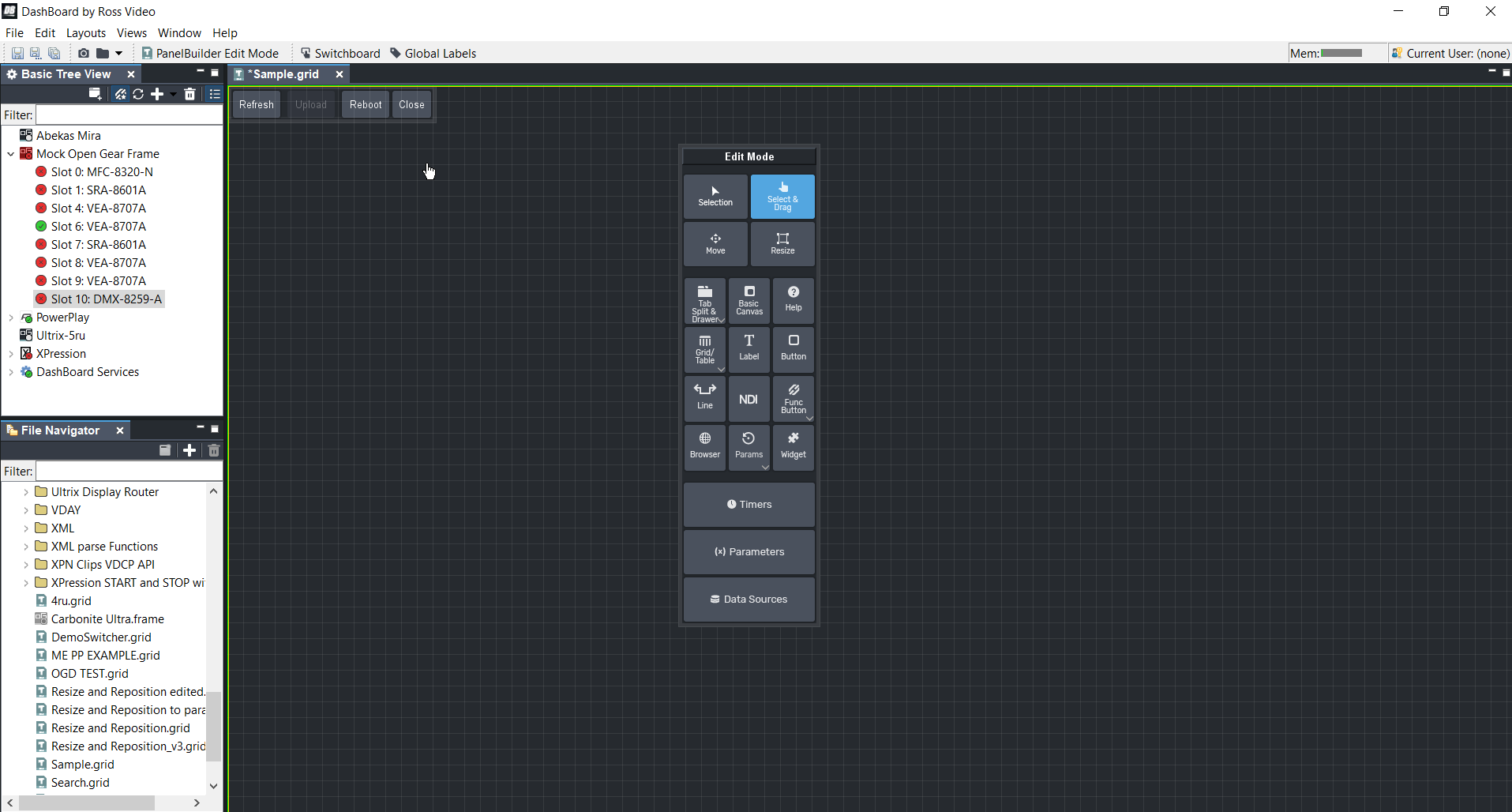
@James Peltzer. He has given some insight that with Open Gear cards there isn't a straight forward way to replicate the reboot button on the Open Gear card's UI itself. What we can do is take the entire bottom bar and insert it into your custom panel(refresh/upload/reboot/close).

Here are the steps to accomplish this...
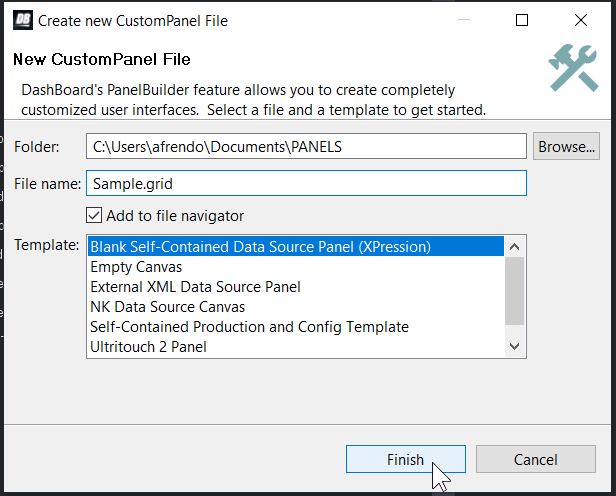
Step 1. Create a custom panel file if you do not already have one. (File/New/New CustomPanel File)
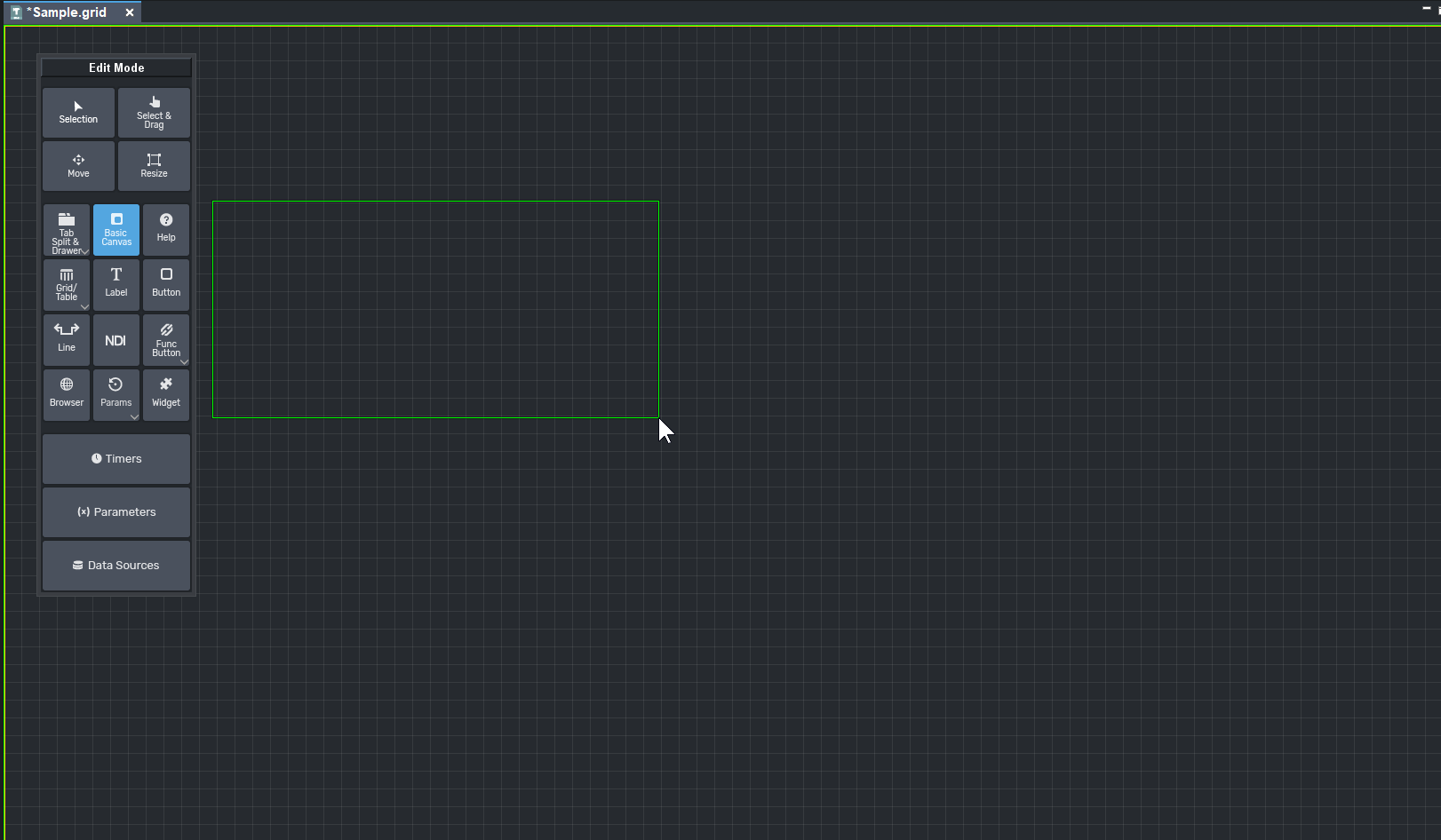
Step 2. Using the Basic Canvas tool click & drag to create a canvas. Then switch to the select and drag tool and double click on the new canvas.
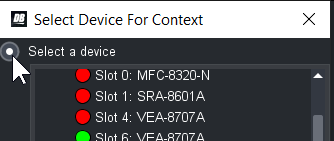
Step 3. Click on the check box that says openGear or XPression Datalinq to the left of it. Then select the "Select a device" option. Finally choose your open gear card for the
Sencore IRD(in this example I'm using a VEA-8707A card but they should work the same). Click OK then click apply changes.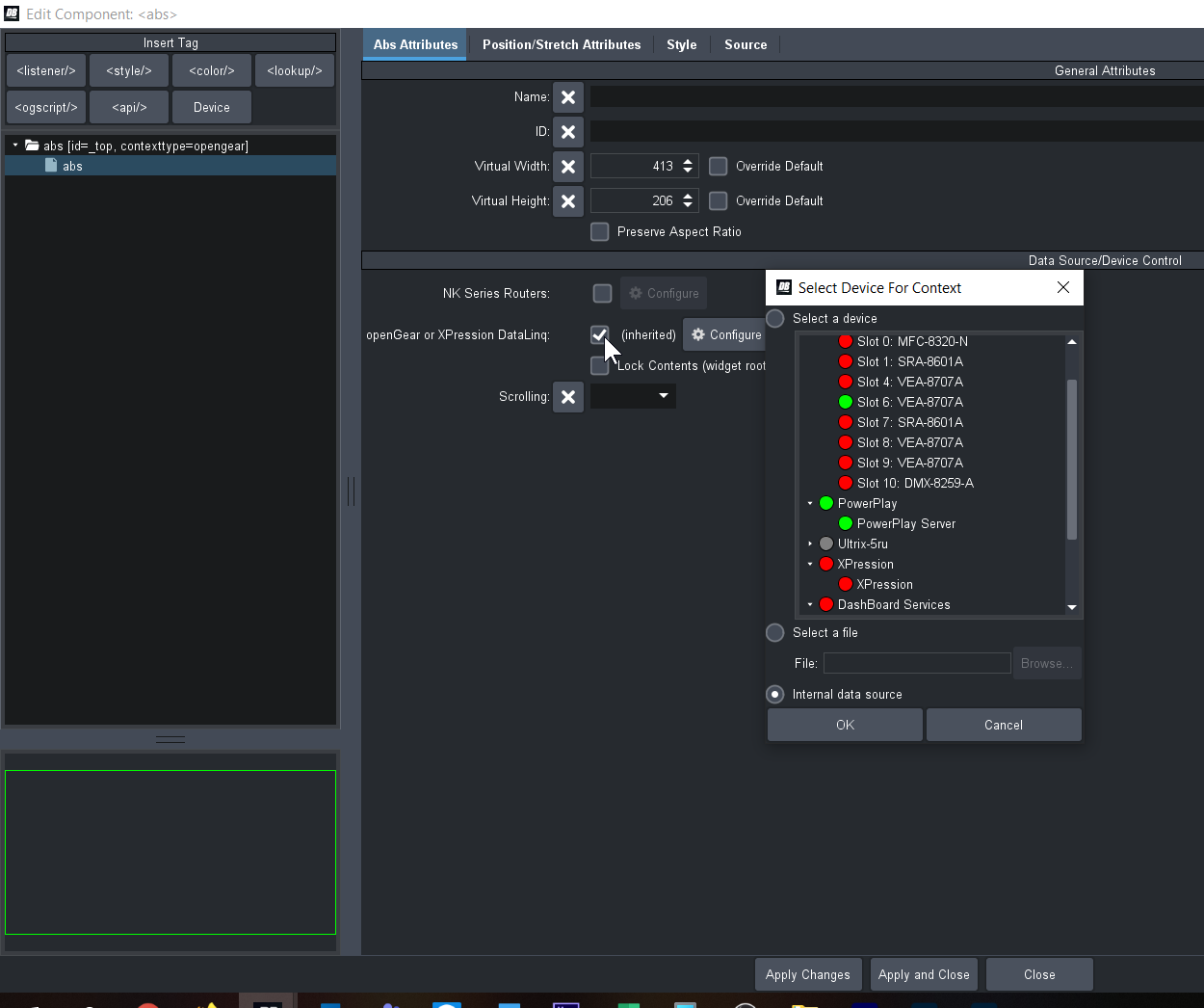
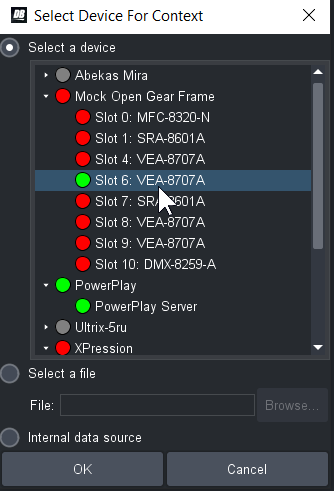
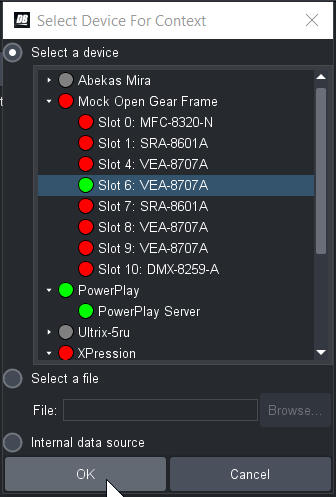
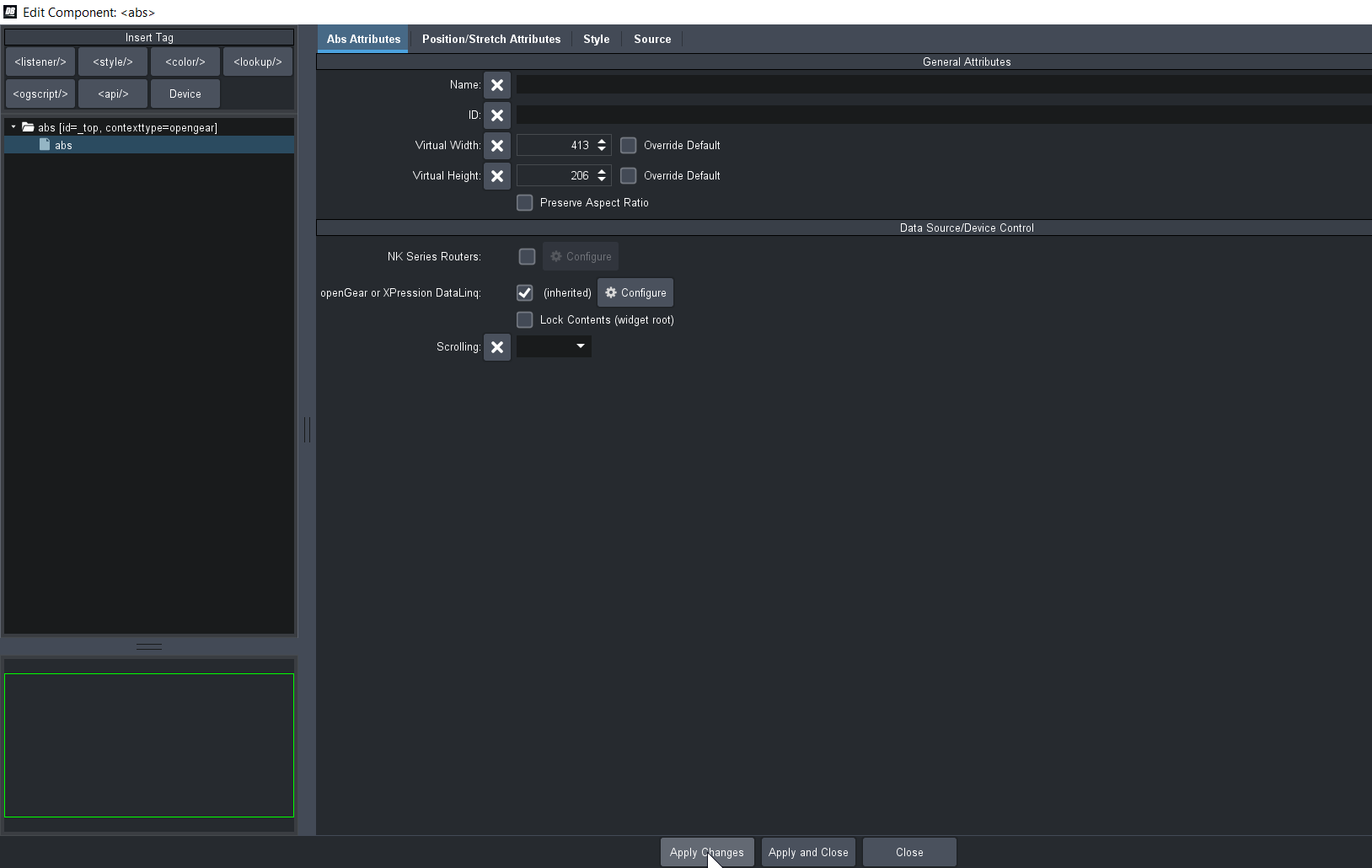
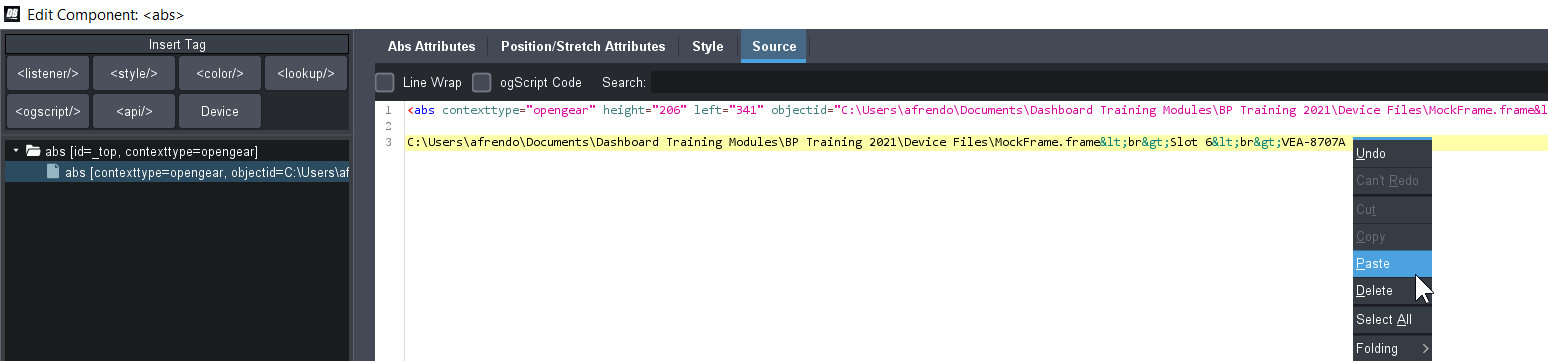
Step 4. Move over to the source tab which will bring you to the source code. We are going to copy the "objectid" and paste it on its own line. (My objectid looks different because I am using an offline file version of an Open Gear frame)

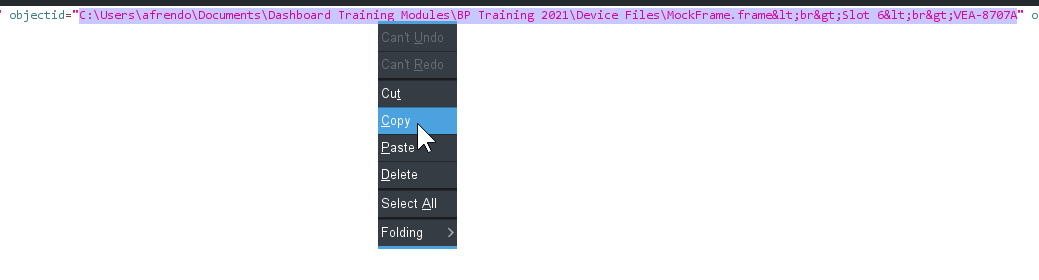
Step 5. We are going to take this source code given to me by James and paste it over line 1.
SORCE CODE:
<editor bottom="873" left="0" objectid="ReplaceMe" right="1366" top="0" widgetroot="true">
   <oglml>
      <buttonbar/>
   </oglml>
</editor>
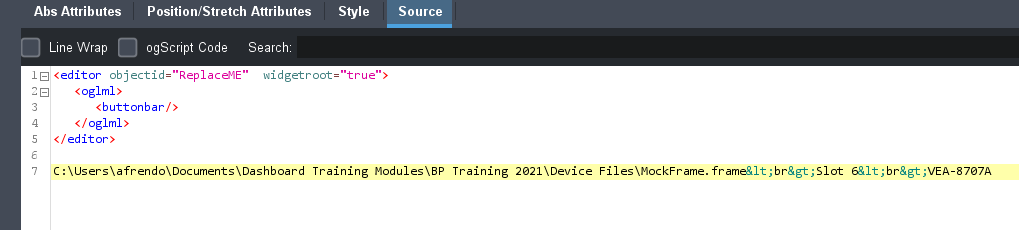
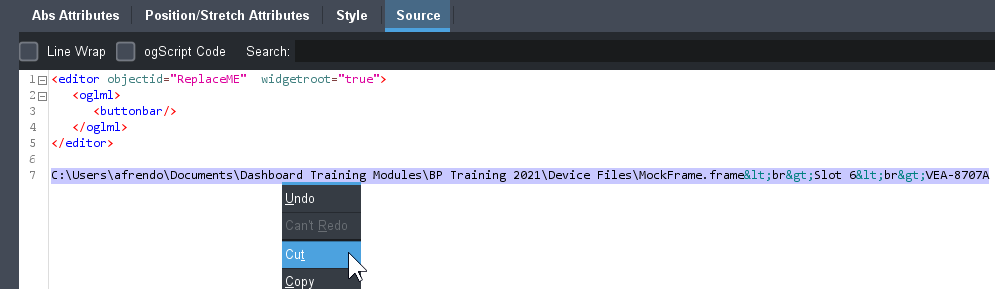
Step 6. Cut and Paste the objectid we previously copied over top of the section that says replace me. Then once done the click apply & close.
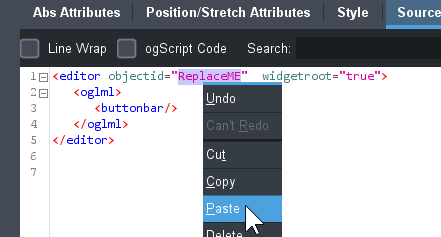

The end result should be a button bar at the top left of your panel.
Here is my panels source code for reference.
<abs contexttype="opengear" id="_top" keepalive="false" style="">
<editor bottom="873" left="0" objectid="C:\Users\afrendo\Documents\Dashboard Training Modules\BP Training 2021\Device Files\MockFrame.frame<br>Slot 6<br>VEA-8707A" right="1366" top="0" widgetroot="true">
<oglml>
<buttonbar/>
</oglml>
</editor>
</abs>
Hopefully this helps!
-Tony
------------------------------
Antony Giraldo
Ross Video
------------------------------
Original Message:
Sent: 05-03-2021 10:56
From: Ben Endow
Subject: Reboot Button
I want to reboot A Sencore IRD Card (AG-3802 / 4802). Not dashboard.
Thanks
------------------------------
Ben Endow
KTVK-TV
Original Message:
Sent: 05-01-2021 13:44
From: Antony Giraldo
Subject: Reboot Button
Hi Ben,
Could you advise what is exactly that you are trying to reboot. A device or DashBoard? If it's a device which one?
-Tony
------------------------------
Antony Giraldo
Ross Video
Original Message:
Sent: 05-01-2021 10:12
From: Ben Endow
Subject: Reboot Button
I'm new to creating custom panels. I've been able to drag and drop some parts off manufactures panel to create my panels. I want to add a reboot button, but can't drag one from the manufactures panel and don't know how to program a button to do the reboot. Can someone help?
Thanks
------------------------------
Ben Endow
KTVK-TV
------------------------------