Hi Gene,
Sorry for the delay in answering this question. I've been trying to get access to a Carbonite on our network to figure this out.
I think if you go to the Live Assist panel, and click on the ME you want, and then click on Media, you can see what media is loaded.
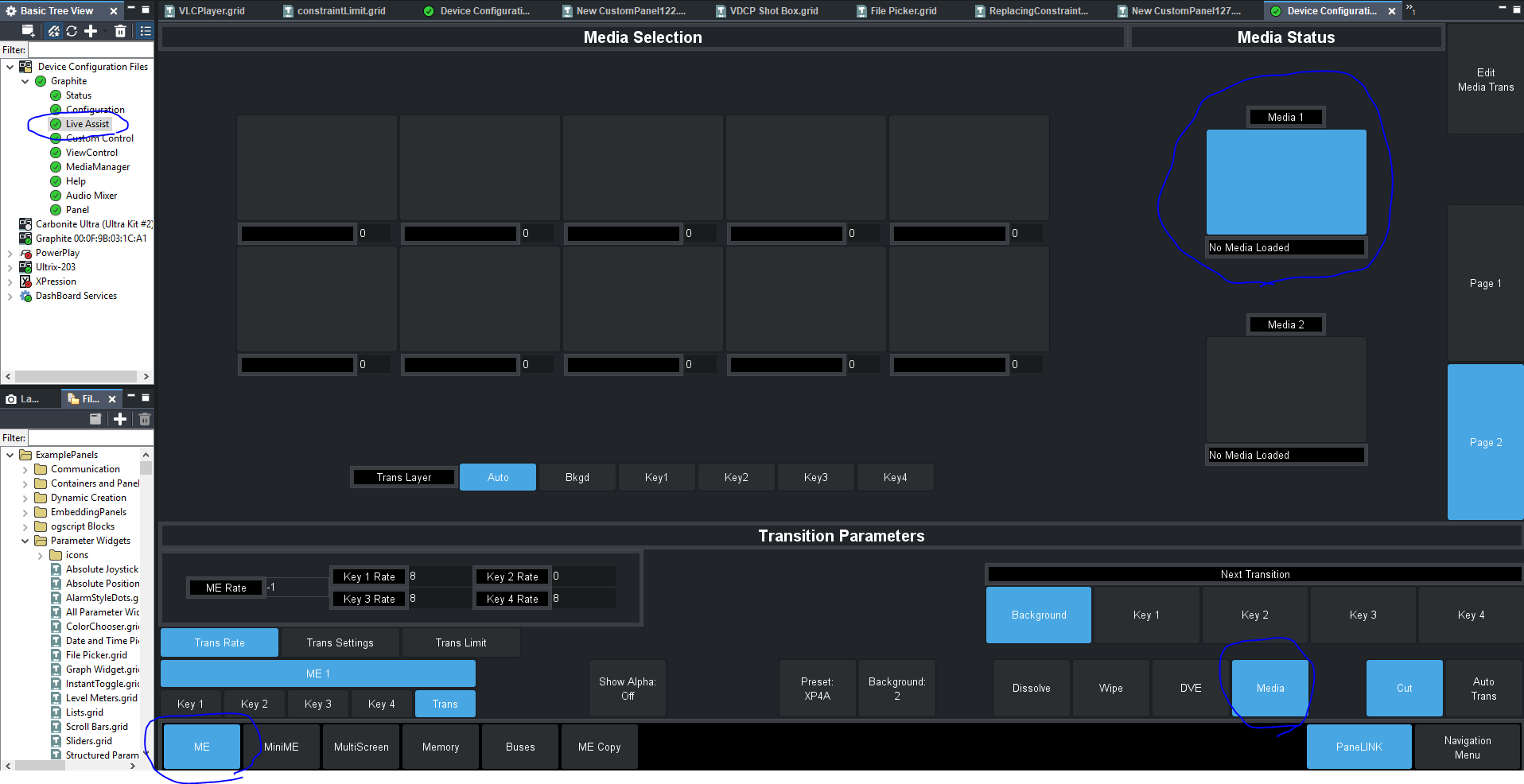
You should be able to drag and drop that into your panel.
If I go into panel inspector mode (Ctrl I), and then double click on the media 1 box, I see it is OID 0x97E. So that's another way you can access it.
Unfortunately, I still don't have access to a live Carbonite, so I could not test it (I have a graphite device file which is not live). Give it a shot, and if it does not work, let me know and I'll see if I can find a real connection to a Carbonite to test it out.
#DashBoard