Hi Zach! If this is the only button you'd like a confirmation for, then you could use an additional ABS to hide/show the confirmation prompt.
Create an ABS and make sure to assign an ID to it. This is how we reference the ABS element in our Show/Hide commands.
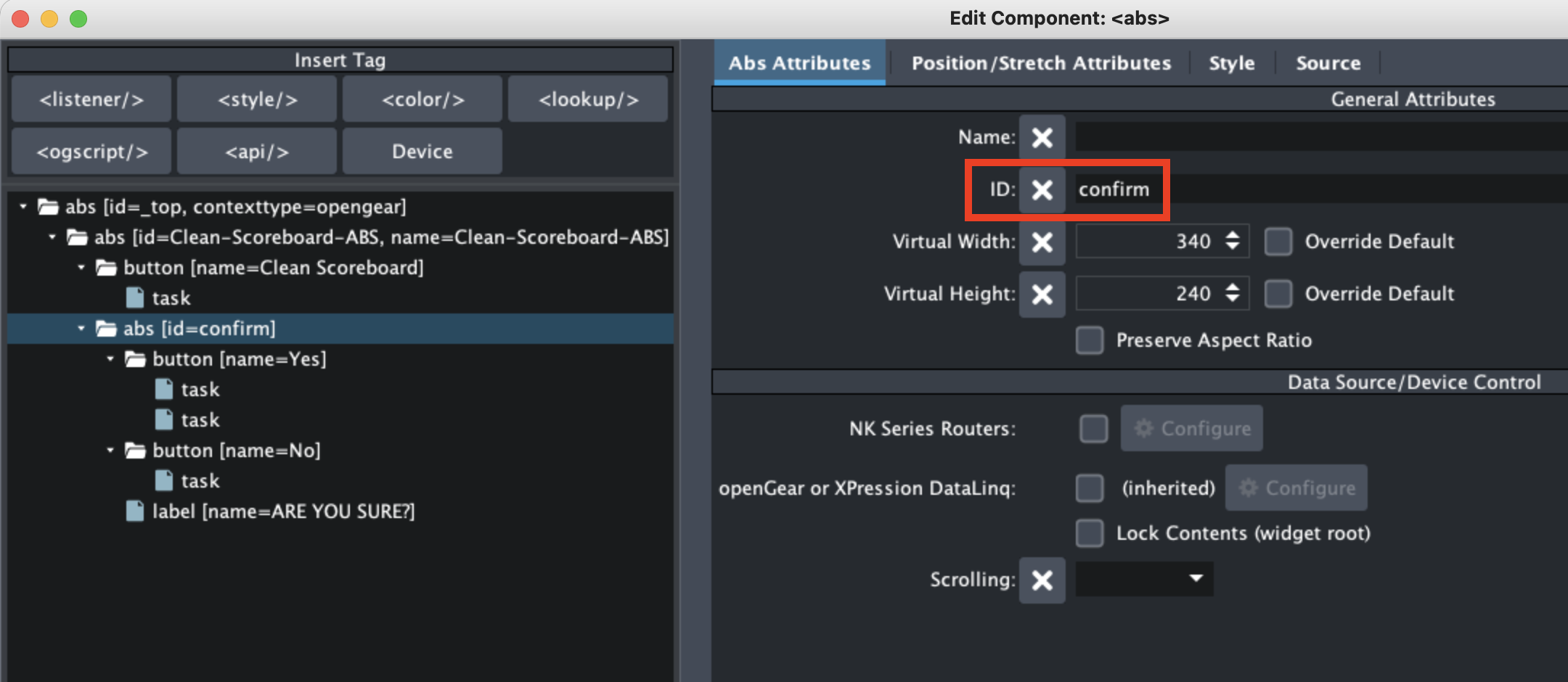
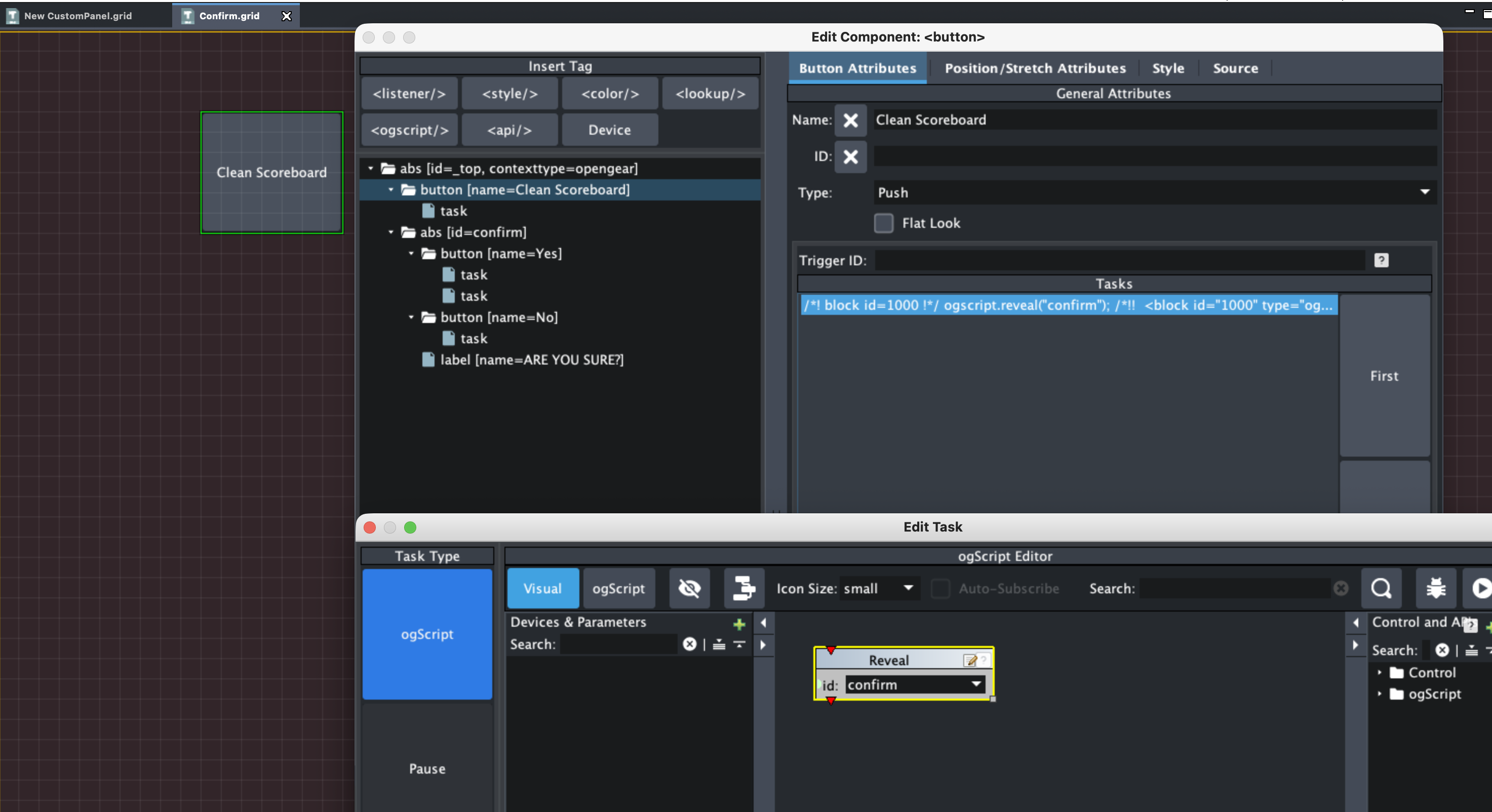
I have a button called "Clean Scoreboard" with one task in it that reveals our ABS with the id 'confirm'. This is the ABS that contains the confirmation prompt.
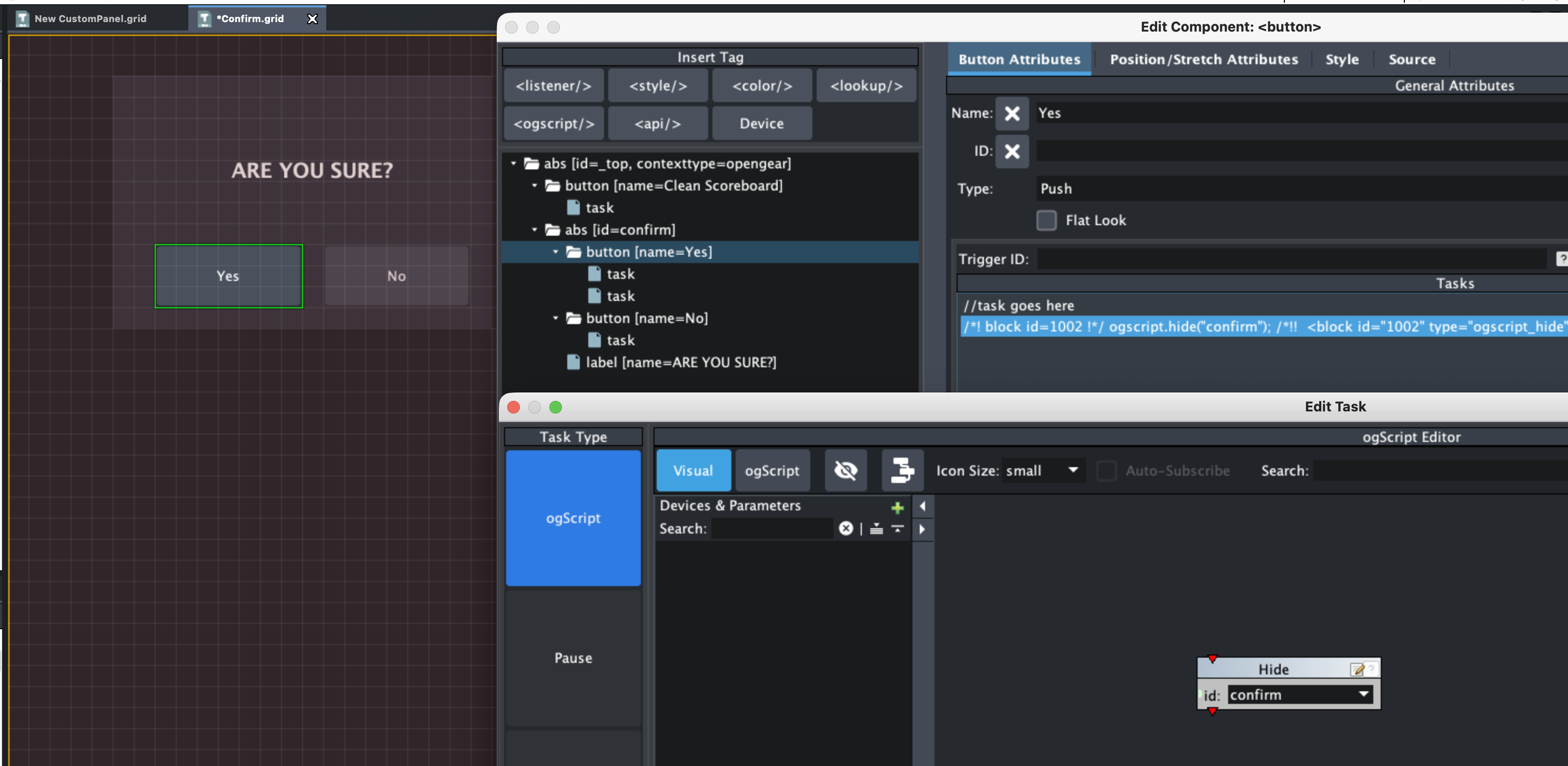
When that is pressed, the confirmation ABS is revealed and has two buttons: Yes and No. They both have a task to Hide the confirm ABS. The Yes button should run the actual Clean Scoreboard command you'd like to send and then also Hide the confirm ABS.
I have attached a .grid file that has all the above elements in an ABS (Clean-Scoreboard-ABS) that you can copy/paste into another Custom Panel. Hope this helps!
------------------------------
Brishen Thompson
Senior Demo & Training Solutions Specialist - Prime, Sports Workflow
Ross Video
------------------------------