The Dynamic Material would replace the entire material, not just the diffuse color. Easiest way would just be to use Visual Logic to link the hex code from a text object (Datalinq, User Input Control, etc.) to the Diffuse color of the material.
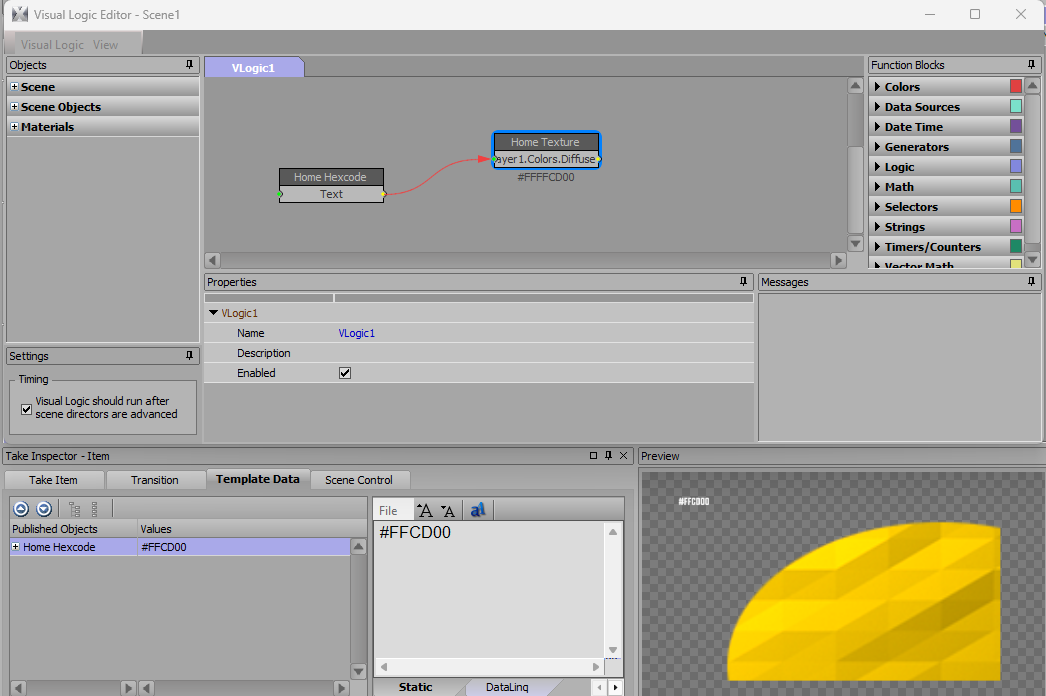
Be sure you use a different material in your scene for each team, since the visual logic is effecting the project material color, not just each individual scene object.
------------------------------
Jeff Mayer
Ross Video
------------------------------
Original Message:
Sent: 08-05-2026 12:46
From: Garrett Hall
Subject: Adding Material Shader Layers that respect the Alpha of the Texture Shader Layer Below it
On this Jeff, if you wanted to make it a dynamic material that feeds into the image, how would you go about that? - So let's say you have a folder full of swatches, and so as you assign a new team, then the color updates like a dynamic material would?
Or, do you have to just know the hex code to everything and script it (or visual logic) to change the value on the diffuse color.
------------------------------
Garrett Hall
Overtime Elite
Atlanta United States
------------------------------
Original Message:
Sent: 08-04-2026 22:26
From: Jeff Mayer
Subject: Adding Material Shader Layers that respect the Alpha of the Texture Shader Layer Below it
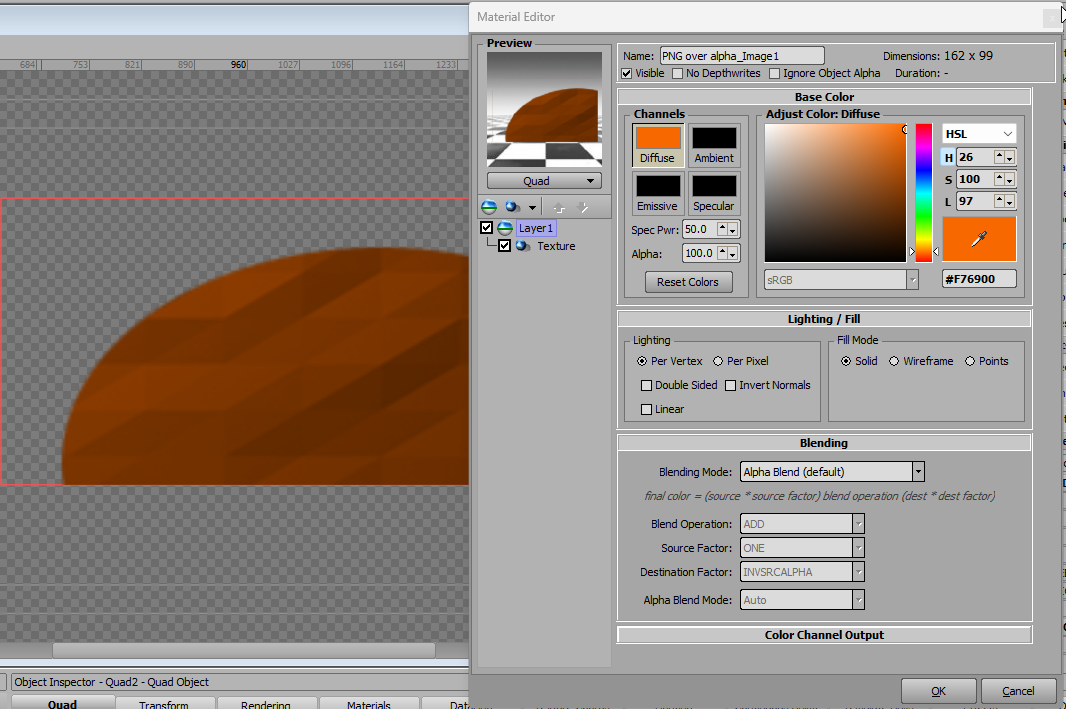
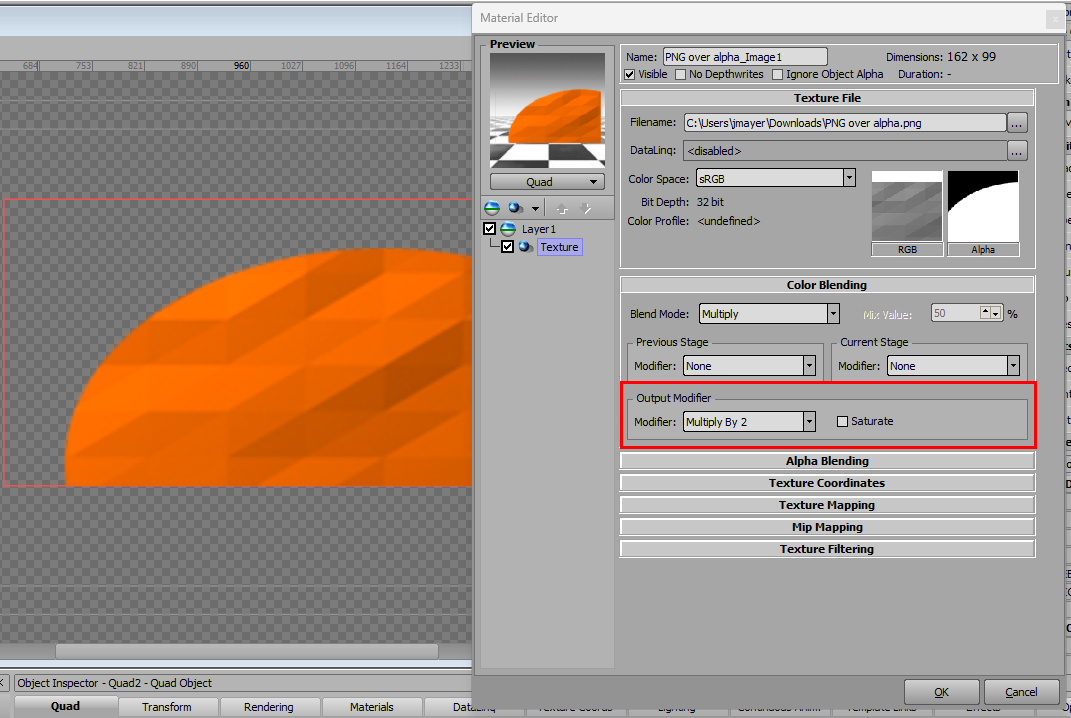
Instead of adding another Layer to the material, you can set the diffuse color of your base layer to the specific Team Color, then use the color blending on the Texture shader to get the right look. I took a cutout of the image you posted brought it in as a .png image Texture Shader.
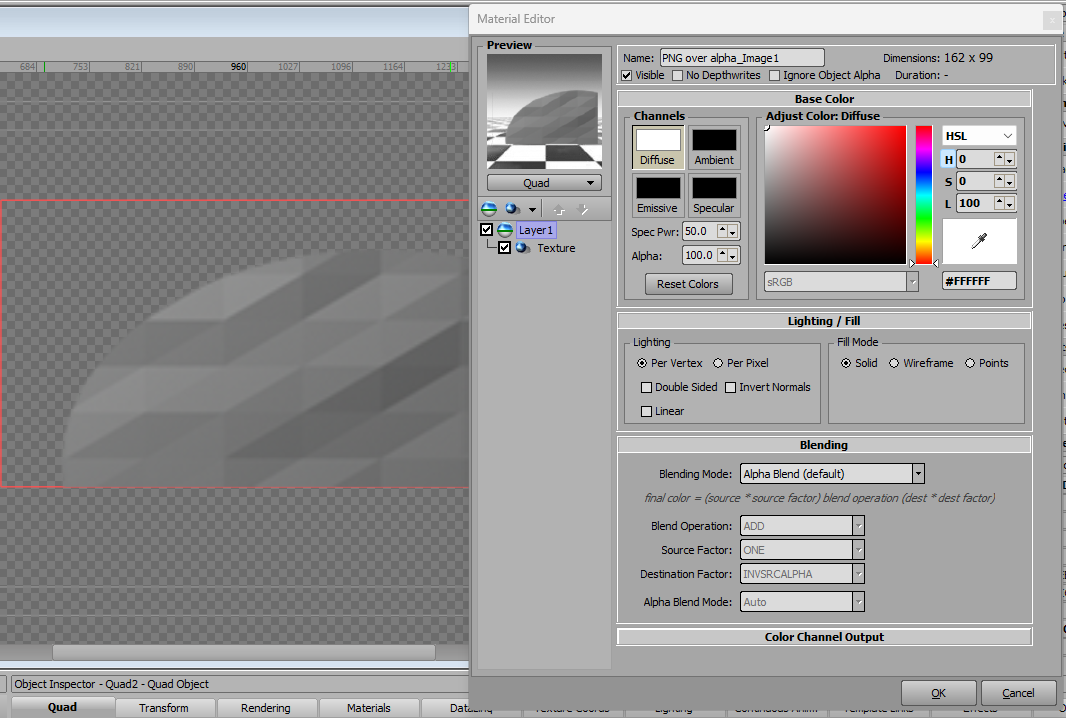
Set the Diffuse Color to the Team Color
On the Texture shader, set the Output Modifier to "Multiply by 2" (you can do the same to the Previous Stage or Current Stage instead as well)
------------------------------
Jeff Mayer
Ross Video
------------------------------