If it's set to autostart this overrides anything you do when placing it on a scene director.
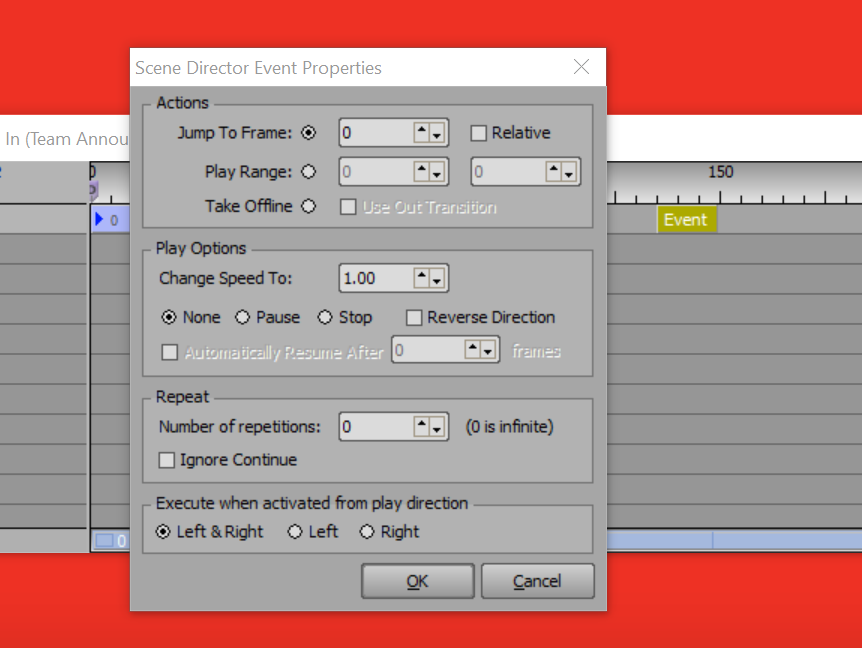
You will need to make it loop by using an event on the scene director.
------------------------------
Simon Redmile
Senior Graphic Programmer & Designer
Ross Video
Bristol United Kingdom
------------------------------
Original Message:
Sent: 10-28-2022 01:51
From: Julia Noakes
Subject: Adjusting the speed of an AVI v10.5.5532
Hi Steve, I have to have this checked so the video loops.
------------------------------
Julia
------------------------------
Original Message:
Sent: 10-28-2022 01:35
From: Steve Szeszycki
Subject: Adjusting the speed of an AVI v10.5.5532
By chance is the material of the avi set to "Auto Start"? If yes, try unchecking that option.
------------------------------
Steve Szeszycki
XPresssion Operator
Los Angeles United States