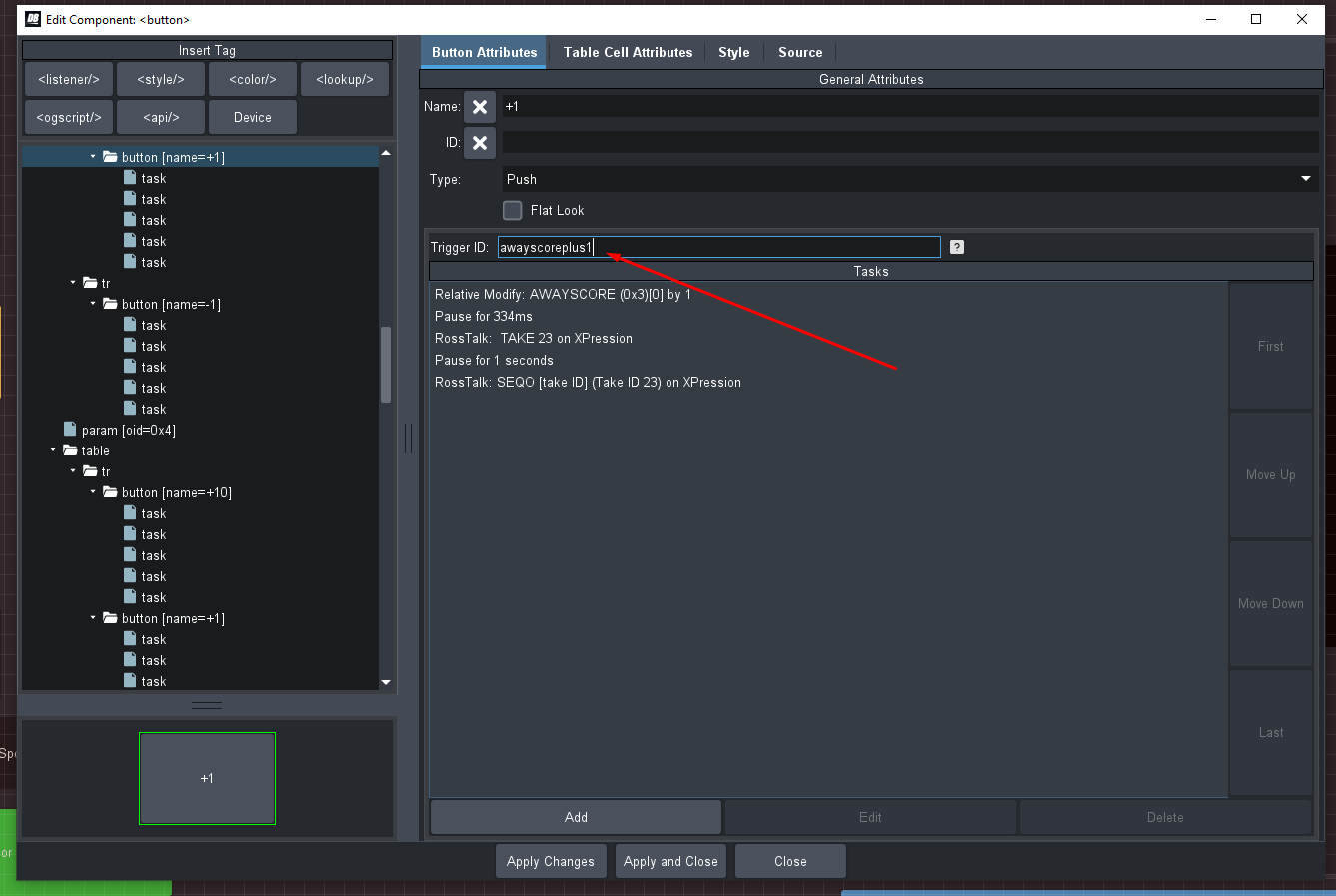
You could make a RossTalk Command that sends either a "GPI #" or a "GPI awayscoreplus1" to DashBoard and using the RossTalk listener you would be able to trigger the Buttons in the Controller ..
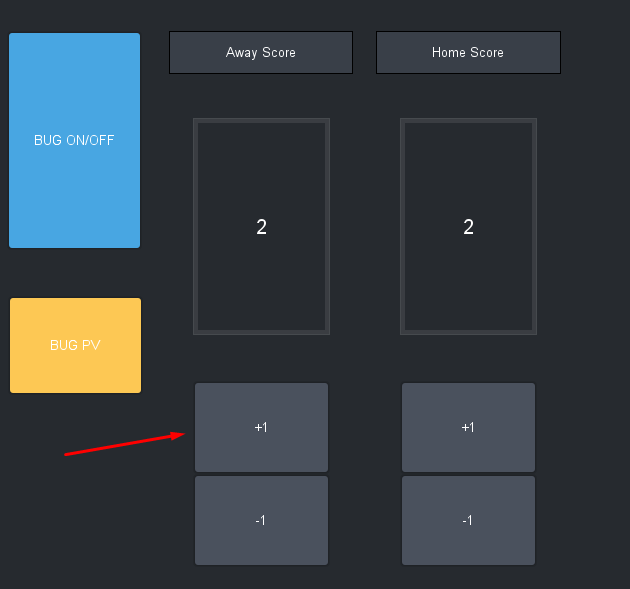
Panel Builder "edit button"
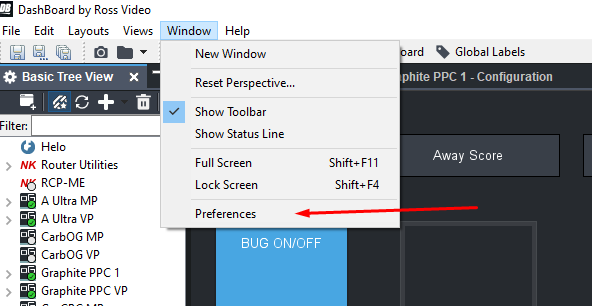
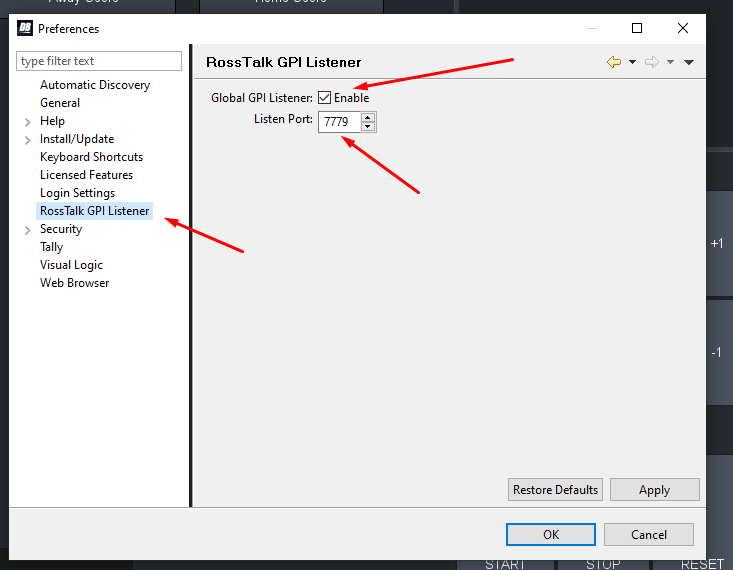
Make sure the Listener is enabled in preferences (also make sure that your RossTalk Port is not on the same port as another device like say XPression RossTalk port)...
Due to being at home :) I had to use a Carbonite but you get the Idea that you use the Custom Type in Command to enter any text in the message.
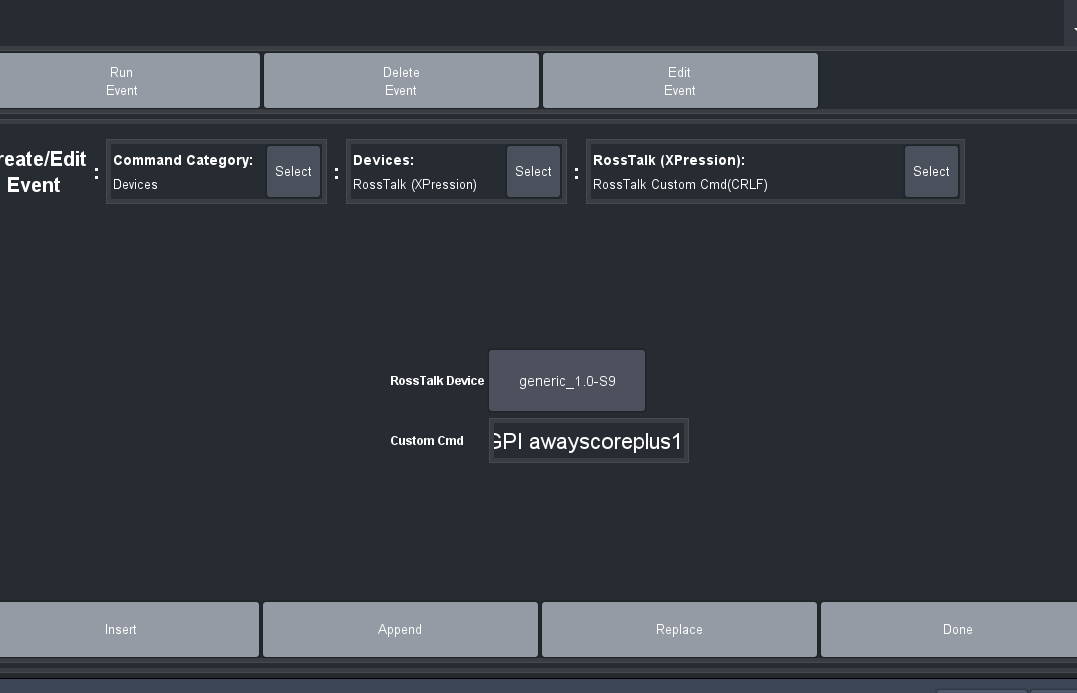
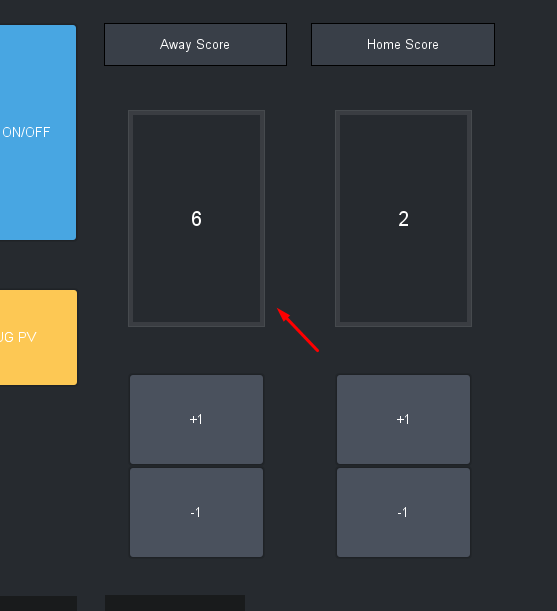
And now every time I press that CC it will send out an "GPI" rosstalk command and the button will trigger what is on it!!
Les
------------------------------
Les O'Reilly
Director - Switcher Product Management
------------------------------