Hi Steve,
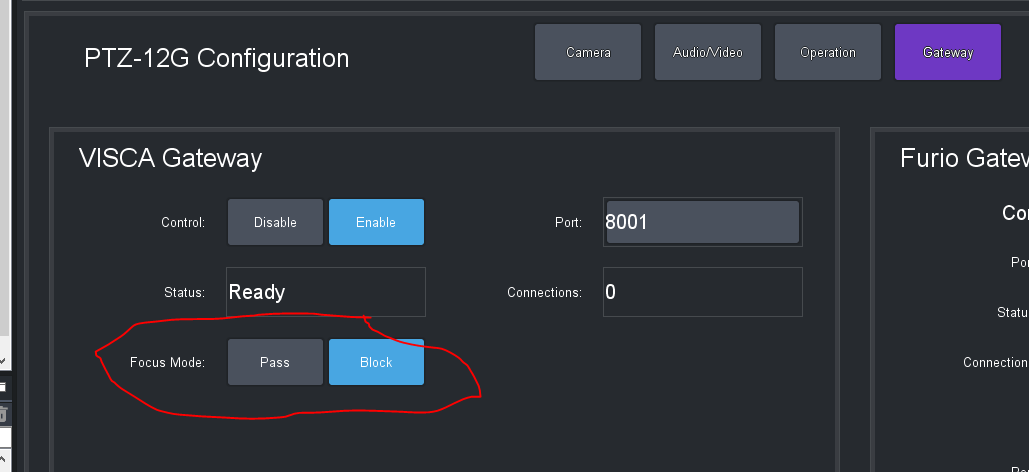
Do you have a Carbonite connected to your cameras? This problem typically occurs because the Carbonite will periodically send its desired value for auto focus to the cameras, overriding the value set from other controllers such as DashBoard. Assuming that you have Carbonite connected to the cameras via the VISCA gateway in the DashBoard plugin, if you want to use DashBoard to control auto focus on your cameras, you can resolve this problem by going to the Configuration page for the camera plugin in DashBoard, press the Gateway button and change Focus Mode to Block. This will block all auto focus messages sent by the Carbonite, or anything else connected through the VISCA gateway, to the camera - which means that you will no longer be able to control auto focus directly from the Carbonite. The alternative is to control auto focus exclusively from Carbonite rather than from the DashBoard plugin.
Hopefully this will resolve your problem
Barbara
------------------------------
Barbara Sharp
Software Developer, Technical Lead - Robotics
Ross Video
------------------------------