SOLVED! Perfect solution. Engineer will update software before next show.
Original Message:
Sent: 12-06-2024 16:38
From: Les O'Reilly
Subject: Carbonite Black, Key select disabled
Sounds like you are running an older version on that hardware. Version 15.6 for sure has this menu in it.
On the panel MiniMenu .. press the Menu Button - Then select the User Menu - press next the first Knob should now be the User Sel Buttons menu. Click on the knob to enter the menu
First Knob is the Row/Button to select, then the middle you set to KEY for the type .. Then the third Knob is the Index for selecting the Key Number or the "Select" mode where you hold the button and then the Bus changes to allow you to select the keyer via the Keybus deletgation row (for smaller panels like the CB-9 where you want more buttons available.)
------------------------------
Les O'Reilly
Director - Switcher Product Management
------------------------------
Original Message:
Sent: 12-06-2024 09:27
From: Rich Chalmers
Subject: Carbonite Black, Key select disabled
Good instructions, However, the navigation menu on this Carbonite does not have "Personality" button.
My Nav menu, from left to right reads : Status, Config, Live Assist, Custom Controls, MediaManager, Panel, Help, Full Screen.
Any other way to acmes the "User Select"?
------------------------------
Rich Chalmers
Original Message:
Sent: 12-05-2024 12:41
From: Les O'Reilly
Subject: Carbonite Black, Key select disabled
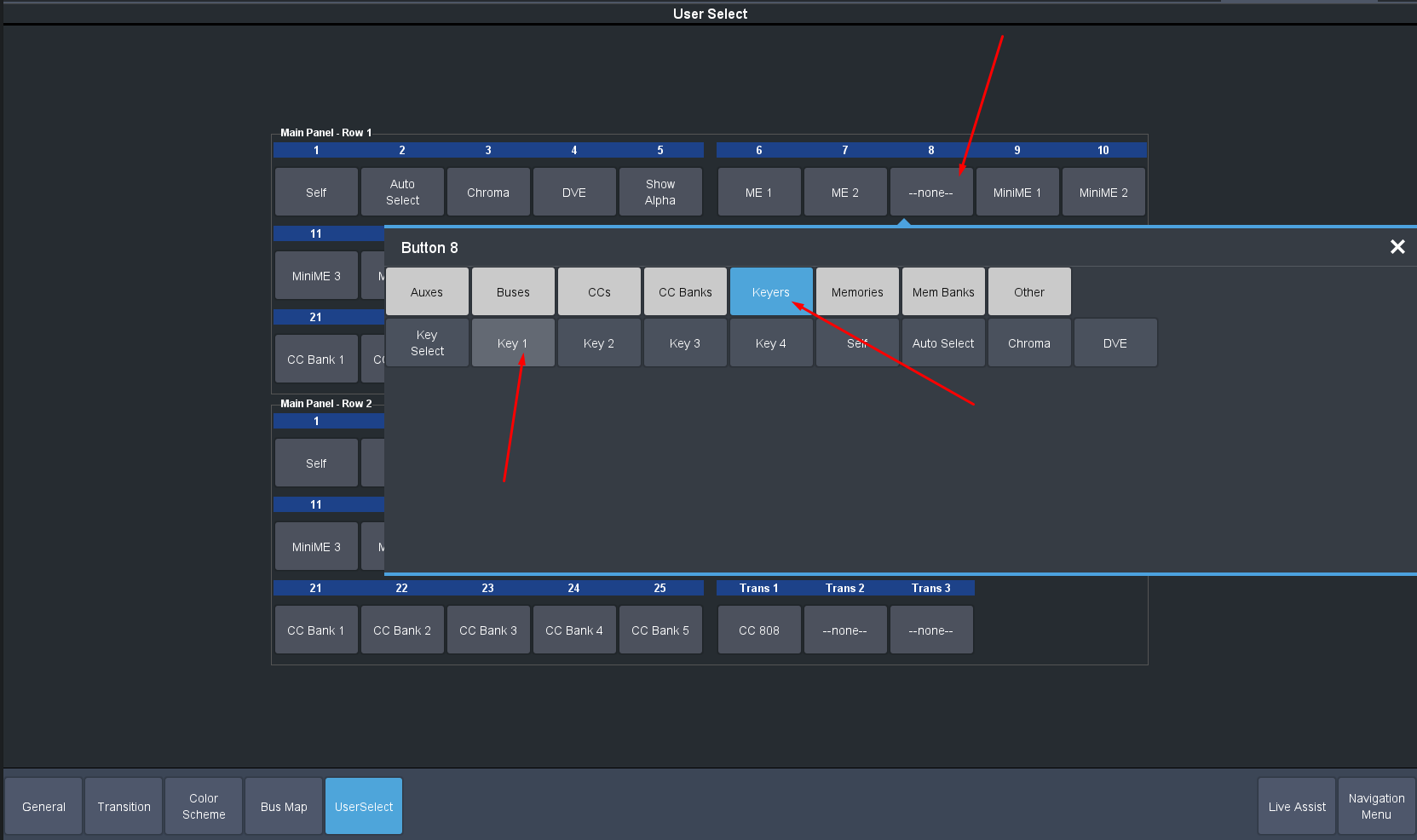
This should be managed in the USER button assignments. This is in the personality Menu in DashBoard.
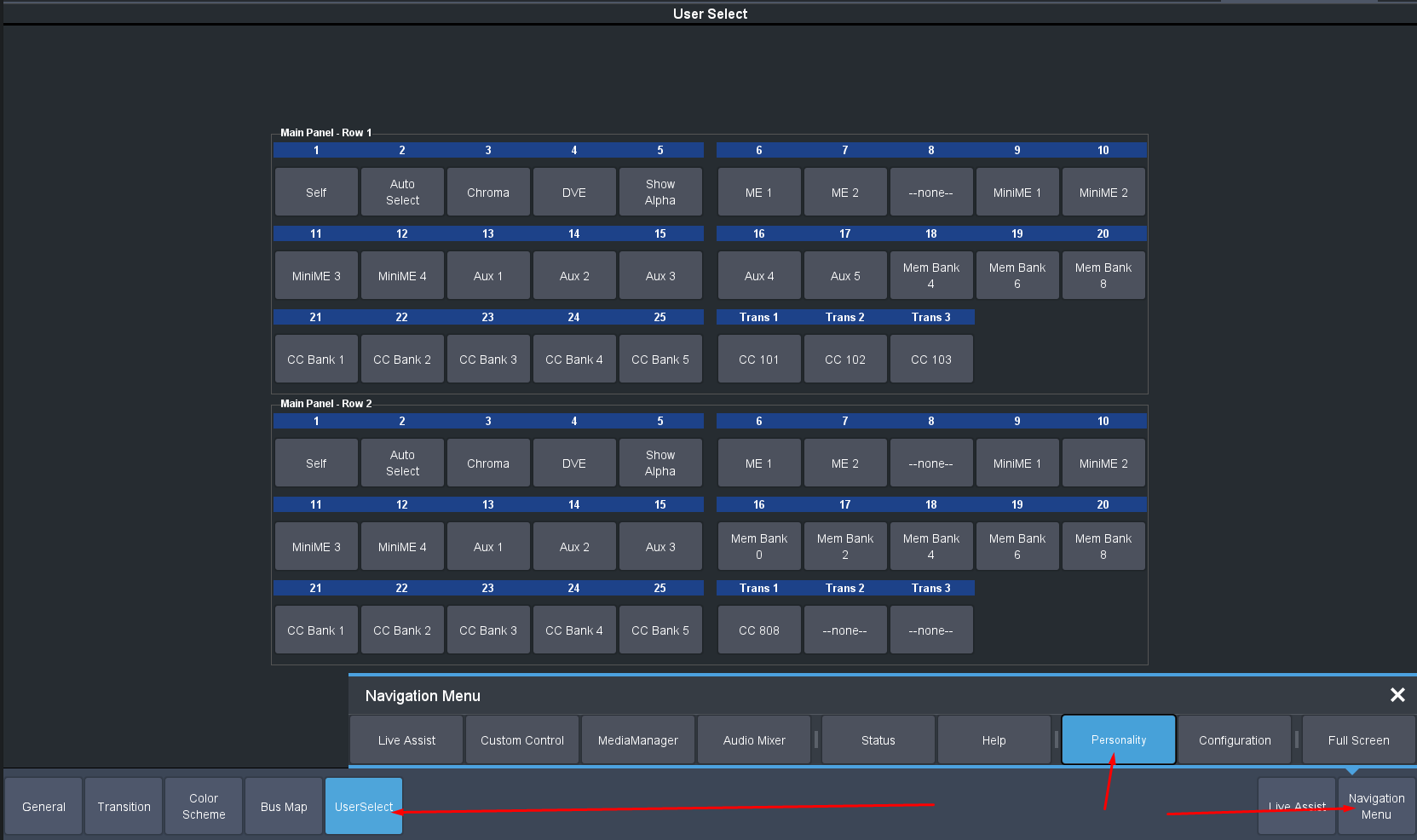
Then click on the desired button and select the function:
------------------------------
Les O'Reilly
Director - Switcher Product Management