Before you insert the State you can use the State Attributes Tab to set what is going to be recalled with that Custom Control State (Key Frame)
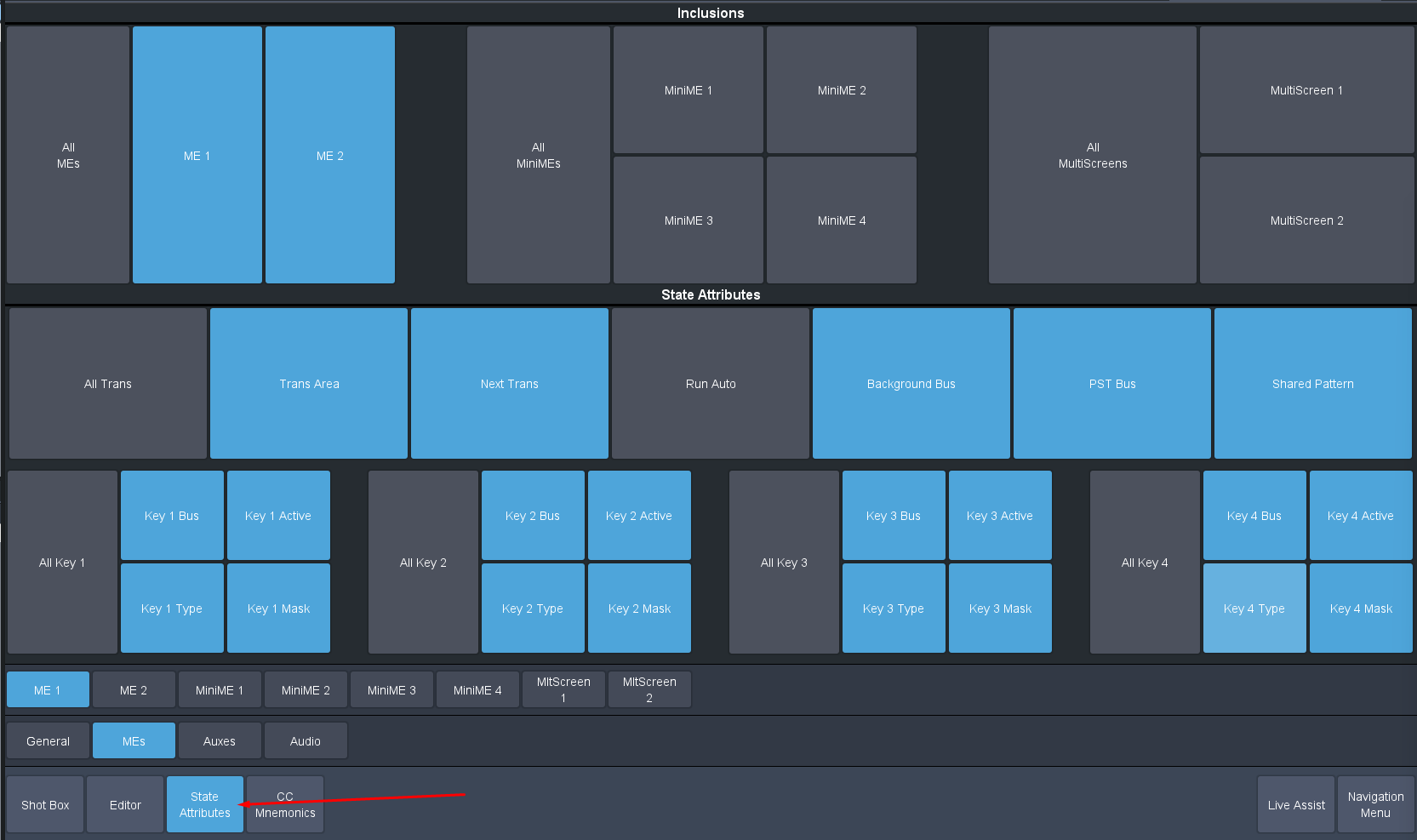
So Before Each Insert you want to setup the elements that you want to effect with it and those that you do not.
Also if you "Run" that Event it will recall that Insert and will then set the attributes to what it was... thus allowing you to modify them if you made an error in including something or not .. then replacing that insert.
Original Message:
Sent: 11-17-2024 13:11
From: Michael Minkoff
Subject: Carbonite mem recalls in CC's
The STATE option would be great if it worked as advertised. Unfortunately on the Carbonite at Raiders HQ running 15.6.1, when you try to insert a STATE line, there are no options. It only takes the state of program. See enclosed. Is there another way to set the way it learns state ME levels?
On the other question, I'm fine with editing CCs and MEM functions in the Dashboard editor. Using my first example, I was using MEMs as effect dissolve keyframes for DVE movement. I want the option to use a single MEM to recall a ME state and later, be able to effects dissolve back to the same memory. If the panel button state were learned in the CC, this would be accomplished.
------------------------------
Michael Minkoff
Las Vegas United States
------------------------------
Original Message:
Sent: 11-15-2024 14:42
From: Les O'Reilly
Subject: Carbonite mem recalls in CC's
Also follow up -- Are you in need of editing this memory from time to time and not wanting to touch the Custom Control editing?
Or are you just using the memory system this way to get to different "key frames" inside of the custom control when you run it ?
If it is the Later you could consider using the STATE insert in the CC which will effectively store the "key frame" inside of the CC with the Mode you want it to run as. You setup all of your Attributes on the CC Attributes so that only the things you want to change will change so effectively this does work the memory does -- however it does not use up any Memory Registers ... And there is no limit to the number of States/Keyframes in the System (think we have a limit of 999 events in a CC but if people are getting to those numbers let us know and we can look to make it 9999).
------------------------------
Les O'Reilly
Director - Switcher Product Management
Original Message:
Sent: 11-13-2024 04:43
From: Michael Minkoff
Subject: Carbonite mem recalls in CC's
I don't believe when recording a custom control that the recall mode selection is recorded as part of the CC.
------------------------------
Michael Minkoff
Las Vegas United States
Original Message:
Sent: 11-12-2024 10:22
From: Les O'Reilly
Subject: Carbonite mem recalls in CC's
The Recall Side of the Attribute system allows you to over ride the As Stored in memory for any of the attributes.
This will allow you to set the keypad recall mode to "force" it to any of the three modes for recall or OFF/As Stored then it will do what the setting was in the Memory attributes when you STORED the memory.
------------------------------
Les O'Reilly
Director - Switcher Product Management