Hi,
A few years ago Carbonite Ultra upgrade moved the SoftPanel to it's own dedicated connection. When the TouchDrive Panels were introduced the need to be able to have multiple panels with independent DashBoard Connections was needed. Each Panel requires a separate connection for Main / Sat 1 / Sat 2 / SoftPanel. This way each instance of DashBoard is able to connect to it's own port and have it's own LiveAssist Follows and Custom Control Editing.
This information is called out in the manual:
https://help.rossvideo.com/ultra/Topics/Operation/DashBoard/Panel/SoftPanel.html
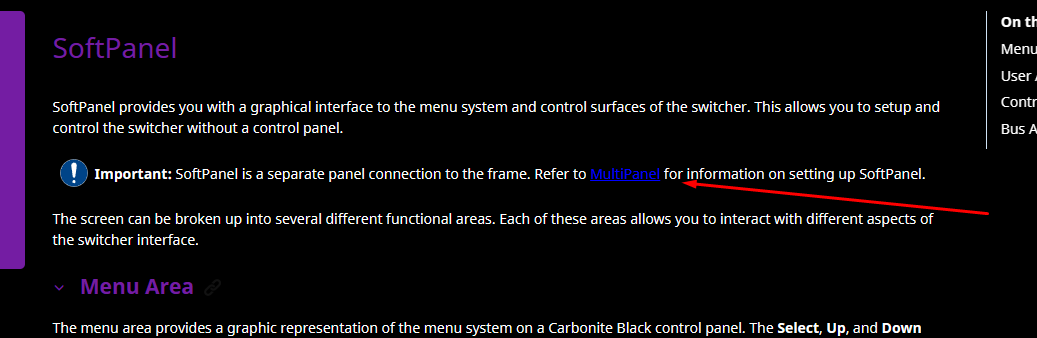
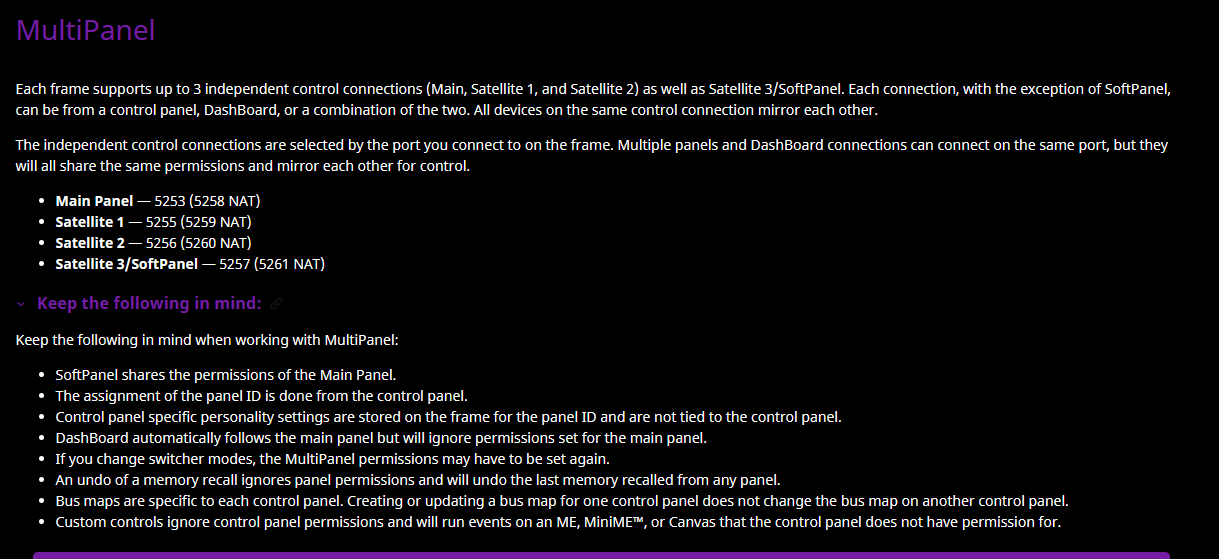
Which directs us to the MultiPanel connection section:
https://help.rossvideo.com/ultra/Topics/Setup/MultiPanel/MultiPanel.html
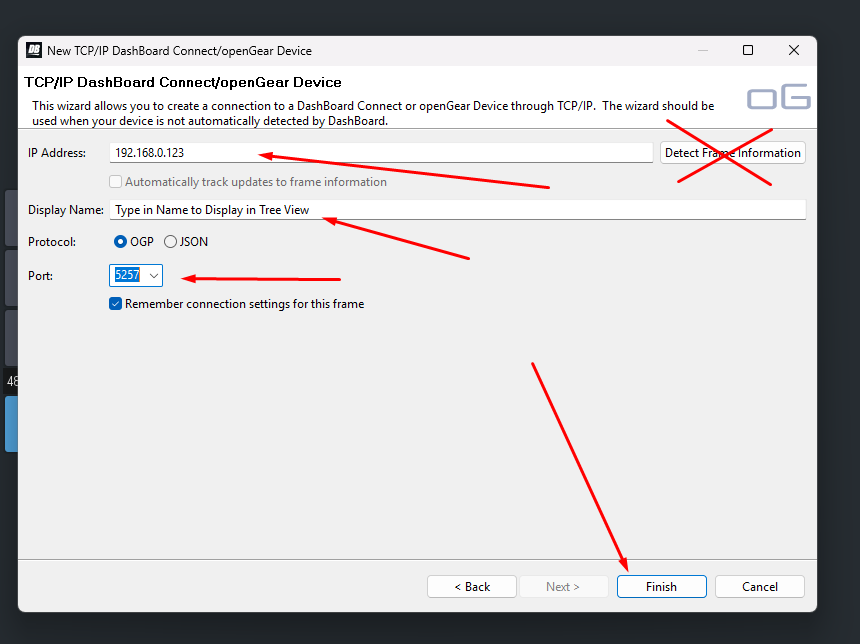
When connecting from DashBoard Ensure that you manually change the port to 5257 so that you can populate the SoftPanel in the Device Tree View:
Enter IP Address of the Ultra Frame - DO NOT use the Detect Frame Information button as that will always connect to the 5253 MAIN PANEL port.
Give a Name that you will want to see in the Device Tree.
OGP is the Protocol type by default
Change the port Manually by typing in 5257
Click on Finish and it will get added to your Tree View.
Tree View will now look like this:

Here for an Ultra I have connected I show connections to the Main port / SAT 1 and SoftPanel:

Hopefully this gets you up and running !
Have a great day!
------------------------------
Les O'Reilly
Director - Switcher Product Management
------------------------------