Hi @James Peltzer! Long time no post!
I was looking at this one myself now, as I'm trying to make a dashboard for a Microsoft Surface Tablet.
The font size works well, but the scroll bar is still tiny if there's more options that needs scrolling.
Any way to make this "touch-friendly"?
------------------------------
Aleksander Stalsberg
Inland Norway University of Applied Sciences/Lillehammer Icehockey Club
Norway
------------------------------
Original Message:
Sent: 04-14-2023 18:23
From: James Peltzer
Subject: Change font size in choice constraint (dropdown)
Hi Sam
If you put the size into the style area of the choices, you can impact the way the render when the dropdown is visible.
<param access="1" constrainttype="INT_CHOICE" name="Choice" oid="Choice" precision="0" type="INT32" value="0" widget="combo"> <constraint key="0">small<size:20></constraint> <constraint key="1">normal<size:40></constraint> <constraint key="2">large<size:60></constraint> </param>
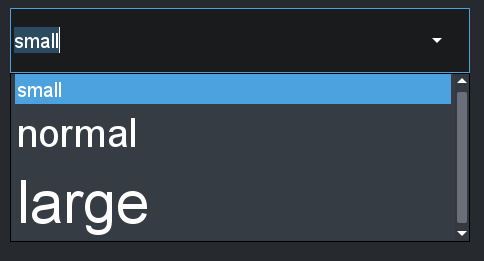
------------------------------
James Peltzer
Ross Video
------------------------------