Graphics

 View Only
Expand all | Collapse all

Connect to a local or network MS SQL server to use in Xpression via Datalinq

  • 1.  Connect to a local or network MS SQL server to use in Xpression via Datalinq

    Posted 05-22-2024 15:29

    Hi, I downloaded and installed  MS SQL server on a local Designer Box. I created a basic database for test purposes, but I can't and don't know to connect the MS SQL database in datalinq to view the tables in Xpression? What template I have to use in Datalinq? I tried a few and was unable to connect to it!! What I need to put as username and password?  when I connect to the database in SQL SMS I use Windows Authentication but I don't use a password!! Can someone share some light?

    Thanks


    ------------------------------
    Ariel Blank
    ------------------------------


  • 2.  RE: Connect to a local or network MS SQL server to use in Xpression via Datalinq

    Posted 05-23-2024 13:27

    The user and password would be the one you used when you created the database. 

    However this is probably an issue with Datalinq being 32bit, or something in the Datalinq SQL template being wrong. 

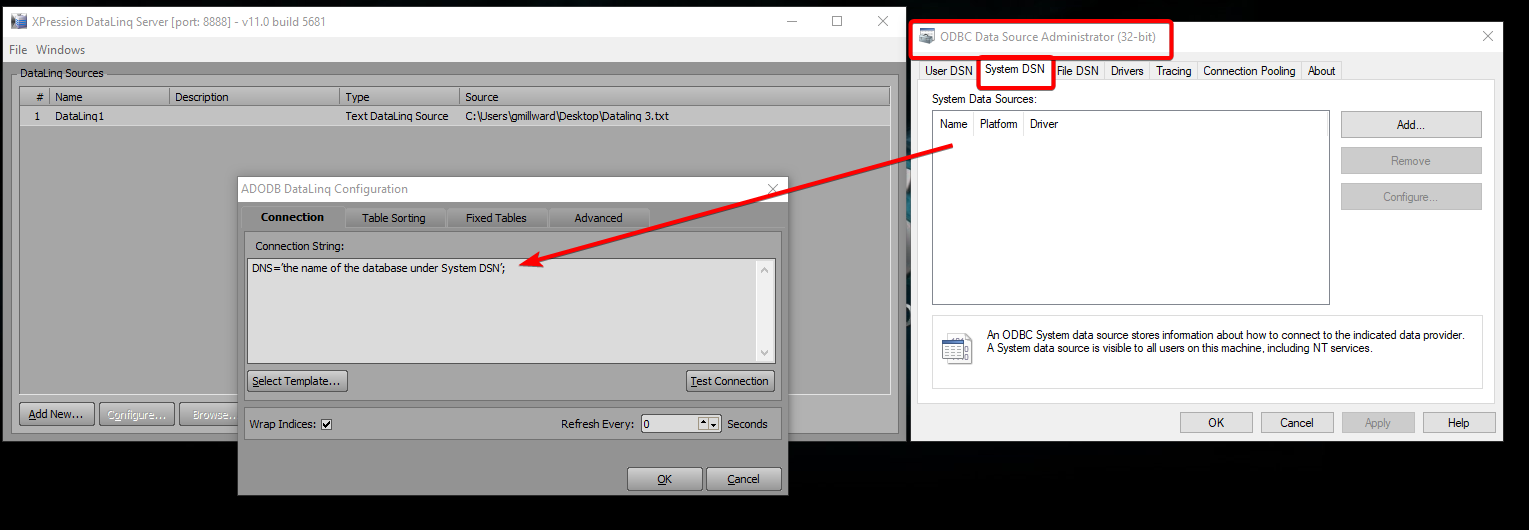
    In my opinion, the easiest way to connect to databases like this in Datalinq is to use the Windows ODBC connection wizard, and then just connect Datalinq to the system DSN. 

    Use this windows program: 

    C:\Windows\SysWOW64\odbcad32.exe

    And then add your SQL Sever to "System DSN":
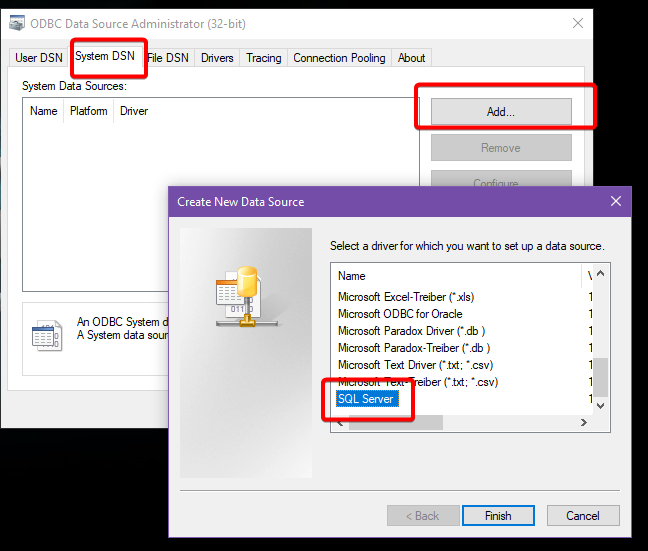
    You can use google to figure out any issues with connecting to your SQL database with the ODBC Data Source Administrator. 

    Ex. "How do I connect Windows ODBC to SQL"

    Once you have your SQL server added to ODBC, you can connect to it in Datalinq like this: