Hey,
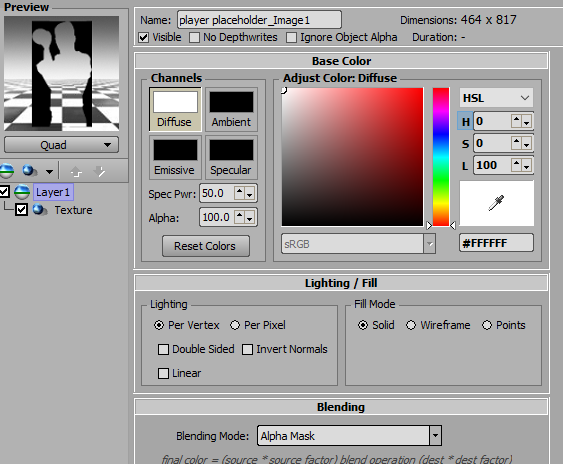
What I do is is make a material and set the blending to alpha mask
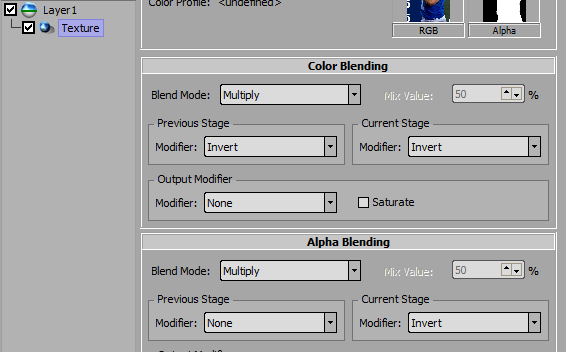
Add a texture shader for the image.
Then I invert the current stage modifier.
Add another standard layer and put that above the original
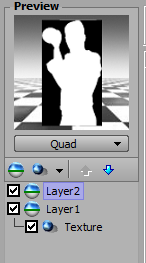
Place objects in a layer object to see blending.

------------------------------
Simon Redmile
Senior Graphic Programmer & Designer
Ross Video
Bristol United Kingdom
------------------------------
Original Message:
Sent: 08-15-2022 18:12
From: Brian Bell
Subject: Converting color material to white
I may have found a solution - but if anyone has something better, please post.
Structure the Image and Color like this:
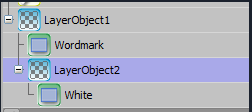
And set the blending mode for "LayerObject2" to this:
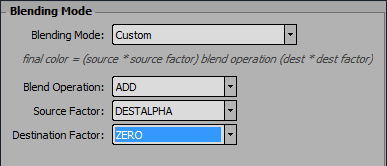
The color can technically be anything - in my case I needed white.
------------------------------
Brian Bell
Coordinating Designer
ESPN INC.
Charlotte United States
------------------------------