Probably something like this placed on set text will do what you want.
dim t1, t2, t3 as xpTextObject
scene.GetObjectByName("Target1", t1)
scene.GetObjectByName("Target2", t2)
scene.GetObjectByName("Target3", t3)
t1.Text = split(text, ",")(0)
t2.Text = split(text, ",")(1)
t3.Text = split(text, ",")(2)
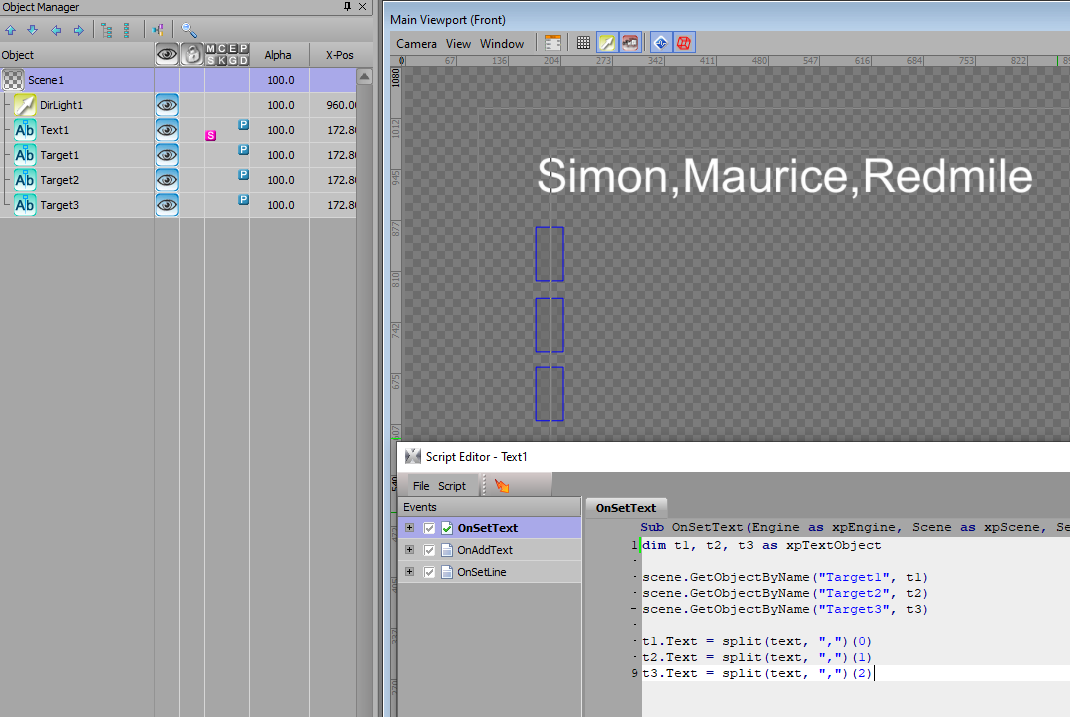

I attached an .xpf as well.
**Edit: (you don't need the integer value I placed in there, that was some other thinking I went down first but it has given me an idea).
------------------------------
Simon Redmile
Senior Graphic Programmer & Designer
Ross Video
Bristol United Kingdom
------------------------------
Original Message:
Sent: 07-06-2022 05:29
From: Gheorghe Radu
Subject: Copy line from text object to another text object
Hello and thank you for the input, much appreciated! However this is not what i want to do. What i try to achieve is to read lines from one text object (team), and after that, put each line identifiyed from "team" text object in separate text objects (player1, player2, player3... and so on). Basically, i want ease the work of graphic operators, so they input this text in one single place (team text object):
Player1 Name
Player2 Name
Player3 Name
.
.
.
.
This from above is one single text object. Via scripting i want to identify each line from it and copy each of them into the appropriate text objects (player1, player2, etc...).
I still work on this, not solved yet.
Thanks again!
------------------------------
Gheorghe Radu
Graphics Team
Clever Media Network
------------------------------
Original Message:
Sent: 06-23-2022 14:45
From: Simon Redmile
Subject: Copy line from text object to another text object
You want to write something that at its most simple would be,
dim ln1, ply1 as xptextobject
scene.getobjectbyname("Line1", ln1)
scene.getobjectbyname("Player1", ply1)
ply1.text = ln1.text
however this quite slow so a loop would work well onOnline;
dim line, player as xpTextObject
dim i as integer
for i = 1 to 11
self.getobjectbyname("Line" & i, line)
self.getobjectbyname("Player" & i, player)
player.text = line.text
next
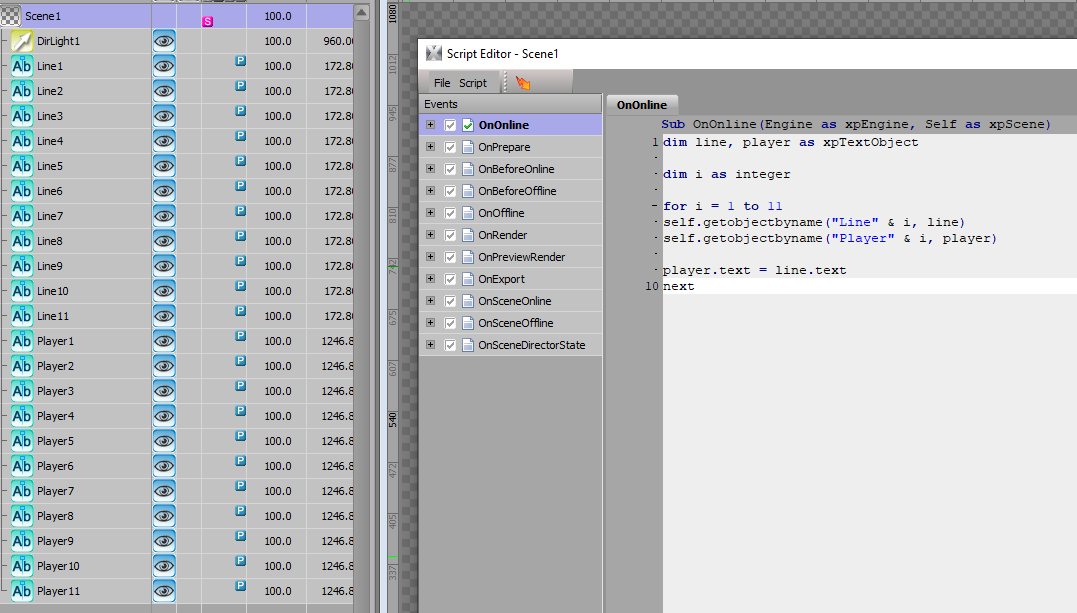
it's best to put the same script in OnPreviewRender as well so you see it preview.
------------------------------
Simon Redmile
Senior Graphic Programmer & Designer
Ross Video
Bristol United Kingdom