Hi Kolby! Not sure if you've gotten this working, but some options to try out since I have this working on my system:
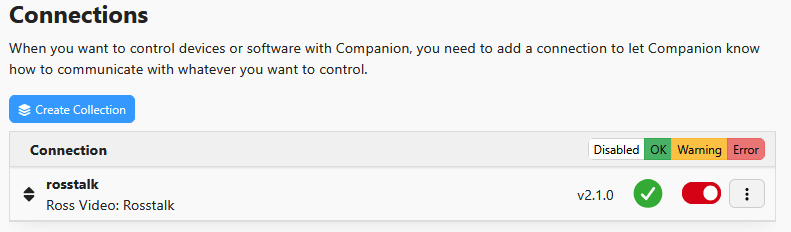
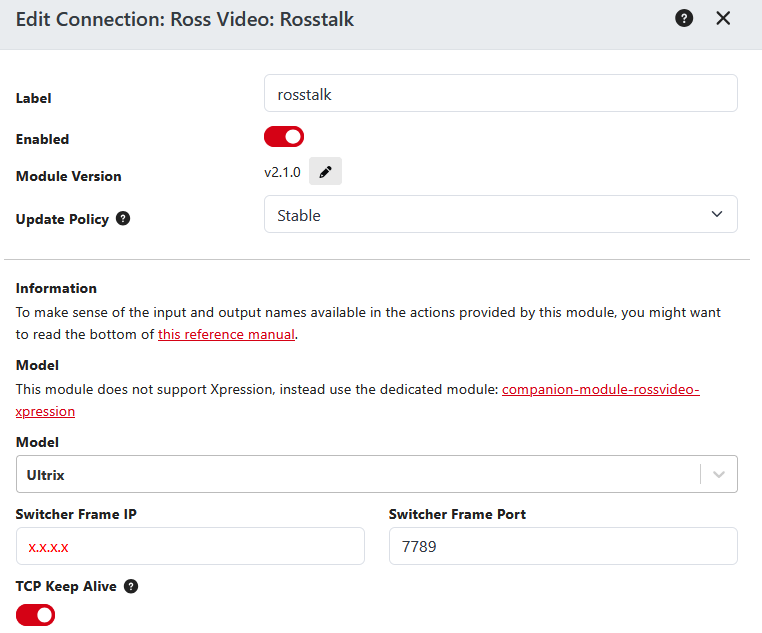
In Companion, I used the Ross Video: RossTalk connection. Make sure your IP is set for the machine hosting Dashboard. If the machine is also hosting other Ross software (such as XPression), I would also change the port to something other than 7788. In my example, I used 7789 (I generally will use a different port for each panel regardless). For the 'model', you can technically use any of them since it's all RossTalk. All it changes are the preset commands you can choose from, however we will be using the Custom Command option available on every model. In my example, I used the Ultrix model to show that it shouldn't matter.
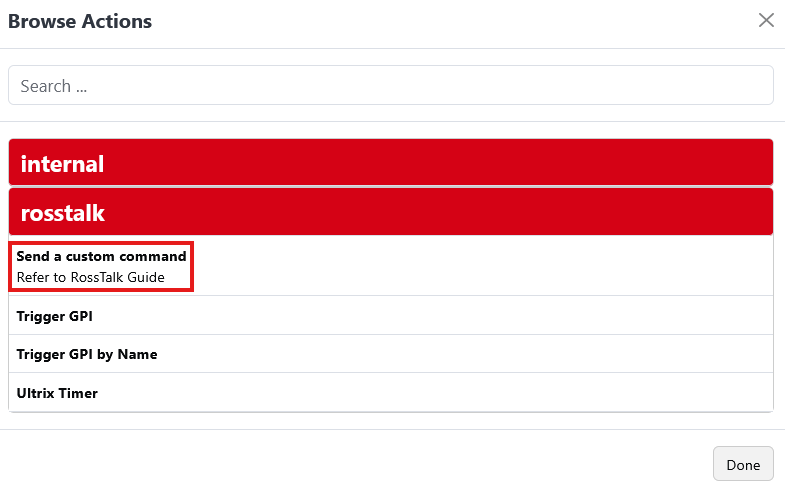
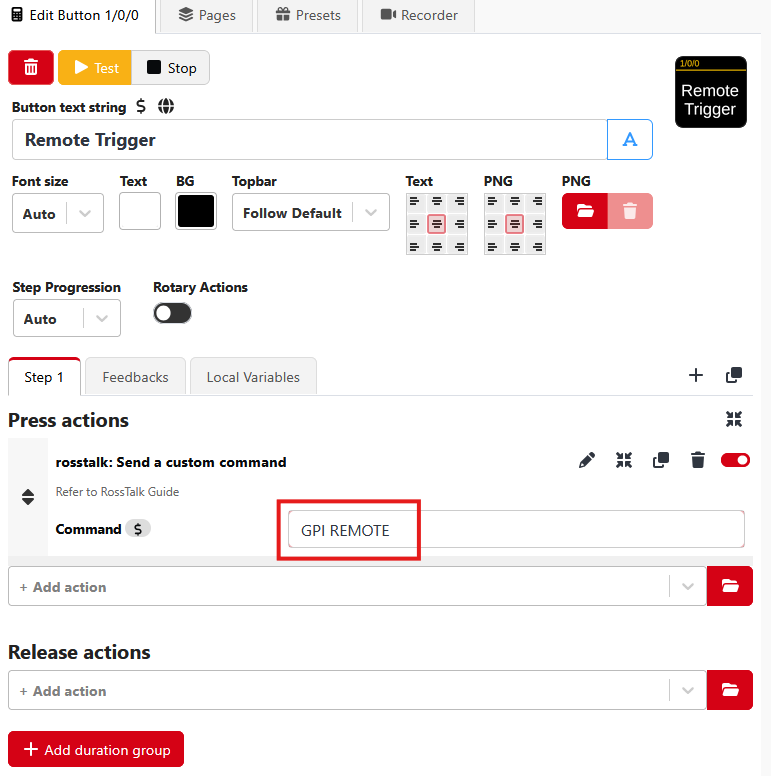
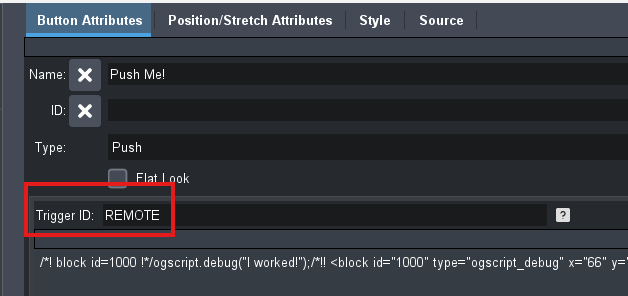
I would recommend using the Custom Command option in this instance (purely because I have verified it works, however the Trigger GPI by Name command works as well with no 'parameters' set). The custom command you will use is GPI [TRIGGER ID] where [Trigger ID] is your trigger ID on the Dashboard Button you'd like to trigger. In my example, I used 'GPI REMOTE' since 'REMOTE' is the trigger ID of my button.
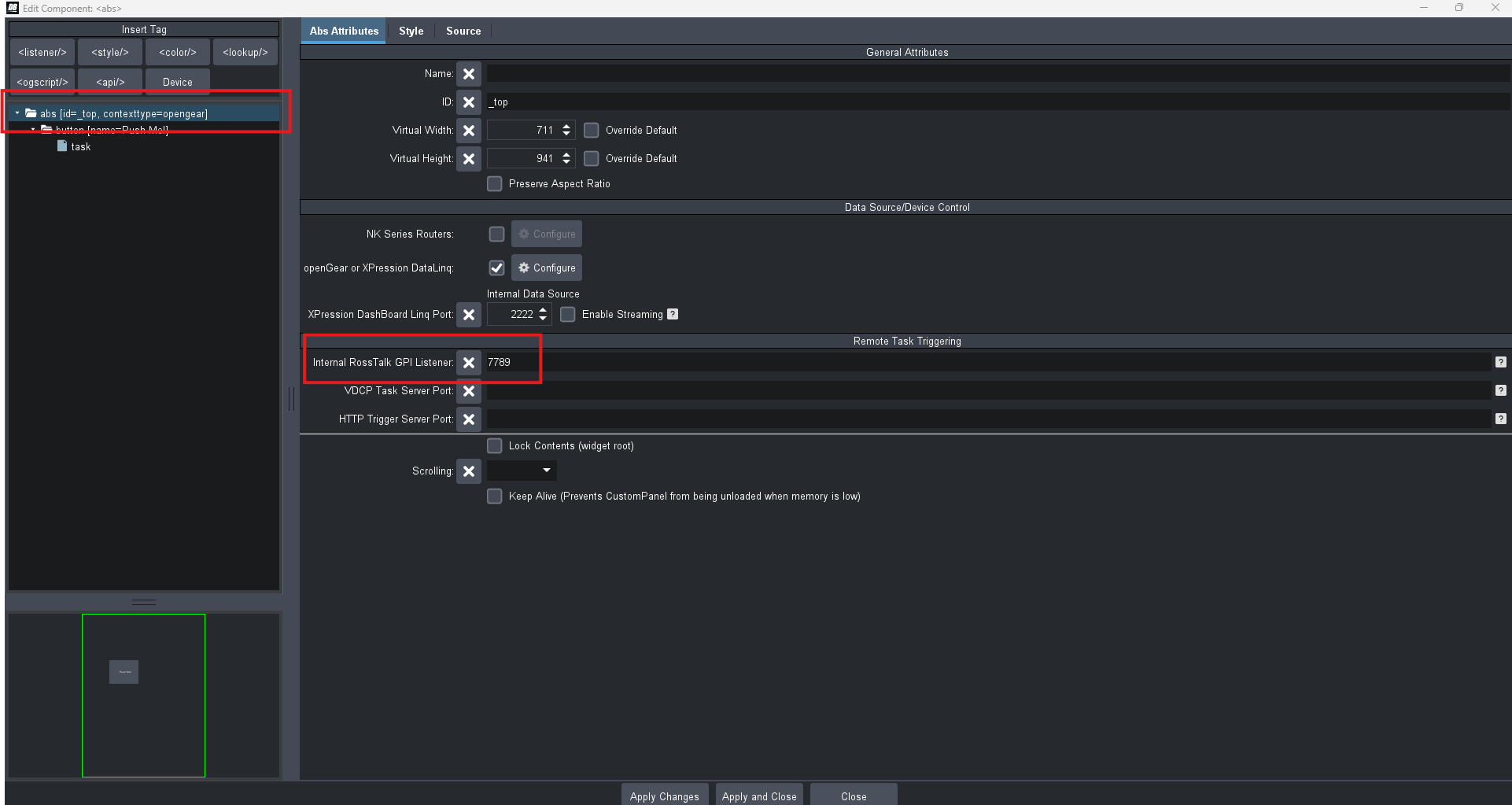
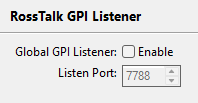
In Dashboard, you can of course use the Global RossTalk listener, however I would recommend setting the GPI listener port on your custom panel directly. To do this, go into Panel Builder Edit Mode, double click on a component, navigate to the top most abs of your panel, and you will see a field for 'Internal RossTalk GPI Listener'. I would again set this to 7789 instead of 7788 (which is the default for RossTalk). You don't need to enable the Global Listener for this to work. In my example, I have the global listener disabled and am using port 7789 on the panel itself.
For the button you want to remotely trigger, make sure to set a Trigger ID.
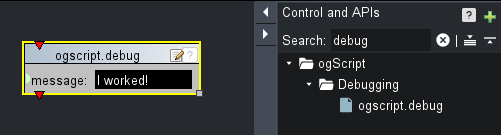
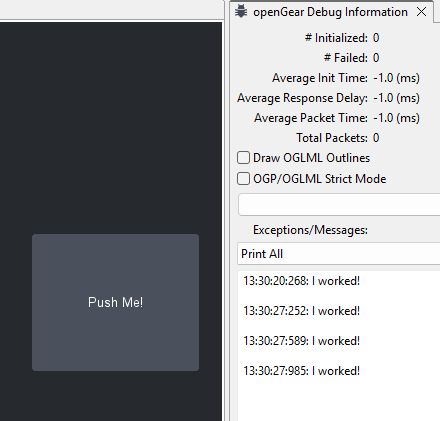
I set up my button to print a message to the Debug window, which is how I can verify the button is being remotely triggered.
In addition to all of this, I would also make sure you're using an up-to-date version of Dashboard and that the machine hosting Companion can ping the IP of your machine hosting Dashboard. You can find the most up to date version of Dashboard here.
Hope this helps! Let me know if this doesn't help clarify and resolve this workflow question.
------------------------------
Brishen Thompson
Demonstration Artist & Trainer - Generalist
Ross Video
------------------------------