If you want to execute a task when a parameter is updated, you can include the `oid` attribute in the `<ogscript>` tag to trigger the task whenever the specified parameter is updated.
(However, please be careful not to create an infinite loop of parameter updates.)
By using this in conjunction with "this", you can also change the behavior depending on whether the button is on or off.
Using this, you might be able to make a toggle button behave like a push button.
The following is the code I used to create a page that displays or hides content based on parameter values.
<ogscript handles="onchange,onload" name="subMenuActive" oid="selector.subMenuActive" targetid="submenu">
if(this==null){
   params.setValue('selector.subMenuActive', 0, 0);
   return;
}
if(this.value==1){
   ogscript.reveal('submenu');
}else if(this.value==0){
   ogscript.hide('submenu');
}
</ogscript>
------------------------------
Keisuke Nagata
------------------------------
Original Message:
Sent: 03-18-2026 09:30
From: James Peltzer
Subject: Dashboard STRUCT Table - Show working buttons inside cells
You can get a good list of most widget hints available in the param edtior UI. They are largely the same for structs as they are for regular parameters:
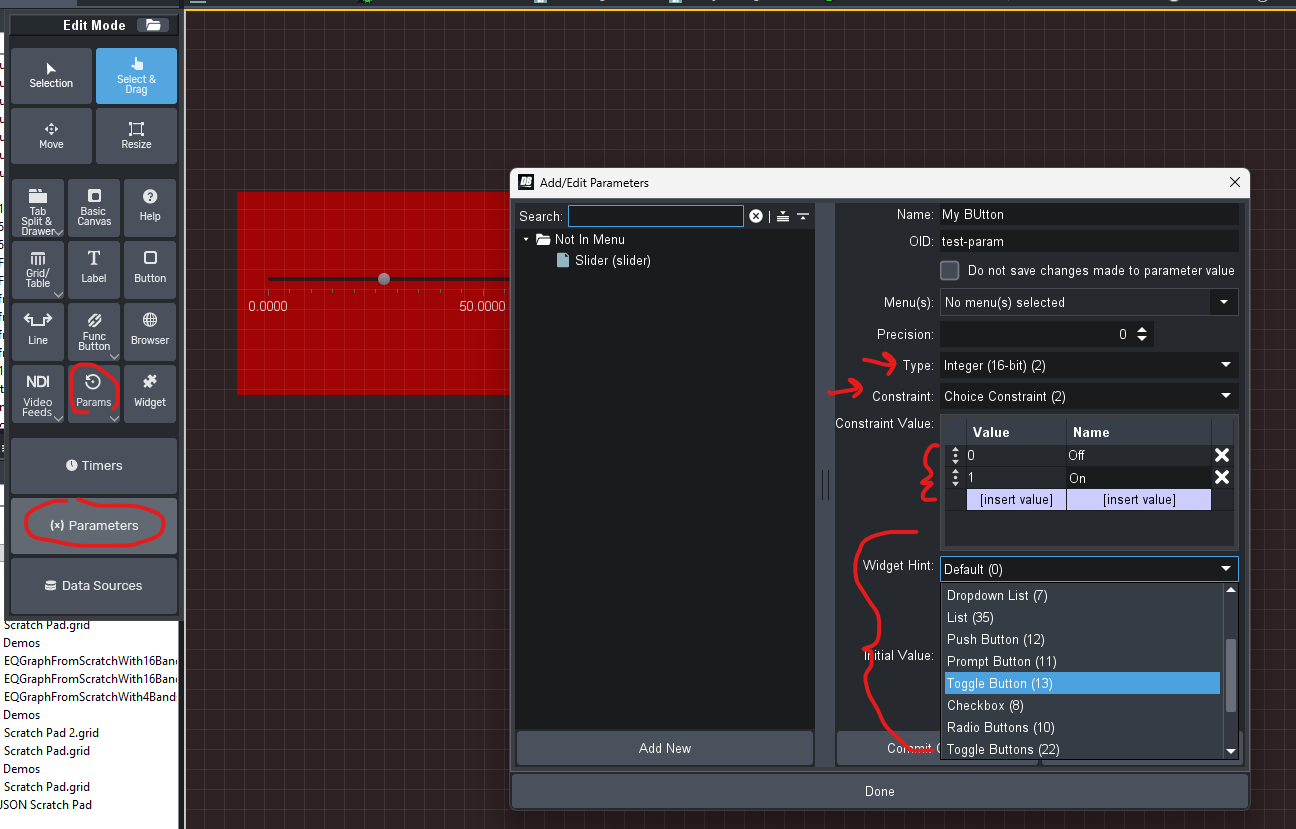
Once you create a basic parameter you can go to the source view to see the string used for that widget hint
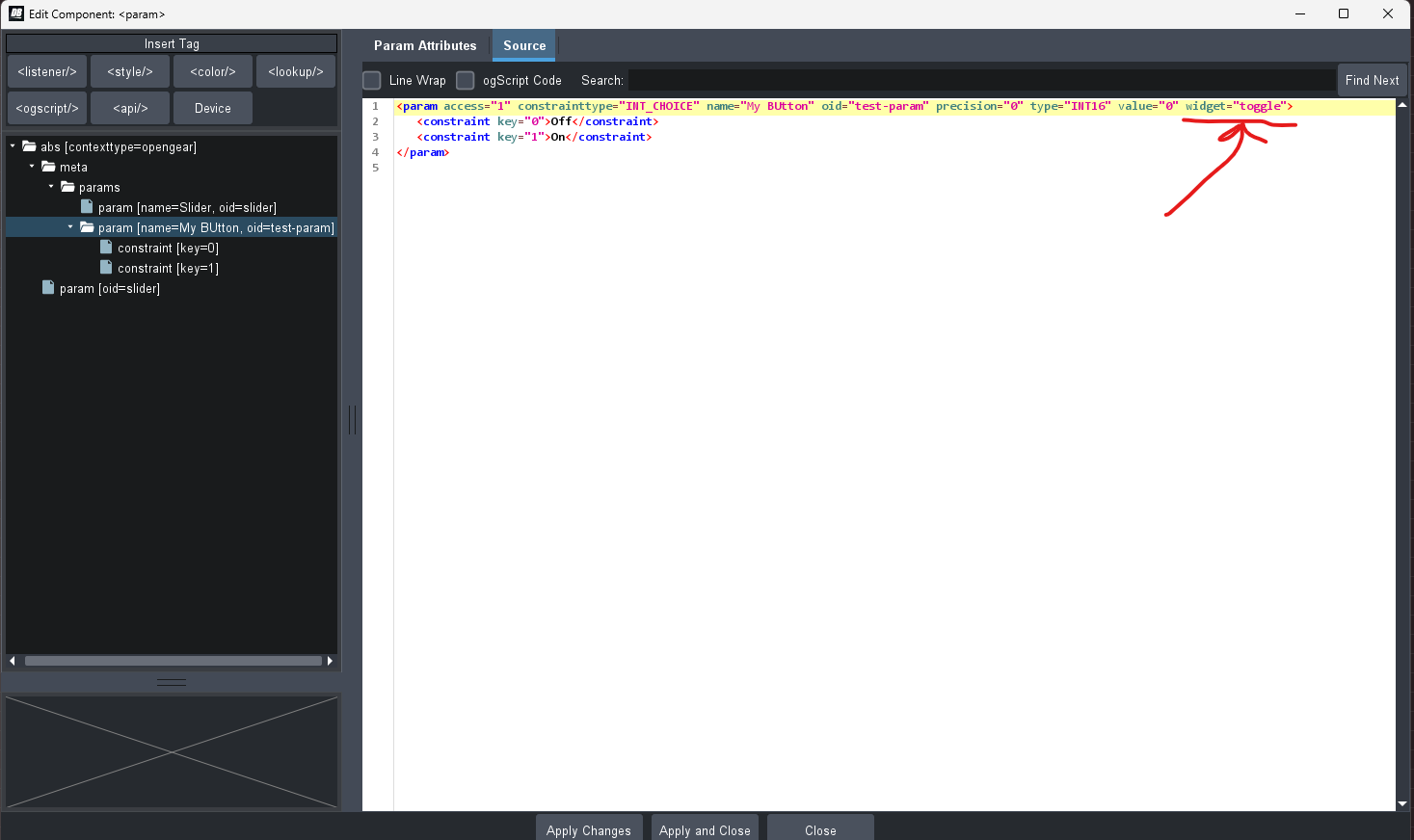
------------------------------
James Peltzer
Ross Video
------------------------------
Original Message:
Sent: 03-18-2026 09:05
From: Pascal Lamers
Subject: Dashboard STRUCT Table - Show working buttons inside cells
Thanks for your suggestion James ! I believe this is what I come up with in the end, to use a subparam with constrainttype INT_CHOICE. However I am having difficulties to find the right widget for it. So far only widget="button" seems to give me an actual button, instead of a dropdown. I tried a few other wordings for push button or toggle button but no luck. Couldn't find a list of available "widget" values.
<subparam access="1" constrainttype="INT_CHOICE" name="Action" precision="0" suboid="action" type="INT32" value="0" widget="button">
<constraint key="0">SEND</constraint>
<constraint key="1">SEND</constraint>
</subparam>
What would be the next steps to get a change trigger for that parameter, like you suggested ?
------------------------------
Pascal Lamers
Broadcast Automations Specialist
Original Message:
Sent: 03-16-2026 09:56
From: James Peltzer
Subject: Dashboard STRUCT Table - Show working buttons inside cells
The table can only take parameters so you'll want to create a parameter with an INT_CHOICE or String/String Choice constraint and a Push Button or Toggle Button widget hint and then trigger tasks when that button parameter changes.
------------------------------
James Peltzer
Ross Video