Hey Simon,
You're hitting on something I've been confused about for a long time.
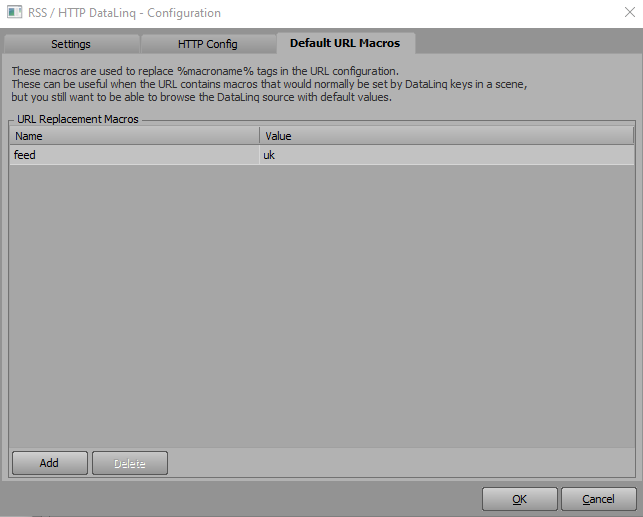
With a Static URL, you're allowed to use %macroname%, but when you look at Default Macro URLs, they are for url "macros that would normally be set by Datalinq Keys in a scene", but Static datalinqs can't use %datalinqkeys%... What?
I've always used Static URLs for our projects, so one direct URL per Datalinq Source, which can be unwieldy as our projects have grown and gotten more complex. I tried to get Dynamic to work for us, but never seemed performant enough for my use-cases, so always fell back to Static or had to build in large workarounds for Dynamic data.
Luckily, with XPression 11, they did introduce Table Presets for Static URLs which has been a godsend.
Would still love to find a way to build my table preset without operators getting into Datalinq Server (like I would before with Dashboard -> Datalinq Keys), but hugely a step in the right direction.
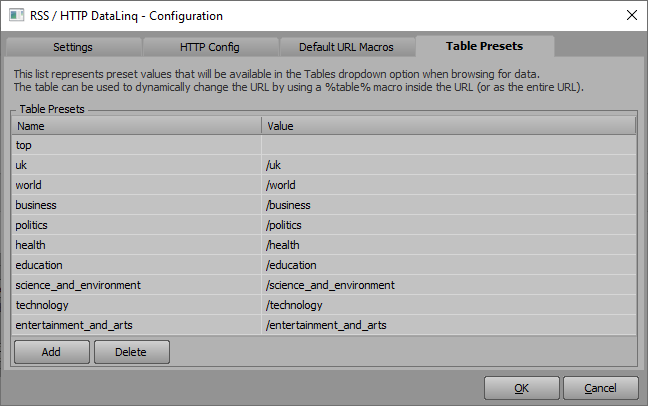
So, the table that Roma showed you will work with Static, you just have to check the Use Table Presets checkbox under Static URL.
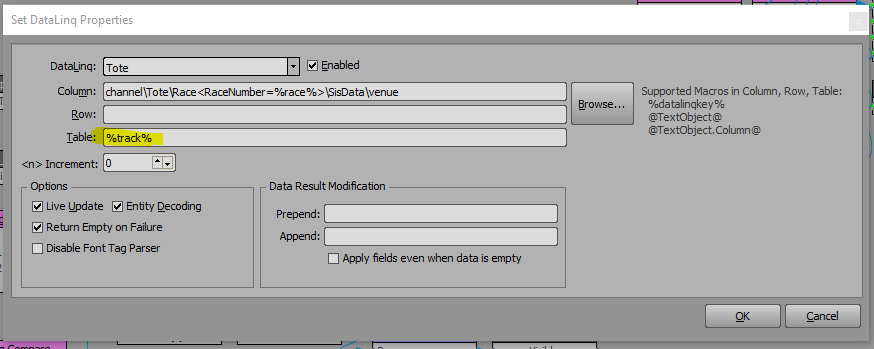
What I do is use a %DatalinqKey% or @textMacro@ in the Table field for the datalinq in XPression, and have that object as a Template Link so as you build your sequencer, you can tell the scene which URL you want it to use.
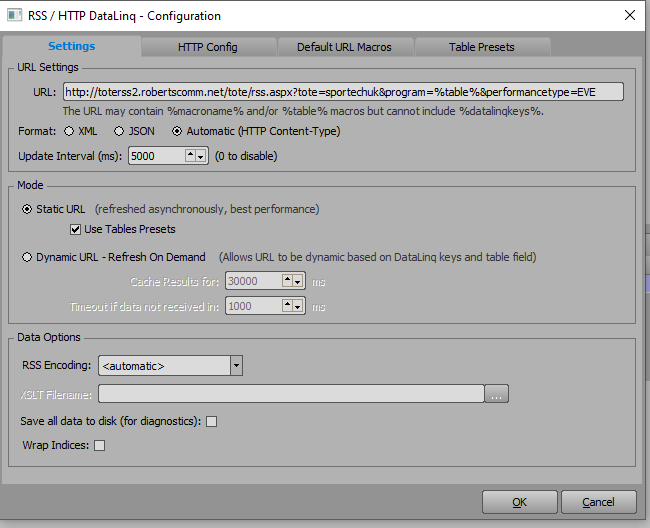
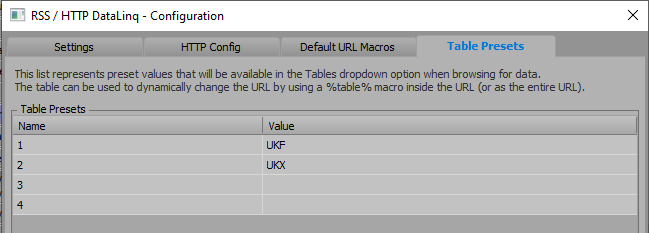
Using the %track% datalinq key to determine which URL to use:
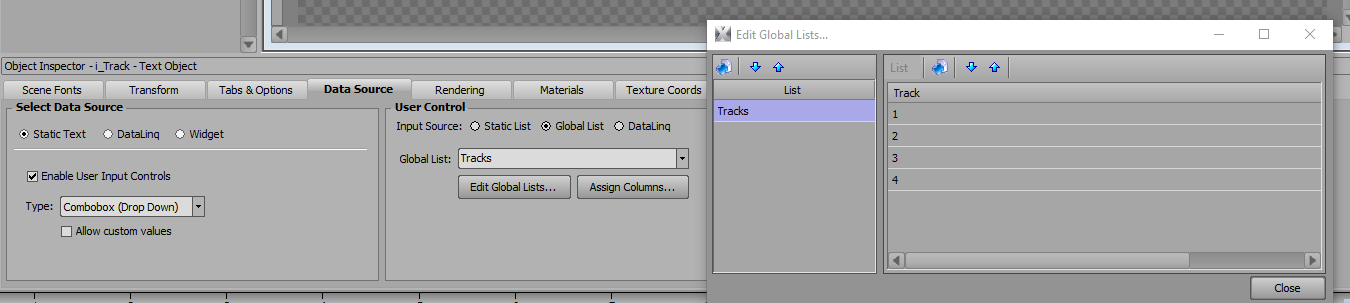
Datalinq Keys are just tied to Text Objects in the scene:

The i_Track text object Data Source:
The Published Objects for the scene in the Sequencer:
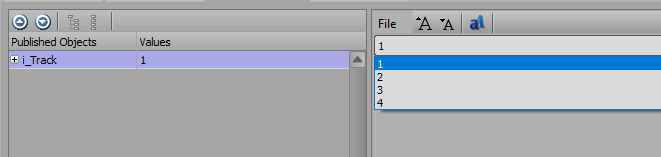
Could be cleaner for sure, but I have it abstracted in a way that hopefully an Operator could add new scenes to the Sequencer if the occasion arose that they needed to and I wasn't available.
Not sure if all that helps, but figured I would chime in since this is something I've spent a lot of time on myself.
------------------------------
Mike DeMarco
Video Production Engineer
Las Vegas United States
------------------------------
Original Message:
Sent: 09-20-2022 04:32
From: Simon Latus
Subject: Datalinq Default URL Macros
Hi Roman
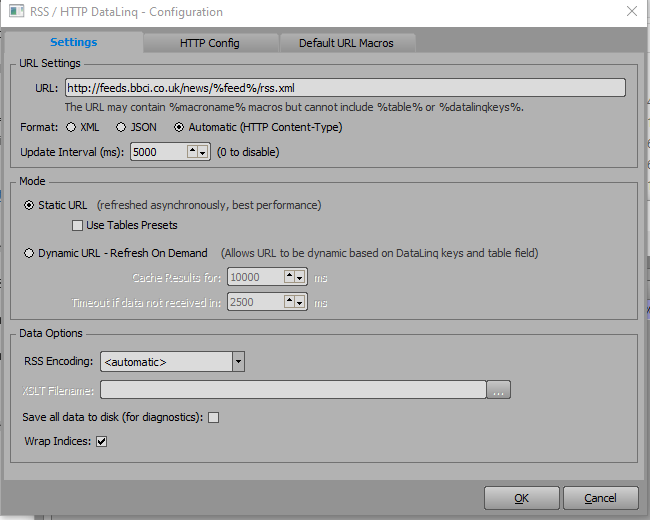
Thanks for all your help with this. The way I want to implement this works if I use Dynamic URLs, but not Static. No reason why I can't use Dynamic, but would like to know why the Static version fails. If you open the log viewer in Datalinq, it comes up with invalid URL, which it would do if the %feed% macro is not being expanded.
What is wrong the the way I have this as per below? It's as if in Static URL mode, any macro in the Default URL Macros tab is being ignored. Switch it to Dynamic, and it works.
Simon
------------------------------
Simon Latus
Simon Latus Media Ltd
United Kingdom
------------------------------
Original Message:
Sent: 09-19-2022 09:05
From: Roman Yaroshenko
Subject: Datalinq Default URL Macros
Hi Simon
I think it would be better for understanding to describe the task in full
Everything you need about it is here.
I can offer you this option.

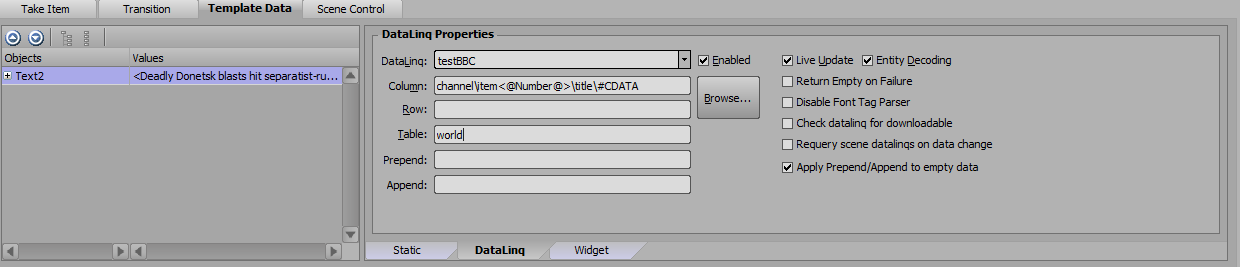
------------------------------
Roman Yaroshenko
chief specialist
RBC-TV
Moscow Russian Federation
Original Message:
Sent: 09-19-2022 08:40
From: Simon Latus
Subject: Datalinq Default URL Macros
Hi Roman
Thanks for this.
Where are you setting %edition%? Ideally I'd like to do it within Datalinq and not feed in macro data from XPression.
thanks
Simon
------------------------------
Simon Latus
Simon Latus Media Ltd
United Kingdom
Original Message:
Sent: 09-19-2022 05:35
From: Roman Yaroshenko
Subject: Datalinq Default URL Macros
hello Simon.
A little wrong
There are following rss
http://feeds.bbci.co.uk/news/rss.xml - top stories
http://feeds.bbci.co.uk/news/uk/rss.xml - UK
http://feeds.bbci.co.uk/news/politics/rss.xml - politics
http://feeds.bbci.co.uk/news/education/rss.xml - education
etc.
this results in a scheme
http://feeds.bbci.co.uk/news%edition%/rss.xml
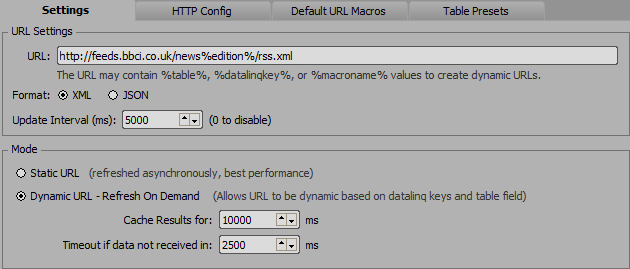
and macros "edition":
"" - empty without text for top stories
"/uk"
"/politics"
"/education"
etc.
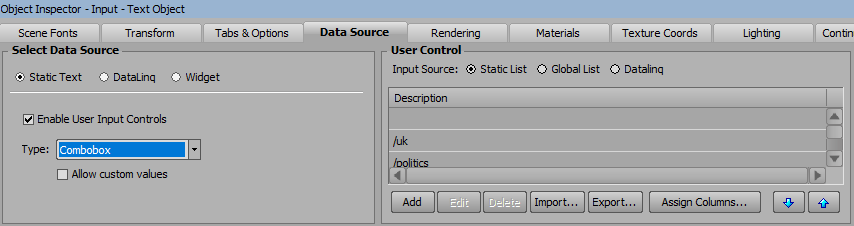
------------------------------
Roman Yaroshenko
chief specialist
RBC-TV
Moscow Russian Federation