So, I tested with your file. In the Datalinq Server log window I get:
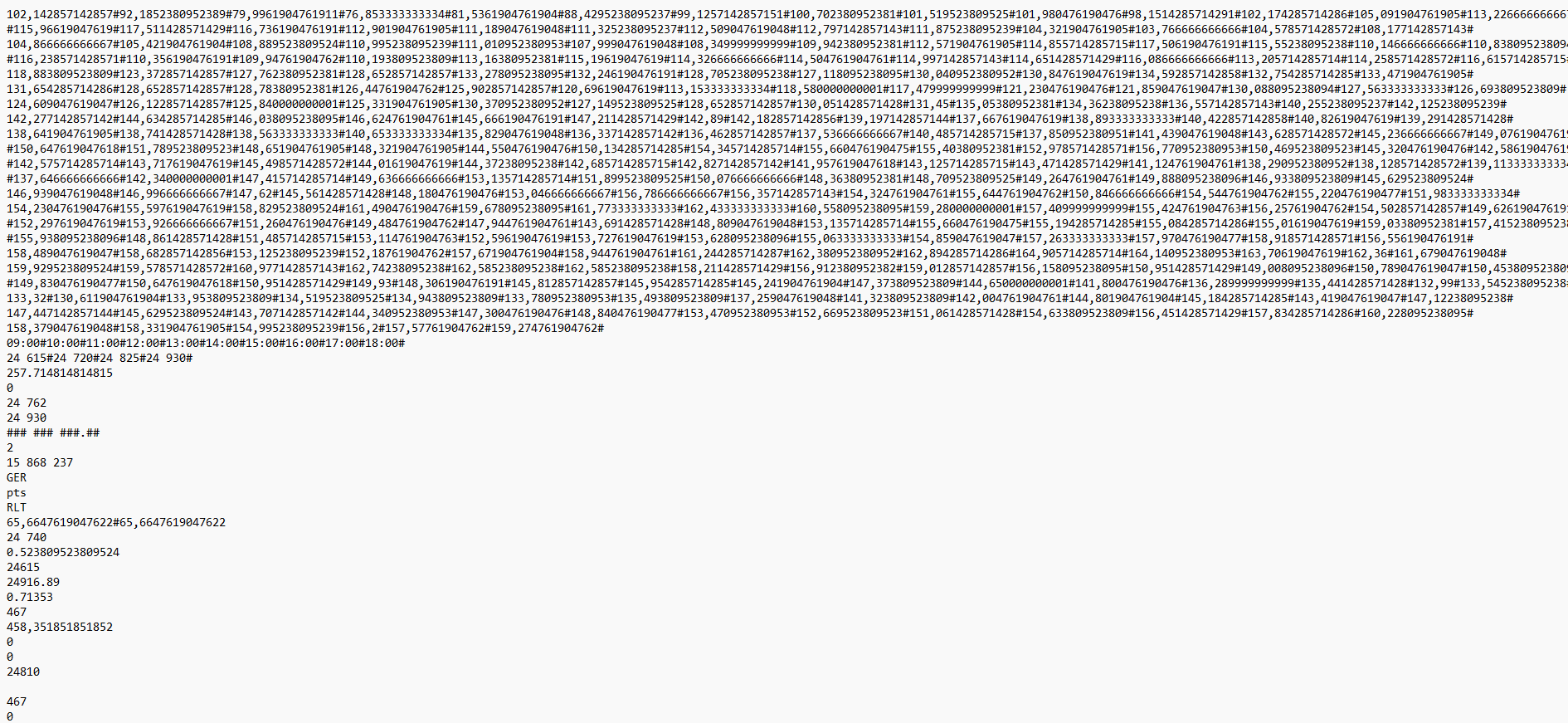
Apparently, it doesn't like your file - the field limit is probably 255 and your file has over 700. You can create a "Text Datalinq Source" and set "Delimiter" to "#" and it does read it. But this won't help with dynamic file names because you have to enter a file name in the Datalinq setup. You'd have to create a Datalinq for every file (AFAIK).
I refer you back to my post about manually parsing the file.
Original Message:
Sent: 06-25-2026 11:57
From: Benjamin Callu
Subject: datalinq v11 folder with thousand .txt files
Here one of the text file.
Rhx for your help
------------------------------
Benjamin Callu
Realisateur/Integrateur
BFMBUSINESS
------------------------------
Original Message:
Sent: 06-25-2026 11:00
From: Garner Millward
Subject: datalinq v11 folder with thousand .txt files
This is a pretty unusual issue, I would not count on a upgrade fixing it.
Can you post one of the text files here? Or send me one of the text files?
gmillward@rossvideo.com
Original Message:
Sent: 06-25-2026 09:14
From: Benjamin Callu
Subject: datalinq v11 folder with thousand .txt files
My broadcast department told me they are going to install version 12.5 this summer, so maybe it will work then.
------------------------------
Benjamin Callu
Realisateur/Integrateur
BFMBUSINESS
------------------------------
Original Message:
Sent: 06-25-2026 09:12
From: Benjamin Callu
Subject: datalinq v11 folder with thousand .txt files
same result on local drive :(
------------------------------
Benjamin Callu
Realisateur/Integrateur
BFMBUSINESS
------------------------------
Original Message:
Sent: 06-25-2026 09:03
From: Benjamin Callu
Subject: datalinq v11 folder with thousand .txt files
same result with JET 4.0
------------------------------
Benjamin Callu
Realisateur/Integrateur
BFMBUSINESS
------------------------------
Original Message:
Sent: 06-25-2026 08:57
From: Benjamin Callu
Subject: datalinq v11 folder with thousand .txt files
Hi,
I have a "connection succesfully established" :) and my ACE is 32bit. i'll try with Jet. keep out in touch
------------------------------
Benjamin Callu
Realisateur/Integrateur
BFMBUSINESS
------------------------------
Original Message:
Sent: 06-25-2026 08:52
From: John Corigliano
Subject: datalinq v11 folder with thousand .txt files
Note that in my example, I am using the JET db engine and you are using ACE.
Provider=Microsoft.Jet.OLEDB.4.0;Data Source=\\ls210d39a\share\Shared Documents\;Extended Properties="text;HDR=Yes;FMT=Delimited";
This may be an issue because you have a 64-bit version of ACE installed whereas JET is 32 bit and so is DataLinq server. (I'm not 100% sure about this, but I believe it is correct.) What happens when you click "Test Connection"?
If changing the engine doesn't work, try copying the files to a local folder and see it that works.
------------------------------
JohnCorigliano
Senior Software Engineer
ISC
------------------------------
Original Message:
Sent: 06-25-2026 08:04
From: Benjamin Callu
Subject: datalinq v11 folder with thousand .txt files
Hi,
I am having an issue with XPression DataLinq Manager when trying to configure a text file source.
When I click on the "Browse" button, nothig append. Instead, the mouse cursor turns into a loading spinner, and the software hangs/frezes.
What I have tried so far:
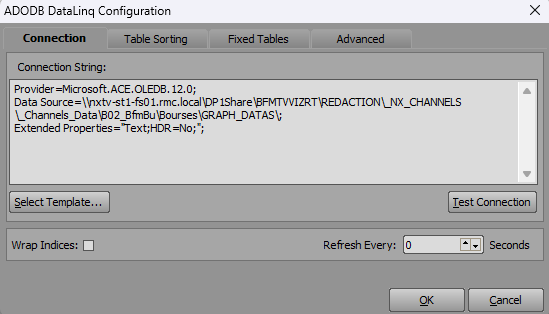
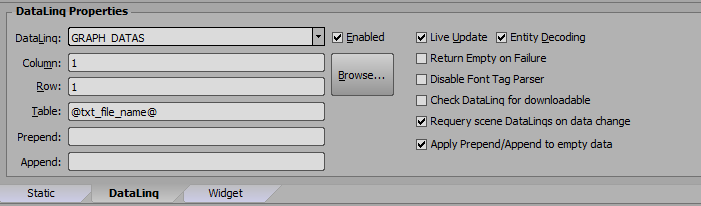
I have attached screenshots of my DataLinq configuration and the structure of the text file I am trying to read.
Any help would be greatly appreciated. Thanks!
------------------------------
Benjamin Callu
Realisateur/Integrateur
BFMBUSINESS
------------------------------
Original Message:
Sent: 06-25-2026 04:17
From: Benjamin Callu
Subject: datalinq v11 folder with thousand .txt files
Hi, thanks! I will try this today and keep you informed.
------------------------------
Benjamin Callu
Realisateur/Integrateur
BFMBUSINESS
------------------------------
Original Message:
Sent: 06-24-2026 11:18
From: John Corigliano
Subject: datalinq v11 folder with thousand .txt files
Must be a permissions issue. I was curious so I tried it and was able to get it to work fine.
First, I setup an ADODB Datalinq as you described with this connection string: Provider=Microsoft.Jet.OLEDB.4.0;Data Source=\\ls210d39a\share\Shared Documents\;Extended Properties="text;HDR=Yes;FMT=Delimited";
And then created a schema.ini in the directory:
[delete_me.csv]Format=Delimited(#)ColNameHeader=TrueCharacterSet=ANSICol1=Name TextCol2=Instrument Text
And a data file for testing (delete_me.csv):
Name#InstrumentMiles Davis#TrumpetJohn Coltrane#SaxPaul Chambers#BassPhilly Joe Jones#DrumsRed Garland#Piano
In the Xpression graphic, I created a text object for the file path. The text object is named "csv_file" and has a value of "delete_me#csv".
Lastly, I create a text object to show the data with this datalinq:
Column: NameRow: 2Table: @csv_file@
And that text has the value of "John Coltrane".
------------------------------
JohnCorigliano
Senior Software Engineer
ISC
------------------------------