Funny enough trying that was my next suggestion to try if it wasn't working online.
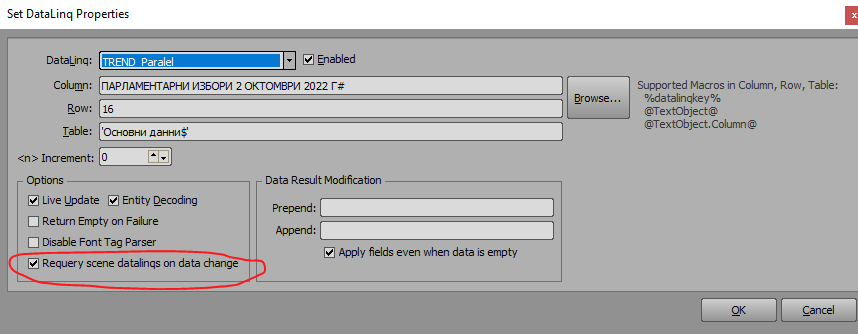
That only needs ticking on data that drives other data, you shouldn't need it on data that's not driving anything else and just displaying.
Also if you have a piece of data that always changes when some of the others do and you check that it will refresh everything and then you don't have to do the entire scene. So for example in my projects where I have data driving other data I will sometimes use a hidden piece of data connected to something I know will always change when anything else does and that will cause a chain reaction of data updates. But this should only really be needed when you are using data to complete queries and macros for other data.
Be aware that you won't want to use this method when you want more control over your data driven graphics, for example I build a lot of scenes with animations and I wouldn't want them all firing all the time so in this case I wouldn't use this method.
There are settings in your ADODB setup that could have helped, I believe @Roma asked to see your config, would be worth sharing each page of one of your configs here and maybe we can make some suggestions.
------------------------------
Simon Redmile
Senior Graphic Programmer & Designer
Ross Video
Bristol United Kingdom
------------------------------
Original Message:
Sent: 10-03-2022 04:54
From: Svetlin Aleksandrov
Subject: DataLinq VisualLogic HELP
@Simon Redmile Yes, it's not updating the data when go online too. I don't care too much for the layout if the data which is on air is correct, but it's not. Anyway... I have found a work around, unfortunately too late... If you checked this thick in EVERY single DataLinq it fixes the "not updating" or "random updating" problem.
@Roman Yaroshenko
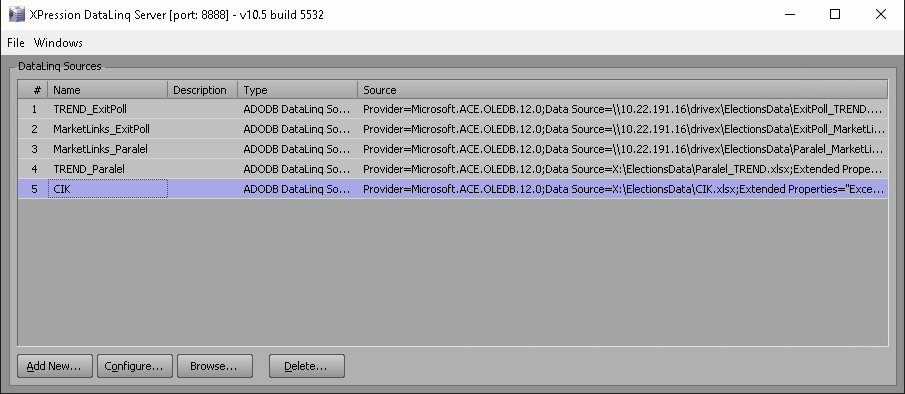
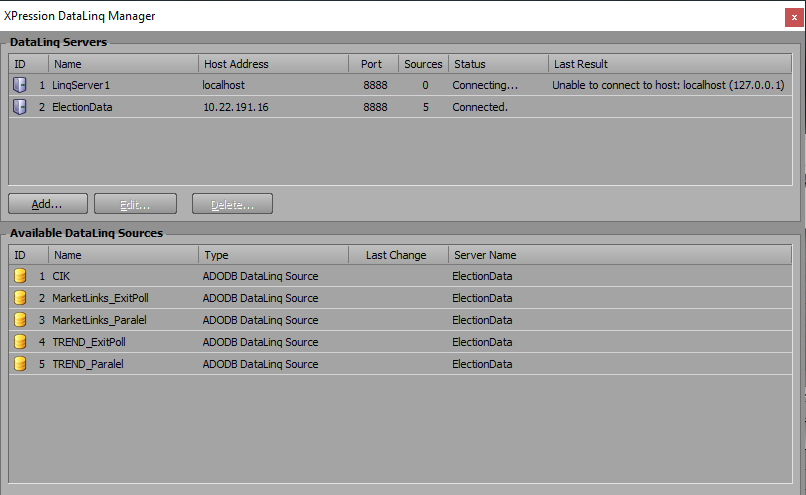
Doesn't matter if the server is network or local. It behaves the same way. Tried both, even both connected at the same time.
------------------------------
Svetlin Aleksandrov
Motion Graphic Designer
Euronews Bulgaria
------------------------------
Original Message:
Sent: 10-02-2022 17:32
From: Simon Redmile
Subject: DataLinq VisualLogic HELP
Does it behave like that when the scene is online or only in layout?
------------------------------
Simon Redmile
Senior Graphic Programmer & Designer
Ross Video
Bristol United Kingdom
Original Message:
Sent: 10-01-2022 13:08
From: Svetlin Aleksandrov
Subject: DataLinq VisualLogic HELP
So this method is not working too. You can see in the uploaded video. For some reason it is not updating some of the items. Need to be refreshed. I need this working by tomorow. Any suggestions?
------------------------------
Svetlin Aleksandrov
Motion Graphic Designer
Euronews Bulgaria
Original Message:
Sent: 09-30-2022 16:46
From: Simon Redmile
Subject: DataLinq VisualLogic HELP
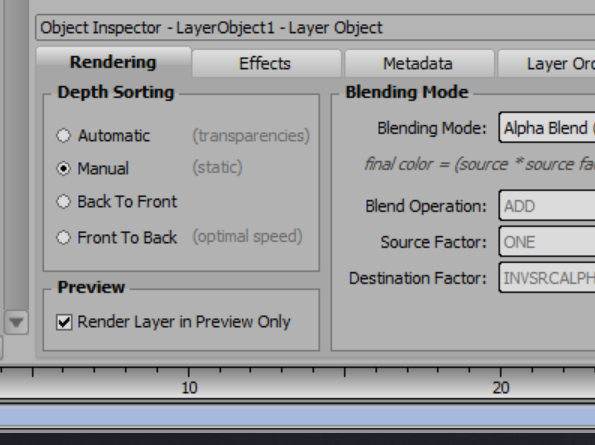
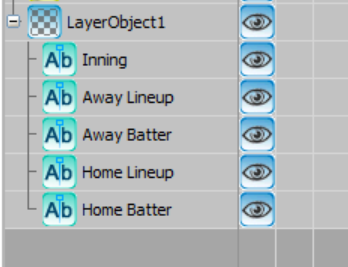
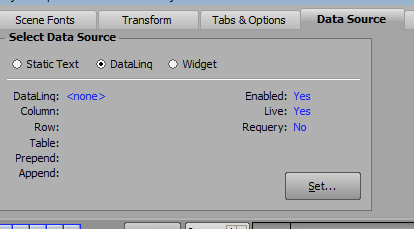
Not sure if its a good idea or not I am just speaking from personal preferences. I find that connecting text objects to the data in the tab you have shown and then using that in visual logic to be successful. I also like to see visually the data coming in to check it. I place the text objects in a layer object that I set to preview only so that in the preview I can actually see the raw data come in before visual logic does it work.

------------------------------
Simon Redmile
Senior Graphic Programmer & Designer
Ross Video
Bristol United Kingdom
Original Message:
Sent: 09-30-2022 13:55
From: Svetlin Aleksandrov
Subject: DataLinq VisualLogic HELP
So it's not a good idea to use Data Sources directly in Visual Logic, and its better to pull data from DataLinq if it is directly on the text fields here?
------------------------------
Svetlin Aleksandrov
Motion Graphic Designer
Euronews Bulgaria
Original Message:
Sent: 09-30-2022 13:40
From: Simon Redmile
Subject: DataLinq VisualLogic HELP
I would make a number of hidden text objects and tie them to datalinq and use them in visual logic instead, I find it more reliable.
------------------------------
Simon Redmile
Senior Graphic Programmer & Designer
Ross Video
Bristol United Kingdom