or you can do the following;
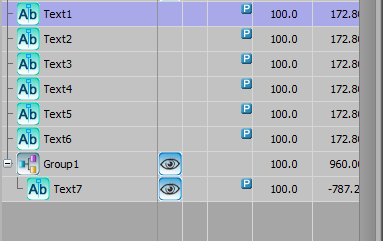
set your text objects like this, only the one in the group is visible. \
Link the various lines to one text box like this;
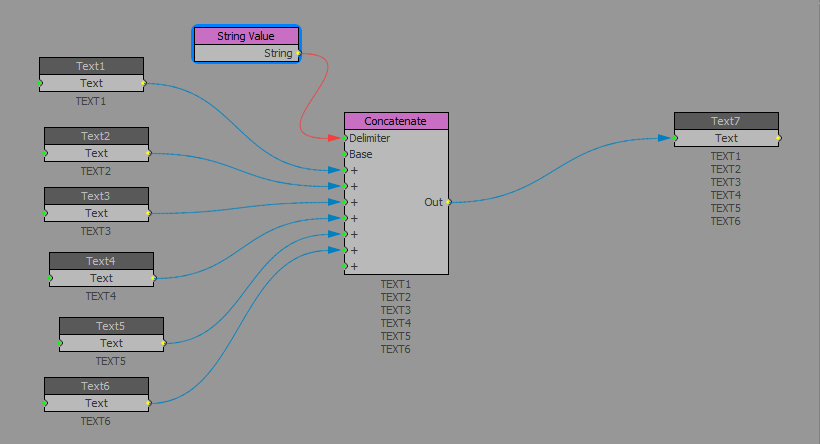
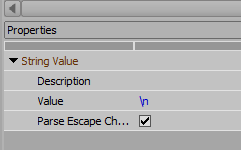
The delimiter is \n this will force a return.
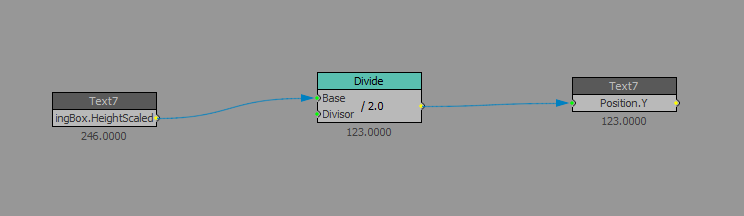
Connect the bounding box height to the position Y divided by 2 to get half of it's height.
Use the group position you put the last text box in to put the text where you want it.

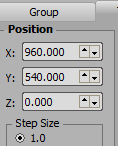
Unpublish the visible box and keep the nonvisible ones visible.
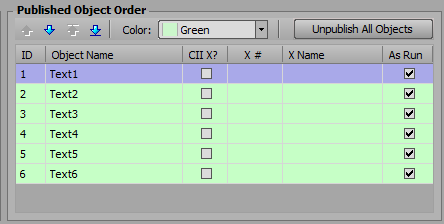
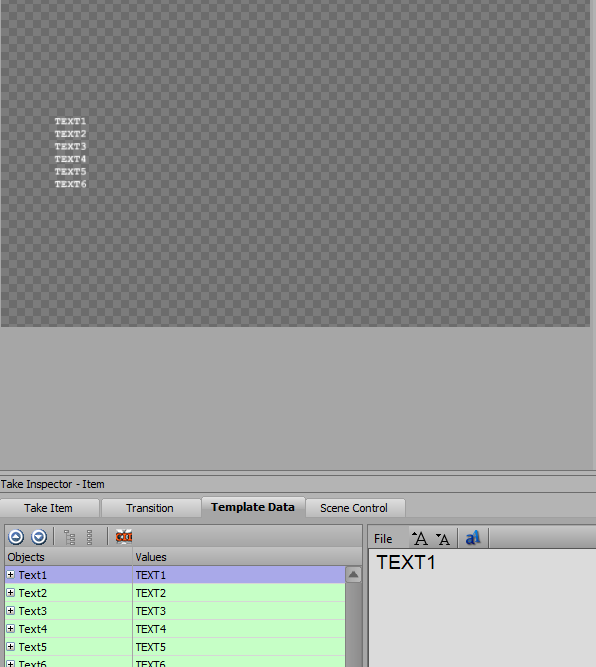
Done.
------------------------------
Simon Redmile
Senior Graphic Programmer & Designer
Ross Video
Bristol United Kingdom
------------------------------
Original Message:
Sent: 08-05-2022 16:04
From: Juha Koivisto
Subject: Distribute Lines of Text Vertically Based on the Number of Lines
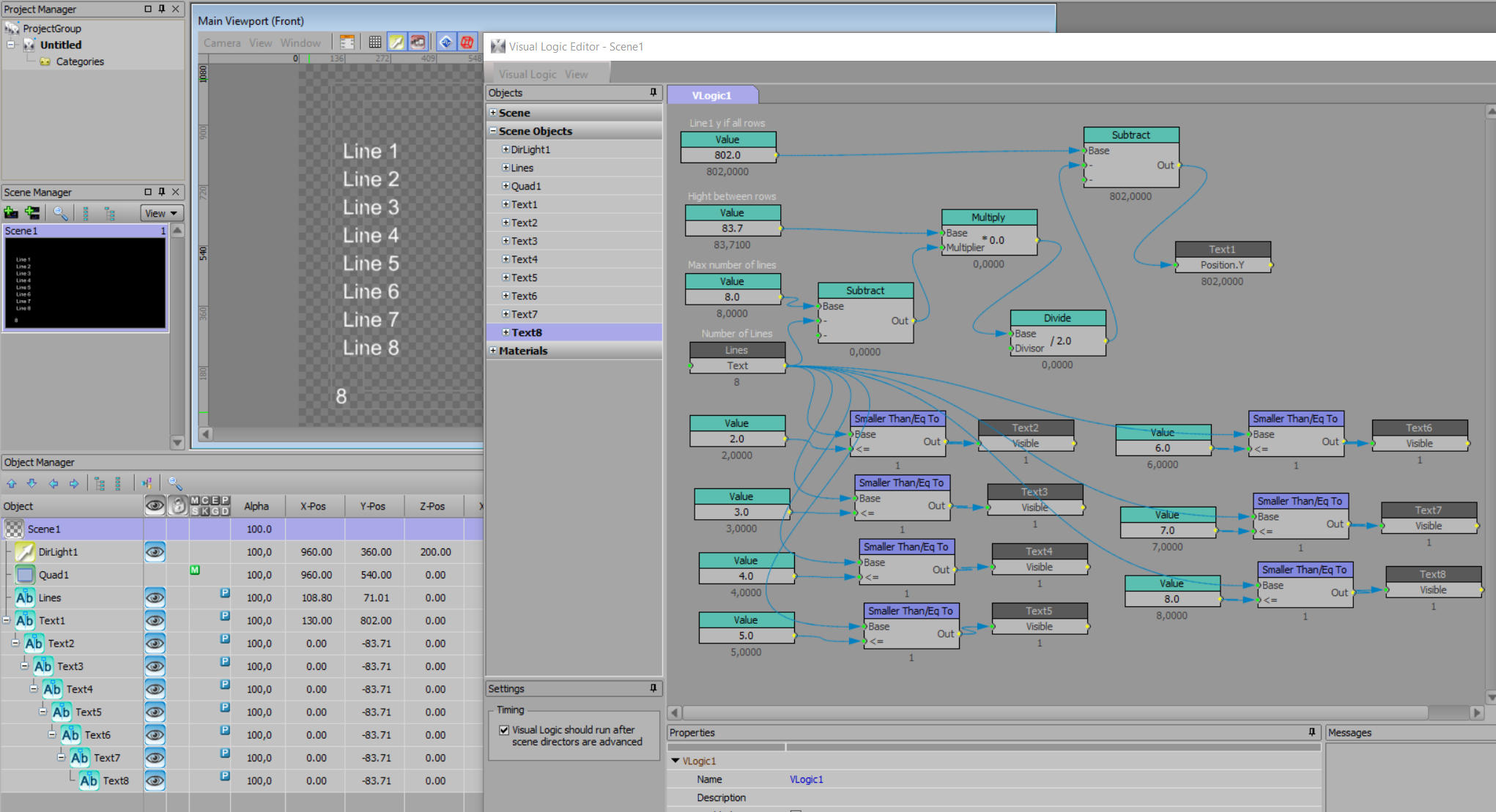
Here's an example where Visual Logic's upper part aligns the lines and the lower part hides the extra lines.
This works if you first make the scene according to the example, all 8 lines in the right places as sub-objects of each other.
Br. Juha
------------------------------
Juha Koivisto
------------------------------
Original Message:
Sent: 08-04-2022 17:44
From: Malcolm Thorpe
Subject: Distribute Lines of Text Vertically Based on the Number of Lines
If you make another tab where the logic argument is 2, then you can custom position those two lines. And so on and so on. So rather than automatically distributing them, you are basically giving them preset vertical positions. It "gets the job done" but its pretty limited.
------------------------------
Malcolm Thorpe
Free Lance Xpression Designer/Carbonite TD
Original Message:
Sent: 08-04-2022 17:26
From: Anthony Bordignon
Subject: Distribute Lines of Text Vertically Based on the Number of Lines
Hello and Thanks again -
I have spent the afternoon trying to implement what you sent.
In the end, it allows me to set a fixed Y position for the row.
But I am trying to have it distributed evenly depending on the number of rows.
Am I missing something?
--
Anthony Bordignon
XPression Graphics Designer | Stadium
1901 W. Madison St.
Chicago, IL 60612
M: 630.890.2287
Original Message:
Sent: 8/4/2022 2:49:00 PM
From: MalThePal
Subject: RE: Distribute Lines of Text Vertically Based on the Number of Lines
Here is a quick build in visual logic if the number of rows is 3. If you duplicate this for each number of rows, you can then adjust the vertical space. You would also want to have it set the visibility to true (1) for each text object, otherwise set it to false (0) Just build a new visual logic tab. This is pretty simple and SHOULD work. I haven't tested it on all values.
------------------------------
Malcolm Thorpe
Free Lance Xpression Designer/Carbonite TD
Original Message:
Sent: 08-04-2022 11:46
From: Anthony Bordignon
Subject: Distribute Lines of Text Vertically Based on the Number of Lines
Thanks!
--
Anthony Bordignon
XPression Graphics Designer | Stadium
1901 W. Madison St.
Chicago, IL 60612
M: 630.890.2287
Original Message:
Sent: 8/4/2022 11:42:00 AM
From: MalThePal
Subject: RE: Distribute Lines of Text Vertically Based on the Number of Lines
You could have a text field that selects the number of lines, then use logic blocks in visual logic that "if rows = 2" then you could turn off the visibility of all the others after two, and also do Y positions for each of the text lines. I'll see if I can get something laid out. I'm pretty sure Simon Redmile will have something up before I get to it.
------------------------------
Malcolm Thorpe
Free Lance Xpression Designer/Carbonite TD
Original Message:
Sent: 08-04-2022 11:35
From: Anthony Bordignon
Subject: Distribute Lines of Text Vertically Based on the Number of Lines
Thanks Mal -
I've seen this video before and actually reviewed it yesterday prior to sending out this message.
I just can't figure it out.
Like I said, the producers will have the choice of up to 8 lines of text. I need them to center vertically according to the number of lines.
Any help would be appreciated.
Thanks,
--
Anthony Bordignon
XPression Graphics Designer | Stadium
1901 W. Madison St.
Chicago, IL 60612
M: 630.890.2287
Original Message:
Sent: 8/4/2022 1:08:00 AM
From: MalThePal
Subject: RE: Distribute Lines of Text Vertically Based on the Number of Lines
how-to-do-logic-without-scripting
Give this tutorial a look see. I think it will get you going in the right direction.
------------------------------
Malcolm Thorpe
Free Lance Xpression Designer/Carbonite TD