Some of this is getting lost as this topic is getting pulled into multiple conversations. I missed that this was asked while on sites the past two weeks and being out of the office.
If there is a new topic being asked it is best to open a separate topic as others might also be able to help and will see the new topic.
There is not a way to Lock the Switcher Bus Map and Crosspoint without enabling Role Based Access. -- it is possible to use an RPM to then setup RBAC (Role Based Access) which would allow you to then restrict access to users that have to login to connect to and edit the controls of certain menus -- ie the Personality Menu could be restricted and they would not be able to access it to make changes.
The Bus Map Assignment should have no impact on the Automation system. The Automation System should be sending events that should be controlling the Sources directly and have the ability to select any source they like without the need for the panel bus map to be fixed. If they have done that then something is a little off with the implementation as that is not required.
The Bus Map can also support more than 1 shift and also button one being Black and shift 1 being the Colour Background also are not required to be in those locations. They could be anywhere you like. Even the Shift Buttons do not have to start are the end of the row.
The switcher does not Support MOS IDs ... I think you mean the TSL ID that is being sent to it. It is the controller label set that is being sent that would need to provide the name that you like. The switcher is either using the Internal name or the external name. At this time there is no way to support both as the TSL NAME is technically a 16 or 32 character name on it's own (depending on version of TSL in use). We don't have a way to put both on the buttons at the same time currently -- we can add this request to the feature development.
------------------------------
Les O'Reilly
Director - Switcher Product Management
------------------------------
Original Message:
Sent: 02-17-2026 12:59
From: David Knighton
Subject: "Enable Ember +" is greyed out on connections/services on my carbonite ultrix
Okay, semi different topic...
Is there any way to lock the bus map or at least have the buttons indicate what input they are using?
Using the EVS system we have installed to handle the routing, I have mapped what is in inputs 1 through 13 into the buttons as shown:
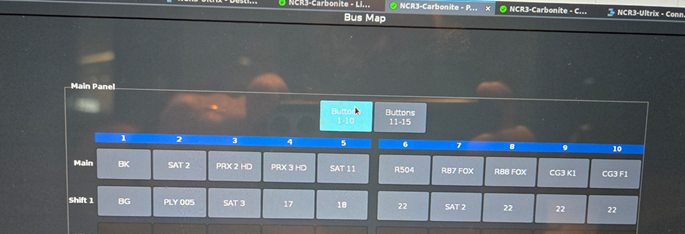
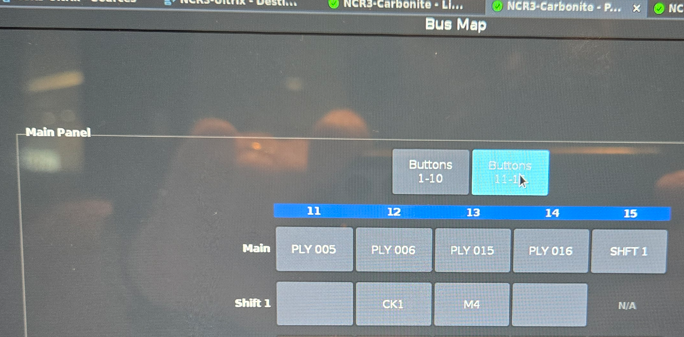
BK and SHFT 1 are hardcoded. Leaving me 13 buttons to use.
There's a number of ways we can do this, the thing I'm trying to prevent has to do with the Crispin automation that's being put online with this. When the bus map is changed, it causes a number of headaches and I want to prevent my operators from having that issue.
Optimally something that locks the inputs is ideal. It would also be good to have the bus map show something like IN 1 – SAT 2 instead of the MOS ID that is passed. Can we do Prefixes? If nothing else the prefixes will give the operators a visual indication that the source is in an errant location. Locking would be my preference, but I'll take what I can get.
Thanks for your help.
David
Original Message:
Sent: 2/17/2026 8:25:00 AM
From: Les O'Reilly
Subject: RE: "Enable Ember +" is greyed out on connections/services on my carbonite ultrix
That information is not part of the Ultrix ember+ implementation. It's only supporting the matrix items.
Carbonite does not have any interfaces to to ember + either.
the only audio follow video protocols thy are directly supported in Carbonite to external mixers is Yamaha Midi based control protocol.
An interface layer would need to convert that to ember+.
it's possible that also the audio mixer if LAWO supports Ross Audio Protocol or RAP. However that still is not directly supported by Carbonite. It's another possible protocol to convert to if thhe mixer is a Lawo model that supports that.
------------------------------
Les O'Reilly
Director - Switcher Product Management
------------------------------
Original Message:
Sent: 02-17-2026 08:17
From: David Knighton
Subject: "Enable Ember +" is greyed out on connections/services on my carbonite ultrix
Actually what I would use Ember + to do is monitor the condition of the Carbonite. According to some documentation I found (not that it's an easy thing to do) it appears that the condition of "InTransition" is available from the Ember + connection to the Carbonite. The Lawo could read this and it would give us some ability to get the Audio Follow Video to work as we expect.
If there are even more reported conditions from the Carbonite that would give me the list of possible states and might solve this audio thing once and for all. If you have a list, or can tell me who to speak to about getting a demo license, it would be appreciated.
David
Original Message:
Sent: 2/13/2026 9:32:00 PM
From: Les O'Reilly
Subject: RE: "Enable Ember +" is greyed out on connections/services on my carbonite ultrix
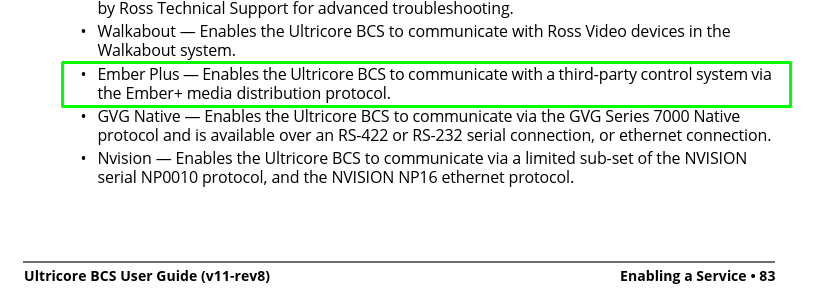
What are you trying to control via ember + in the Ultrix? This is for integration of the router matrix into the external control system.
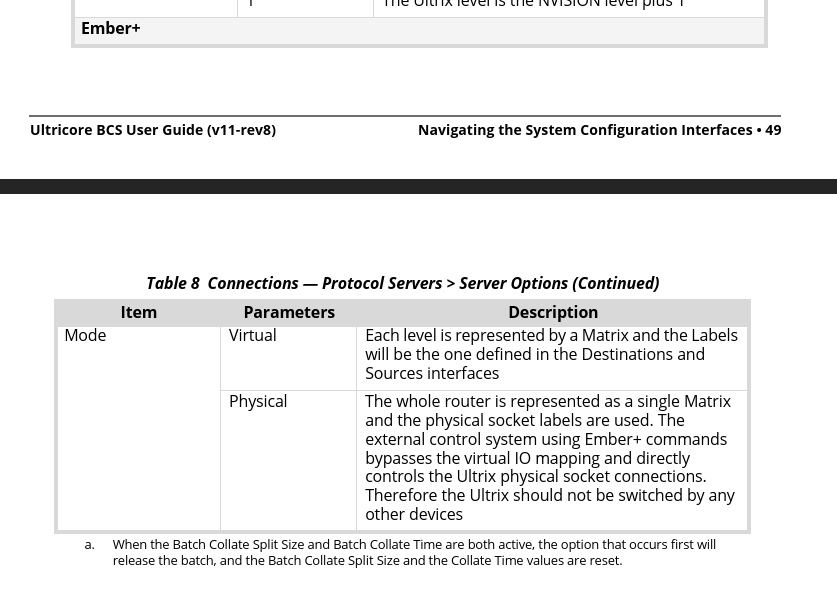 It is a license item so if you could provide what controls you are looking for we can find out if that is even possible via this license/interface.
------------------------------
Les O'Reilly
Director - Switcher Product Management