Hello Community,
I'm trying to set a custom button in Dashboard to entering with an IP address without need to type it in the field. In nutshell, I'm trying to do this in MC1-UHD-4A card > Remote Control tab > Rosstalk > Network Setup > Remote IP (photo below).
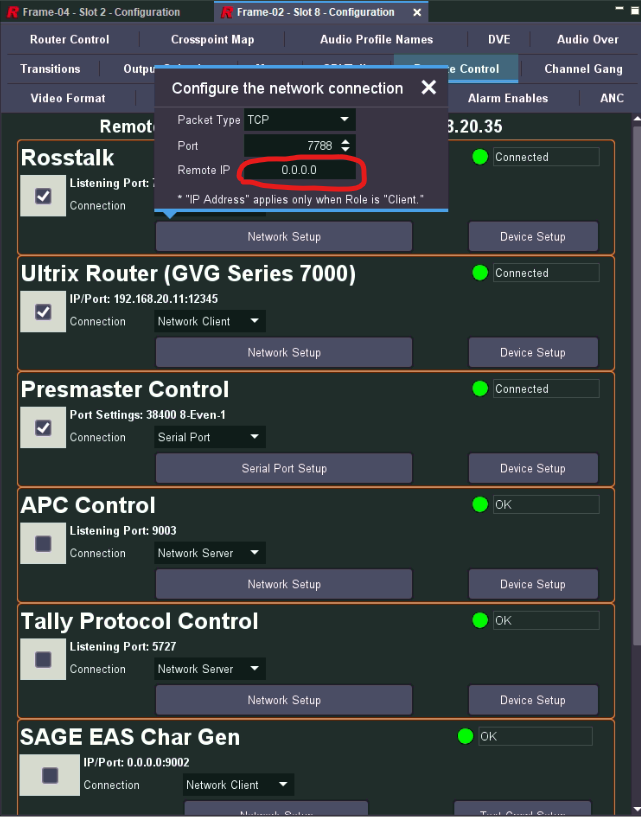
I already found this parameter (IP Address (0X8E92) and created my task using Visual logic:
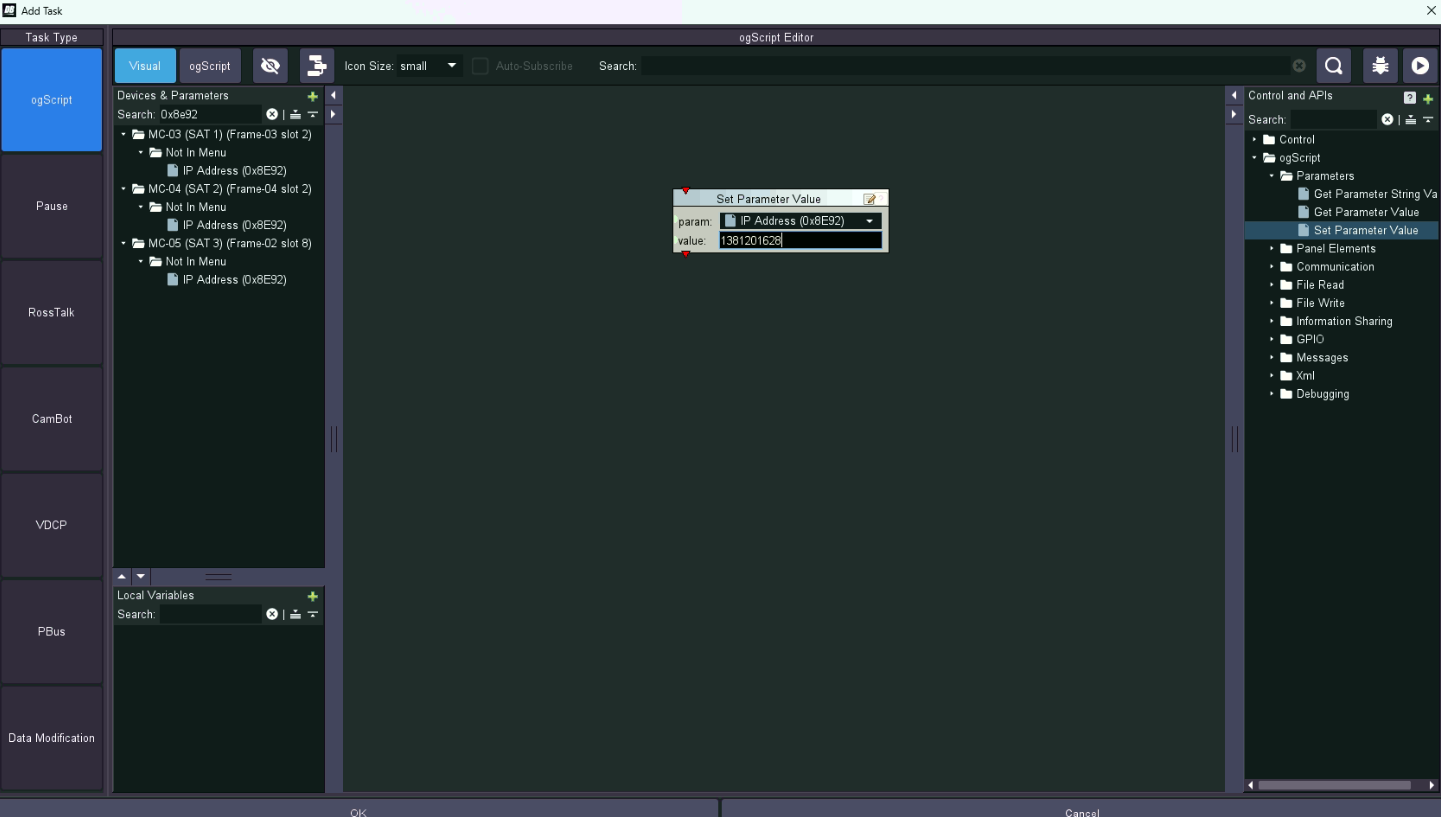
In the field "value", I converted my IP address 192.168.20.34 to decimal and send it without ".". However, it didn't work. The IP displayed was 82.83.118.220. Could you tell me what I'm doing wrong, please?
Thanks,
------------------------------
João victhor Mariano
------------------------------