I figured it out myself. Thank you anyways.
I just added this to the beginning of the whole default source code just below "var config = nk.getActiveSystem()":
So when DashBoard connects to the SwitchBoard, it will adjust the width of the 2 Columns momentarily.
Original Message:
Sent: 08-21-2025 02:59
From: Josef Nitsch
Subject: Issue with Column Width Adjustment in NK-D16-110-RCP Switchboard Overlay
Hello James,
Thank you very much for your prompt response.
The code functions correctly, but only when I apply the changes directly in PanelBuilder. Once I close DashBoard and reopen it, the settings revert to their default state. If I close the custom Switchboard Large Router.grid file inside DashBoard and reopen it, the code works again.
Is there a function I can call at startup to adjust the column width automatically? If so, could you advise on where this should be placed? If not, what alternative approach would you recommend?
Thank you in advance.
Best regards,
------------------------------
Josef Nitsch
feratel media technologies
------------------------------
Original Message:
Sent: 08-19-2025 14:36
From: James Peltzer
Subject: Issue with Column Width Adjustment in NK-D16-110-RCP Switchboard Overlay
Hi Joseph
If you're already modifying the custom panel to suit your needs, you can specify the width of the "Output" column by getting the column model directly from the JTable component and specifying its preferred width. You'll need to add an ogscript block and give the lvlstatus tag and ID so you can access it:
<table bottom="4" left="4" right="4" style="bdr:etched;bg#efffbe;fg#000000;font:mono;size:small;" top="4"> <tr> <lvlstatus dst="all" fill="both" id="lvl-table" scroll="true" showlabel="true" style="font:mono;size:small;bg#efffbe;fg#000000;t:bg#c8d5a0;t:fg#000000;" weightx="1.0" weighty="1.0"/> <ogscript handles="onload">var table = ogscript.getComponentsById('lvl-table')[0];table.getColumnModel().getColumn(0).setPreferredWidth(150); </ogscript> </tr> </table>
------------------------------
James Peltzer
Ross Video
Original Message:
Sent: 08-19-2025 09:48
From: Josef Nitsch
Subject: Issue with Column Width Adjustment in NK-D16-110-RCP Switchboard Overlay
Dear Richard,
Dear Community,
is there an update to this issue yet?
Best regards,
------------------------------
Josef Nitsch
feratel media technologies
Original Message:
Sent: 04-03-2025 08:01
From: Richard Crutwell
Subject: Issue with Column Width Adjustment in NK-D16-110-RCP Switchboard Overlay
Hi Josef,
This appears to be a NK plugin generated by the Switchboard, I'll see what options are available for customising this plugin.
Can you see if there is any detail within the table once populated when in edit mode, press-hold Shift and double-click on the table? - it will bring up a live window of the container.
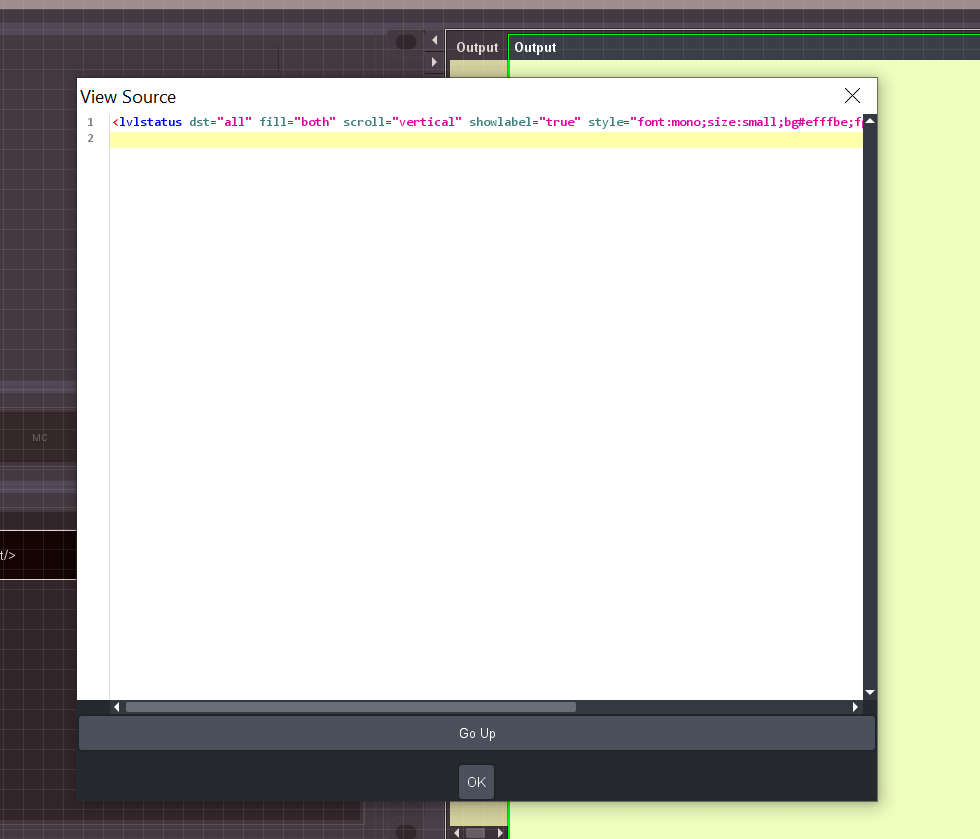
I'll see what I can suggest.
Best regards,
Richard
------------------------------
Richard Crutwell
Ross Video UK
Original Message:
Sent: 04-03-2025 07:34
From: Josef Nitsch
Subject: Issue with Column Width Adjustment in NK-D16-110-RCP Switchboard Overlay
Dear Richard,
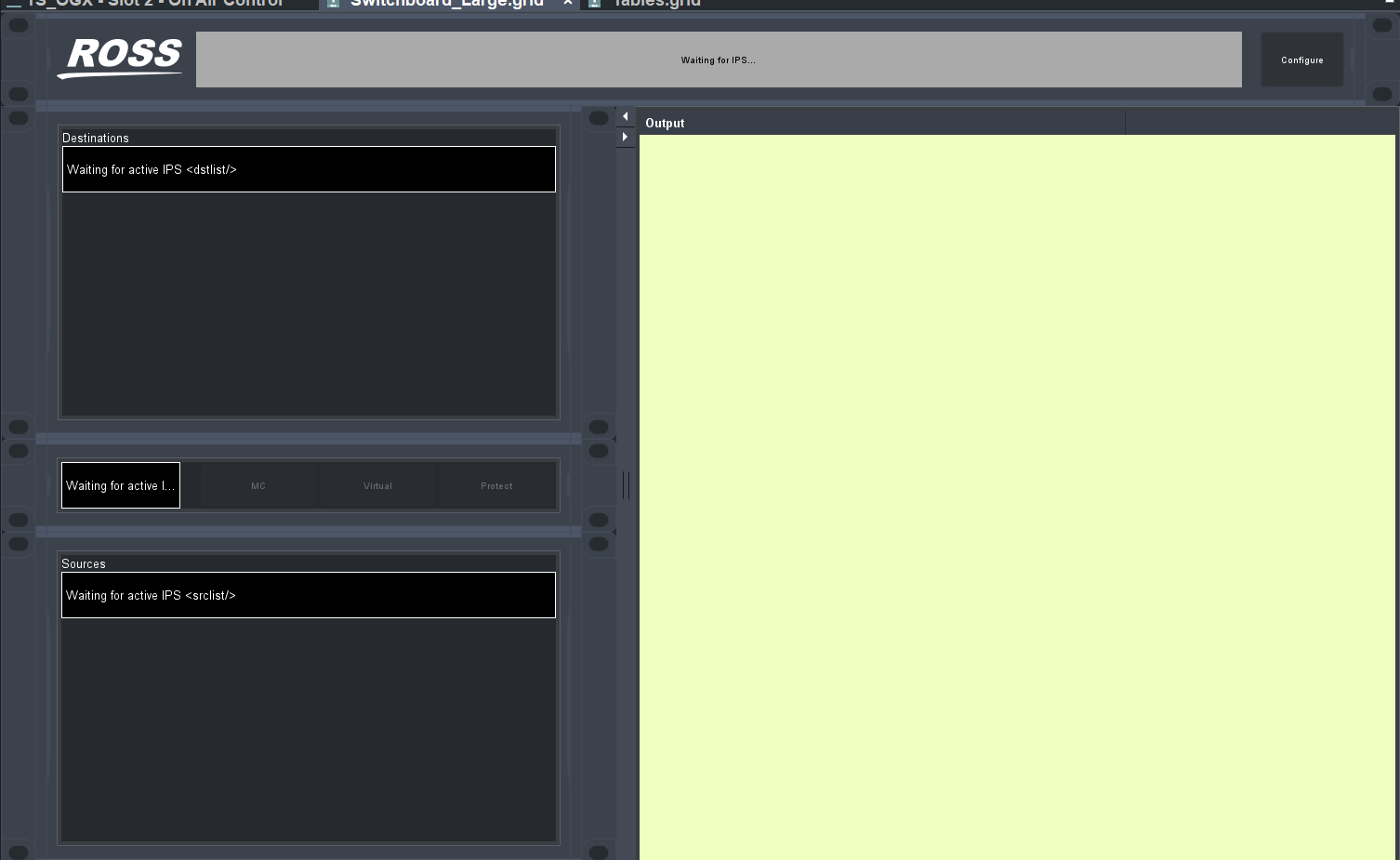
The XML file does not change when connected to an IPS/NK. The content of the <lvlstatus> tag stays the same. This is precisely why I am wondering where in the code are things like the names of the columns are defined.
The names of the inputs and outputs are obtained from a .lbl file. However, these are merely label names without any underlying syntax.
I attatched it to this message, but I don't think it matters. (I can't upload a .lbl file here it's a .txt now, you can change it to a .lbl and import it then into DashBoard)
Best regards,
------------------------------
Josef Nitsch
feratel media technologies
Original Message:
Sent: 04-03-2025 06:27
From: Richard Crutwell
Subject: Issue with Column Width Adjustment in NK-D16-110-RCP Switchboard Overlay
Hi Josef,
Can you do me another favour and send the XML in full when connected to the IPS/NK? - I do not have one to connect to therefore cannot see the details within the <lvlstatus/> tags.
------------------------------
Richard Crutwell
Ross Video UK
Original Message:
Sent: 04-02-2025 08:14
From: Josef Nitsch
Subject: Issue with Column Width Adjustment in NK-D16-110-RCP Switchboard Overlay
Hi Richard,
Thank you for your quick reply.
As I mentioned before, I am using the Switchboard (Large Router), which is already included in DashBoard. I only made a few visual adjustments to optimize my workflow.
The problem is that I can't really determine which part of the code writes the destinations and sources into this table, nor do I know where in the source code the column titles are labeled.
Would it be possible for you to show me how to adjust the given source code without creating a new table?
Attached is the original file of the Switchboard (Large Router).
Best regards,
------------------------------
Josef Nitsch
feratel media technologies
Original Message:
Sent: 04-02-2025 06:51
From: Richard Crutwell
Subject: Issue with Column Width Adjustment in NK-D16-110-RCP Switchboard Overlay
Hi Josef,
You are on the right track in some table or container methods although I suspect that this table is configured differently due to the way it is constructed.
Below is an example is of a param table, the config tags set the column widths among other details.
I've also attached a table panel (change to *.grid) with some examples.
<param expand="true" height="200" left="540" oid="params.table" showlabel="false" top="100" width="440">
      <config key="w.padding">10,15</config>
      <config key="w.hscroll">true</config>
      <config key="w.colminwidth.0">250</config>
      <config key="w.colminwidth.1">150</config>
      <config key="w.colminwidth.2">150</config>
      <config key="w.alwaysscroll">false</config>
      <config key="w.localselection">true</config>
      <config key="w.cellediting">false</config>
      <config key="w.scrollselection">true</config>
   </param>
------------------------------
Richard Crutwell
Ross Video UK